


Best apps for bookkeeping in 2026: guide for founders

Content Team

Summary
Founders have no shortage of options in 2026 - when looking for the best apps for bookkeeping, QuickBooks Online, Xero, FreshBooks, and Wave lead the pack, but dozens of smaller tools compete for a spot in your stack.
If you want to check out the best apps for bookkeeping, free tools exist (Wave, Zoho Books), and so do $35-plus-a-month plans. Where you land depends on what you actually need, not what's cheapest.
Business size matters. So does whether you invoice clients directly, and whether a fundraise is anywhere on the horizon.
Bringing in investors makes accrual accounting essential, but it's easy to overlook until reporting hurdles hit. You can make the switch smoothly by partnering with an accountant to map out your receivables and payables early.
Ask your bookkeeper which software they use before you pick one. Most default to whatever their clients' accountants already run, usually QuickBooks or Xero.
Before purchasing the plan, you can opt for the 30-day trial.
One Aspire account to manage your business finances in one place.
Get a business account¹, issue corporate cards², manage expenses, and automate financial workflows, all from one powerful platform built for modern businesses.
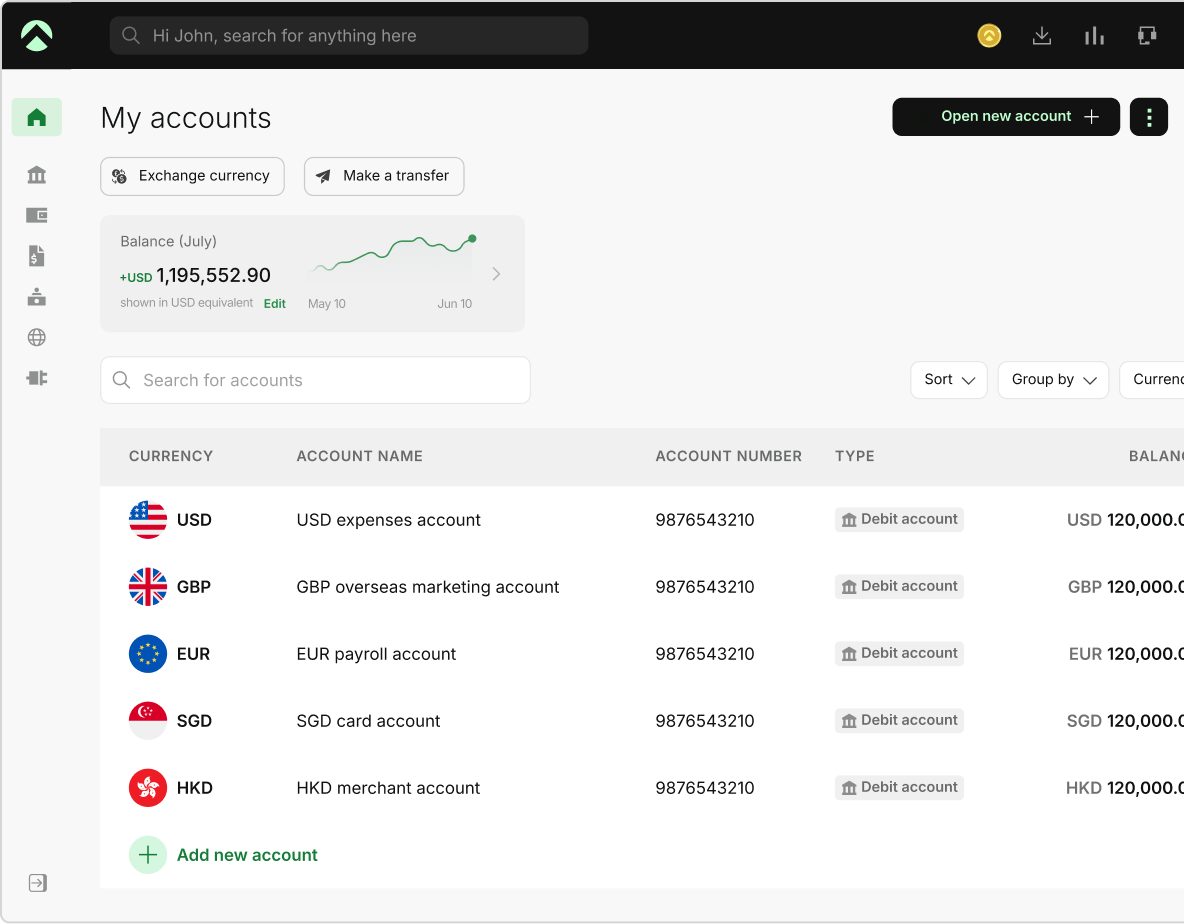
As a founder, choosing the best apps for bookkeeping in 2026 is a key requirement. The right app doesn’t just save your time; it also spares you the headache of reconciling three months of transactions at 9 pm because you didn't have a system in place.
Whether you are a founder, a startup, or running a company using bookkeeping software for small business, there is a tool built for exactly what you need.
Best apps for bookkeeping in 2026
| Tool | Best for | Starting price | Mobile app | Free plan/trial |
|---|---|---|---|---|
| QuickBooks Online | Founders planning to raise, or whose accountant already works in QuickBooks Freelancers and single-person businesses who don't need full accounting yet can try QuickBooks Solopreneur | USD $38/month (QuickBooks Solopreneur is USD $20/month) | Yes | 30 days |
| Xero | Teams that need unlimited users without per-seat fees | USD $25/month | Yes | 30 days |
| FreshBooks | Freelancers and service businesses that invoice clients regularly | USD $21/month | Yes | 30 days |
| Wave | Solopreneurs and pre-revenue founders who want real bookkeeping at no cost | Free | Yes | Free plan |
| Zoho Books | Founders under USD $50,000 in revenue already inside the Zoho ecosystem | Free | Yes | Free plan/14-day trial |
| ZipBooks | Early-stage founders who want a free starting point before they know exactly what they need | Free | Yes | Free plan/30-day trial |
| Odoo | Businesses looking for an integrated ERP and accounting suite where they only use the accounting app | Free (1 app) / USD $25–$39/month | Yes | Free plan |
The best apps for bookkeeping for founders
Here are the seven bookkeeping apps worth your time as a founder or small business owner. Each app is unique and offers different values. The right choice comes down to what your business needs.
QuickBooks Online
Key features: Expense tracking, bank syncing, invoicing, payroll integration, tax preparation support, customizable financial reports, project profitability tracking on higher plans.
Benefits: Over 750 third-party tools connect to it. Most CPAs and accountants in the US work inside QuickBooks , so when you hand off books for tax filing, due diligence, or a new bookkeeper, there is no compatibility issue. It scales from a one-person operation to a mid-sized business without migration.
Cons: The most expensive option on this list, as Intuit raises its pricing more than other tools. For a pre-revenue founder, the entry price is real money.
Cost:
- Simple Start: USD $38/month
- Essentials: USD $85/month
- Plus: USD $140/month
- Advanced: USD $340/month
- Solopreneur: USD $20/month
- 30-day free trial available (Source: QuickBooks.com, August 2026)
Integrations: 750+ apps including PayPal, Square, Stripe, Shopify, Gusto, and Aspire.
Best for: Product-based businesses, small to mid-sized businesses, and any founder whose accountant is already working in QuickBooks. Freelancers and single-person business owners can go with QuickBooks Solopreneur at USD $20/month instead.
Xero
Key features: Bank reconciliation, invoicing, expense claims, multi-currency support, payroll, and unlimited users on every plan.
Benefits: Xero comes with unlimited users regardless of the plan. The same books can be accessed by the bookkeeper, the accountant, and the founder without paying anything extra. It uses a standardized reporting format, reducing friction and helping close funding rounds. If you are looking for the best apps for bookkeeping, our guide dives deep into Xero .
Cons: The Early plan limits you to 20 invoices and 5 bills per month. Users gave mixed reviews of the customer support.
Cost:
- Early: USD $25/month (20 invoices, 5 bills)
- Growing: USD $55/month (unlimited transactions)
- Established: USD $90/month (multi-currency, expenses, projects)
- 30-day free trial available (Source: Xero.com, March 2026)
Integrations: 1,000+ apps including Stripe, PayPal, Gusto, HubSpot, and Aspire.
Best for: Growing teams, businesses planning to raise funding, and any setup where multiple people need simultaneous access to the books.
FreshBooks
Key features: Invoicing, time tracking, expense tracking, project management, client retainers, payment acceptance via credit/debit card.
Benefits: FreshBooks is ideal when it comes to invoicing. It has a clean template, has automatic payment reminders, built-in time tracking, and hourly billing. If invoicing is core to your business, then this app has a clear advantage.
Cons: While FreshBooks is good for invoicing, it falls behind when it comes to inventory management and complex accounting. Additionally, if you only go with the Lite plan, the app caps you at 5 clients. If your business is growing, this might be a problem.
Cost:
- Lite: USD $23/month (up to 5 clients)
- Plus: USD $43/month (50 clients)
- Premium: USD $70/month
- 30-day free trial available (Source: FreshBooks.com, March 2026)
Integrations: 100+ apps including Stripe, PayPal, Gusto, Shopify, and HubSpot.
Best for: Freelancers, consultants, agencies, and service businesses where invoicing clients is a core part of daily operations.
Wave
Key features: Accounting, invoicing, receipt scanning, bank connection, financial reports. Payment processing and payroll are available as paid add-ons.
Benefits: The bookkeeping engine is permanently free, not a trial. You connect your bank, transactions import, you categorize them, you run reports, you send invoices. All of that costs nothing. For a founder who is pre-revenue or running lean, it’s genuinely difficult to argue against.
Cons: There are some gaps if your business generates over USD $100,000 in revenue. It also has limited inventory support and less advanced third-party integrations compared to other paid tools. The free plan also gives limited customer support.
Cost:
- Starter: Free forever
- Pro: USD $16/month (automatic bank imports, receipt scanning)
- Payment processing and payroll are separate paid features (Source: WaveApps.com, March 2026)
Integrations: PayPal, Stripe, and Etsy. The integration library is more limited compared to QuickBooks and Xero.
Best for: Solopreneurs, side hustles, and very small businesses that need real bookkeeping at zero cost.
Zoho Books
Key features: Invoicing, expense tracking, bank reconciliation, workflow automation, auto-payment reminders, 1099 and W-9 support, client portal.
Benefits: If your business has an annual revenue of less than USD $50,000, Zoho Books will help you with workflow automation and compliance features. The integration is tighter than most third-party connections.
Cons: It is limited to one user, one accountant, and up to 1,000 invoices a year. The app also doesn’t work if you step outside the Zoho ecosystem.
Cost:
- Free: USD $0/month (businesses under USD $50,000 annual revenue, 1 user)
- Standard: USD $20/month
- Professional: USD $50/month (Source: Zoho.com, March 2026)
Integrations: Full Zoho suite (CRM, Inventory, Analytics, Payroll), plus Stripe, PayPal, and Slack.
Best for: Micro-businesses under USD $50,000 revenue, especially those already inside the Zoho product ecosystem.
ZipBooks
Key features: Invoicing, expense tracking, bank connection, basic reporting, time tracking, smart tagging for expense categorization.
Benefits: The Starter plan is free forever: one user, unlimited invoices, unlimited contacts, one bank connection. Clean interface, fast to set up. Slack and Gusto integrations are a practical touch for early-stage teams already inside those tools.
Cons: Not a tool you scale into. Reporting and accounting depth are limited compared to every other option on this list. Works as a starting point, not a long-term solution.
Cost:
- Starter: Free forever
- Smarter: USD $15/month
- Sophisticated: USD $35/month (Source: ZipBooks.com, March 2026)
Integrations: Gusto, Slack, and a small set of payment processors. The integration library is limited compared to QuickBooks and Xero.
Best for: Early-stage startups and new businesses that want a clean, free starting point before they know exactly what they need.
Odoo
Key features: Integrated accounting, invoicing, expense tracking, bank synchronization, financial reporting, inventory, and purchase management through a modular suite of apps.
Benefits: The accounting app is free if used as a single app, providing a scalable ERP foundation where you only pay as you add more business modules. Highly customizable and built for long-term growth.
Cons: Can feel complex and overwhelming to set up due to its broad ERP ecosystem, requiring a steeper learning curve if you only want basic bookkeeping.
Cost:
- One App Free: $0
- Standard: $24.90/user/month, billed annually
- Custom: $49/user/month, billed annually
- Monthly billing is higher.
- Integrations: Deep native integration with the entire Odoo app ecosystem (CRM, inventory, sales), plus external payment gateways and banking APIs.
Best for: Businesses looking for an integrated accounting/ERP platform, particularly those that may eventually need more than basic bookkeeping.
What to look for in the best apps for bookkeeping
Before choosing the best apps for bookkeeping, find what your business needs, then the tool that can deliver it. Here is an overview of the factors that can go into choosing a bookkeeping app:
- Bank syncing and auto-categorization:
The app you go for should connect to your accounts, automatically import transactions, and categorize them.
- Expense tracking:
Your bookkeeping app should give you a detailed expense tracking report. And this isn’t just for your year-end audit. See where your money is going every week. When choosing an app, see if they provide automatic expense categorization and lets you attach receipts on the spot.
- Mobile access:
Do you need mobile access for sending invoices, capturing receipts, and checking account details on the go, or do all your functions happen on a desktop in the office?
- Financial reports:
Well-kept financial reports help with a smooth audit process by providing clear, organized documentation that allows auditors to verify transactions quickly and efficiently.
- Invoicing:
Using a bookkeeping app for invoicing automates sending, tracking, and follow-ups, which significantly reduces the manual effort and time spent managing client billing.
- Tax readiness:
Your accountant pulls what they need from the app without you spending a weekend exporting spreadsheets and reformatting columns.
- Integrations:
Does it connect with your payroll provider, payment processor, and business account? Platforms like Aspire Fx connect directly with QuickBooks and Xero, so your transactions keep updating in real time.
- Ease of use:
Good UX improves ease of use and reduces the learning curve, making implementation smoother, so you actually stay consistent with your chosen business bookkeeping app every week.
Which of the best apps for bookkeeping is right for you
There is no universal answer when it comes to the best apps for bookkeeping. The right one depends entirely on where your business actually is right now. Here is the short version:
| Usage scenario | Best bookkeeping apps |
|---|---|
Invoicing clients regularly | FreshBooks |
Solopreneurs or very small businesses | Wave |
Founders planning to raise funding | QuickBooks Simple Start or Xero |
Teams needing multiple users in the books | Xero |
| Already in the Zoho product ecosystem | Zoho Books |
Almost every app on this list offers a 30-day free trial. It’s worth testing two or three before committing. The cost of switching increases every month you stay on the wrong one.
The best apps for bookkeeping: final thoughts
Bookkeeping is the system that tells founders like you whether the business is actually working. Clean books buy you something most founders don't think about until they need it: you see where money is going before it becomes a problem, not after. Decisions get grounded in real numbers instead of gut feel. And when an investor, a bank, or a partner asks a hard question, you're not up at midnight scrambling for the answer - you already have it.
Modern accounting tools and any reliable accounting bookkeeping app are more capable and affordable than ever, with several options offering free plans. The only real mistake to avoid is waiting too long to choose one.
Pick the tool that fits where you are right now - not where you hope to be in two years. Use it, actually use it, and only upgrade once it can't keep up with you anymore.
Frequently Asked Questions
Depends on what "best" means for your team. Need comprehensive features and a clean handoff to your accountant? QuickBooks Online is the most widely used option, and there's a reason for that. Tight on budget? Wave gets you real functionality without the price tag.
There is no universal answer to this. It depends on your business requirements. If you have US-based or complex accounting needs, QuickBooks works best. Xero is better if your business deals with international teams and is growing.
Yes. You can switch bookkeeping software later without losing your financial history. You can export your data (including lists and balances, past transactions, and reports) from the old system and import it to the new one.
Yes, and this trips people up because "free" usually means "limited." Wave and Zoho Books are the exceptions. Both include real accounting, invoicing, and financial reporting at no cost. Wave works better as a general-purpose pick; Zoho Books stays free as long as you're under USD $50,000 in annual revenue, and it packs in automation most free tools skip entirely.
QuickBooks Online, by a wide margin, in the US at least. Most CPAs already work inside it, so handing off client files is seamless - no format conversion, no back-and-forth. Second is Xero. It is preferred for bookkeepers managing international clients or managing larger businesses. QuickBooks’ per-user pricing starts adding up fast.
Here's the short version: if you're pre-revenue with no funding round in sight, Wave or ZipBooks will cover you. But the moment a fundraise moves onto the horizon, switch to QuickBooks Simple Start or Xero. Why the switch? Investors and due diligence teams already recognize the report formats both tools produce - one less thing to explain in a data room. Pick the right online bookkeeping software that fits where you are right now - not where you hope to be in two years.
Bookkeeping covers the day-to-day recording of transactions, expense categorization, and account reconciliation. Accounting involves interpreting that data at a higher level: forecasting, financial strategy, and tax planning. Most of the best apps for bookkeeping handle both functions. The differences typically appear in the depth of tax tools, payroll integration, and financial reporting, which vary by plan and provider.
Choosing from the best bookkeeping apps for small business comes down to your operational model:
- If you need universal accountant compatibility and plan to scale, QuickBooks Online is the industry standard
- If your growing team requires multiple users without paying per-seat fees, Xero is unmatched
- For client-heavy service providers and agencies focused heavily on billing, FreshBooks provides the cleanest invoicing workflow.
- Meanwhile, bootstrapped micro-businesses operating on a tight budget can rely on free platforms like Wave or Zoho Books without sacrificing essential tracking features.
Sources
- https://efficient.app/best/accounting ), NA
- 2) https://bookbi.com/blog/how-to-choose-the-best-bookkeeping-app-for-your-business-in-2026/, NA
- 3) https://pilot.com/blog/bookkeeping-software-for-business, April 30, 2025
This blog is for general information only and does not constitute financial, legal, tax, or professional advice. Aspire’s services are subject to the terms outlined in our ’Terms of Service’ and ’Pricing’ pages. We make no guarantees as to the accuracy, completeness, or timeliness of the content, and past results do not indicate future performance. Always consult a qualified professional before acting on any information provided.
Content Team
Aspire editorial
Content team at Aspire is a society of seasoned writers & experts specialising in finance, technology and SaaS space. With 50+ years of collective experience, they help make business finance more profitable for readers. They write about finance tools, finance insights, industry trends, tactical guides to grow your business & also all things Aspire.
Aspire Launchpad
Supercharge your finance operations with Aspire
Find out how Aspire can help you speed up your end-to-end finance processes from payments to expense management.

Latest articles

QuickBooks vs Xero: Key differences, costs and which is better
QuickBooks vs Xero compared on features, pricing, users, reporting, and ease of use. See which accounting software is a better fit for your business.

How general liability vs professional liability insurance works in the US
Small business guide to general liability insurance. Learn about costs and coverage, if you need it, and how to choose the right policy.

Best multi-currency business accounts in the US for 2026
Compare the best multi-currency business accounts in the US for 2026. Explore fees, FX costs, currencies, holding, receiving options, and key features.