


7 best accounting software for consultants and consulting firms in 2026

Bintang Lestada
Summary
Accounting software choice for consultants comes down to billing style, client volume, and growth stage
This guide compares the top 7 accounting software, including QuickBooks, Xero, FreshBooks, Zoho Books, Wave, Bonsai, and Sage 50, each suited to a different stage and billing style
Beyond price, retainer billing support, cash vs. accrual reporting, and clean 1099/subcontractor tracking are what actually separate a good fit from a tool you'll outgrow
Getting the setup right with entity structure, EIN, business license requirements, and W-9/1099 tracking matters independently of which software you pick
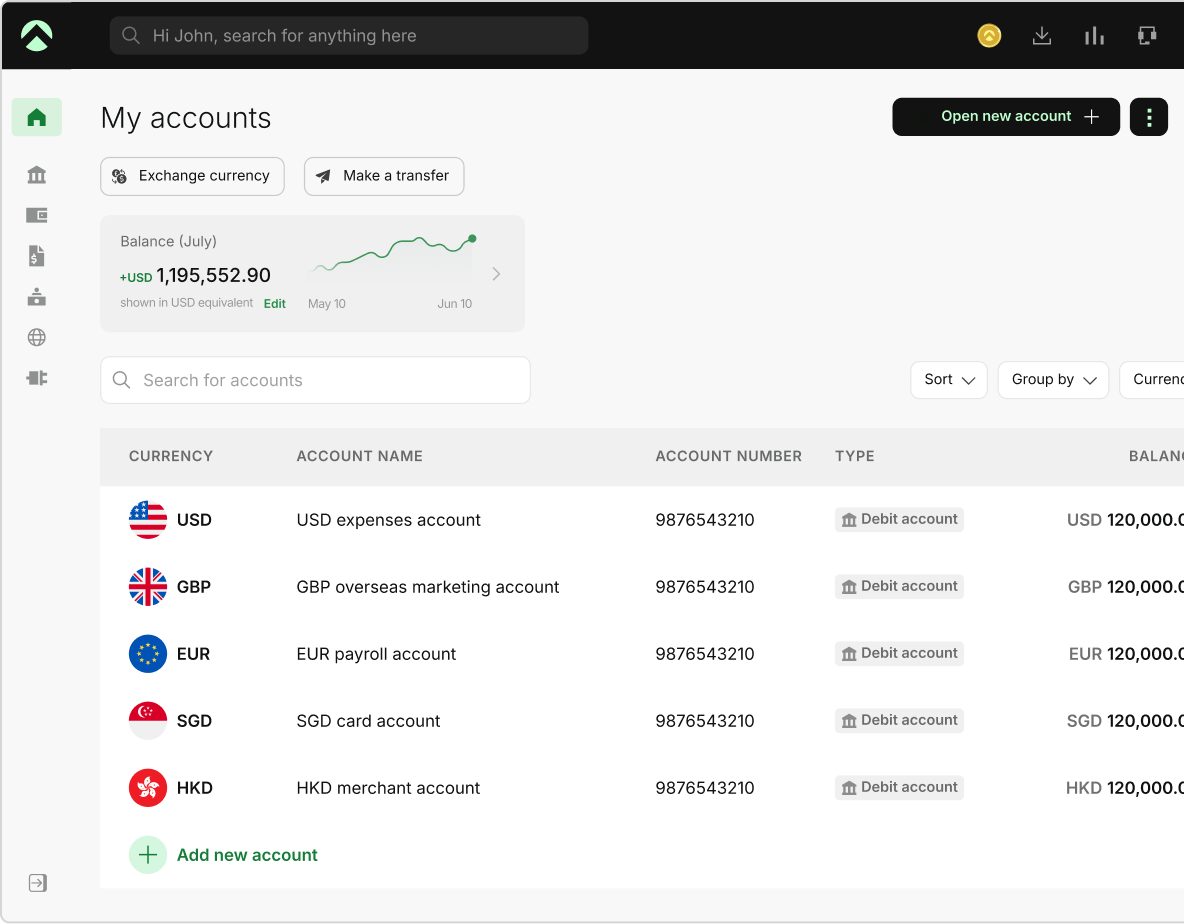
Accounting software is a ledger. It can't stop an out-of-policy expense before it happens or show real-time visibility into committed spend, which is where a tool like Aspire fits in alongside it
One Aspire account to manage your business finances in one place.
Get a business account¹, issue corporate cards², manage expenses, and automate financial workflows, all from one powerful platform built for modern businesses.
Every hour you bill, every expense you record, and every invoice you send is data—but only if your software makes the necessary connections. The best accounting software for consultants not only keeps track of events but also identifies what is truly effective, which clients are worth focusing on more, and where your time is being spent.
The majority of consultants begin with something familiar or free, such as a spreadsheet or a simple invoicing program. That's a good place to start. However, you need software designed for how consulting firms actually bill and expand as you add retainer clients, hire a subcontractor, or want clean statistics for a lender or a larger tax filing.
This guide explains which accounting software solutions are best for consultants and consulting businesses, what to look for before committing to one, and where the true costs and value become apparent after the free trial.
| For most solo consultants, QuickBooks Simple Start covers invoicing, expense tracking, and basic reporting for under $40/month or FreshBooks Plus if retainer billing matters from day one. If you bill multiple retainer clients or plan to add a bookkeeper, QuickBooks Essentials or Xero Growing handle multi-user access without forcing a full upgrade. If you're a small consulting firm with 3+ people, start on the mid-tier plan directly: choose Sage 50 or QuickBooks Plus if you need project-based billing and deeper reporting from day one. |
What to look for in accounting software for consultants
Every accounting tool claims to do "invoicing, expenses, and reports." That's not useful information. What actually separates the right fit from a tool you'll outgrow in six months comes down to a handful of specifics:
Billing model support
Hourly, project/fixed-fee, retainer, and sometimes a combination of all three are the methods that consultants bill. Hourly and project billing are handled well by software designed for one-time invoicing (such as a simple Wave setup), but recurring retainers cause problems. Verify whether retainers, time-tracking-to-invoice conversion, and recurring invoices are built-in features or add-ons.
Client capacity and how it's priced
Some tools price by client count (FreshBooks), some by user seat with a flat per-user add-on (Bonsai), and some bundle a fixed number of users into each plan tier (QuickBooks) or price by organization regardless of headcount (Xero, Sage). If you expect your client roster to grow faster than your team size, a per-client cap will bite you before a seat-based one does. And if your team is growing, check whether adding a person means a small add-on fee or a full plan upgrade.
Cash vs. accrual reporting
Most solo consultants naturally think on a cash basis. The moment you form an S-corp, take on a retainer with deferred payment terms, or need financials for a lender, accrual reporting (income counted when invoiced, not when paid) becomes the more accurate view and sometimes a requirement. Confirm the software can switch between the two with a report toggle, instead of a manual re-entry.
1099 and subcontractor tracking
If you ever pay another consultant or contractor for help on a project, the software needs to collect W-9s and generate 1099-NEC forms at year-end without a separate tool.
Bank reconciliation and multi-currency
Bank reconciliation accounting, which means matching your books to what actually cleared your bank, should be close to automatic. If you bill international clients, check at what tier multi-currency actually unlocks; it's a common upsell trigger across every tool in this list.
What happens at the free-trial or low-tier ceiling
Every provider here has a point where the entry price stops being the real price. Know that ceiling before you build your workflow around a plan you'll leave in three months.
Best accounting software for consultants: at-a-glance comparison
| Software | Best for | Starting price | Users included | Notable limit |
|---|---|---|---|---|
| QuickBooks Simple Start | Solo consultants who want the most widely-used tool | USD $38/mo | 1 user | No bill pay, no multi-user |
| Xero Early | Very low-volume freelancers | Currently discounted to USD $2.50/month for the first six months for eligible new US customers through Sept 30, 2026. | Unlimited users | Capped at 20 invoices, 5 bills/month |
| FreshBooks Lite | Solo consultants with a handful of clients | USD $23/mo | 1 user | Capped at 5 billable clients |
| Zoho Books | Budget-conscious consultants already in the Zoho ecosystem | USD $0/mo | 1 user | No multi-currency until Professional tier |
| Wave Starter & Wave Pro | Consultants who want free core accounting with light paid automation | $0 for Starter (Pro: USD $190/year) | Unlimited | No inventory, no project tracking |
| Bonsai Essentials | Solo consultants who want proposals, contracts, and invoicing in one place | USD $19/mo per user (billed annually) | 1 user | Not full double-entry accounting |
| Sage 50 Pro Accounting | Small consulting firms wanting desktop-grade accounting depth | USD $128.67/mo | 1 user | Expensive entry point; Premium/Quantum tiers needed for multi-company or larger teams |
Note: Pricing reflects current published list rates as of September 2026; confirm directly with each provider, as pricing and tiers shift frequently.
Top 7 accounting software for consultants
1. QuickBooks Online
QuickBooks is the default most US accountants and bookkeepers already know how to use. When you finally employ a bookkeeper or give your records to a CPA, familiarity is important. QuickBooks Essentials offers the multi-user access and bill payment that the majority of small consulting companies truly require, while QuickBooks Simple Start handles solo invoicing and expenditure management.
Best for: Small businesses looking to hire a bookkeeper in the near future or independent consultants seeking the most extensively supported product.
Pros:
- Nearly universal accountant and bookkeeper familiarity
- Deepest third-party integration library of any tool on this list
- Built-in project profitability and billable-hours tracking at the Plus tier
Cons:
- Simple Start is single-user only
- QuickBooks' higher user requirements push businesses into higher plan tiers.
- Steeper learning curve than FreshBooks or Wave for non-accountants
Why we picked it: It's the safest default when you don't yet know what you'll need in two years. If your consultancy might add employees, contractors, or a bookkeeper, QuickBooks scales without a platform migration.
When QuickBooks isn't the right fit
If your consultancy doesn't touch inventory and doesn't need QuickBooks' payroll depth, the per-user pricing structure works against you. This is where Xero, FreshBooks, Zoho Books, and Wave become real quickbooks alternatives for small business consultants.
2. Xero
Xero's core pitch is unlimited users on every plan, where a five-person consulting firm pays the same subscription as a solo operator. That's a structural advantage over QuickBooks' per-seat model.
Best for: Small consulting firms that expect to add team members without wanting a per-seat bill.
Pros:
- Unlimited users at every tier, including Xero Early
- Clean multi-currency and project tracking at the Xero Established tier
- Well-documented API and a large third-party app marketplace
Cons:
- Early's 20-invoice, 5-bill monthly cap is unworkable for most active consultancies within weeks
- No built-in payroll; requires a third-party add-on like Gusto
- Multi-currency and project tracking are locked to the most expensive tier
Why we picked it: For a consulting firm actively adding people, Xero's flat per-organization pricing usually beats QuickBooks' per-user math within the first year or two of growth.
When Xero isn't the right fit
Xero has no built-in payroll and leans on a third-party add-on like Gusto instead. And if your invoice volume is genuinely low, it's worth checking whether Early's caps fit your actual usage before committing.
3. FreshBooks
Client billing comes first in FreshBooks, followed by accounting. Instead of being grafted on top of a general ledger, proposals, retainers, time tracking, and invoicing feel organic.
Best for: Independent consultants and small businesses whose primary daily tasks are client billing rather than inventory or payroll management.
Pros:
- Best-in-class invoicing UX with recurring invoices, late fees, and reminders are simple to set up
- One-click timer converts tracked hours directly into an invoice line item
- Genuinely easy for non-accountants to use without training
Cons:
- Every tier is billable-client-capped, not feature-capped
- Each additional team member costs USD $11/month on top of the plan price
- Weaker on deep financial reporting than QuickBooks or Xero at comparable price points
Why we picked it: If invoicing follow-ups and scope-related back-and-forth are taking up your time, FreshBooks solves that better than a general ledger tool does.
When FreshBooks isn't the right fit
If your team is growing faster than your client list, the per-client pricing model works less in your favor, since each added person adds $11/month on top of the plan. It's also better suited to invoicing-first workflows than deep financial reporting.
4. Zoho Books
Zoho Books earns its spot almost entirely on price. It has a genuinely usable free tier for consultants under USD $50K in annual revenue, then a USD $15/month Standard tier that undercuts most competitors on comparable features.
Best for: Budget-conscious consultants, especially those already using other Zoho products (CRM, Projects).
Pros:
- The most generous free tier of any tool on this list with real double-entry bookkeeping
- Deep discount versus QuickBooks/Xero at comparable feature levels
- Native integration with the wider Zoho ecosystem if you use it
Cons:
- Multi-currency and project billing don't appear until the Professional tier (USD $40/month)
- Less accountant familiarity than QuickBooks
- The ecosystem advantage only applies if you're already using other Zoho tools
Why we picked it: For a consultant watching every dollar of overhead, Zoho Books offers the most accounting software for the least money, as long as you don't need multi-currency on day one.
When Zoho Books isn't the right fit
If you're already billing international clients, know that multi-currency sits behind the Professional tier, not the free or Standard plans.
5. Wave
Wave's free plan offers unlimited invoicing and expense tracking at no software cost. The company makes its money on payment processing fees rather than subscriptions.
Best for: Consultants just starting out who need real bookkeeping without a monthly software bill.
Pros:
- Genuinely free core accounting
- Unlimited invoicing and users even on the free tier
- Simple enough to set up in an afternoon with no accounting background
Cons:
- No inventory or project-based tracking on any tier
- Payment processing fees (2.9% + USD $0.60 per card transaction) can exceed what a paid subscription would have cost once volume grows
- Payroll is a separate subscription, not an add-on within the same bill
Why we picked it: For a consultant testing the waters before committing to paid software, Wave removes the cost barrier entirely.
When Wave isn't the right fit
Wave's free tier is genuinely free, but the trade-off shows up in card-processing fees (2.9% + $0.60 per transaction) once your payment volume grows. There's also no inventory or project-based billing on any tier, so it's worth confirming you won't need that down the line.
6. Bonsai
Bonsai isn't accounting software in the traditional sense. It's a client-management and billing platform with proposals, contracts with e-signatures, time tracking, and invoicing, with lightweight expense and income tracking layered on top.
Best for: Solo consultants whose real bottleneck is chasing signed contracts and unpaid invoices, not producing financial statements.
Pros:
- Proposals, contracts, and e-signatures in the same place as invoicing
- One-click timer and project tracking built for hourly and project billing
- Client portal gives a more polished, professional client experience than most accounting tools offer
Cons:
- Not full double-entry accounting
- Prices per user, so cost scales with headcount faster than flat-rate competitors
- Weakest reporting depth of any tool on this list
Why we picked it: For a consultant whose daily pain point is proposals and client admin rather than bookkeeping, Bonsai solves the actual bottleneck; just plan to pair it with real accounting software or a bookkeeper before tax season.
When Bonsai isn't the right fit
Bonsai is built for client management and billing. Most consultants pair it with a lightweight accounting tool or a bookkeeper for actual financial statements. Its per-user pricing is also worth factoring in if you expect to add team members.
7. Sage 50 Pro Accounting
Sage 50 is a desktop/cloud hybrid web app. It's built for small businesses that want more accounting depth (advanced budgeting, inventory, and multi-company consolidation) and are willing to pay more for it.
Best for: Small consulting firms with more complex reporting needs, such as multiple entities and deeper budgeting, rather than solo consultants or budget-conscious setups.
Pros:
- Deeper accounting and budgeting functionality than the web-based tools on this list
- Multi-company consolidation is available at the Premium tier; useful if you run more than one legal entity
- Long-standing product with established support infrastructure
Cons:
- The most expensive entry point on this list by a wide margin
- Overkill for a solo consultant who just needs invoicing and expense tracking
- Desktop-hybrid model feels dated next to fully web-native competitors like Xero or Zoho Books
Why we picked it: If your consulting firm needs more accounting depth than a lightweight web tool and offers multi-entity consolidation or advanced budgeting, that's a signal to look at Sage 50 or similar desktop-hybrid tools, even at a higher price point, rather than trying to stretch a solo-focused tool to fit.
When Sage 50 isn't the right fit
This is built for firms that need real accounting depth, so a solo consultant who just needs invoicing and expense tracking will likely find it more than they need, both in complexity and in price.
How to choose the best accounting software for your consulting business
Go through these points in order. By the end, you'll know which tool fits without having to compare every feature list yourself.
1. Start with your billing model, not the feature list
If you bill almost entirely by retainer, FreshBooks or Bonsai's recurring billing tools matter more than QuickBooks' inventory features you'll never touch. If you bill project-based fixed fees to a handful of clients per year, a lighter tool like Wave or Zoho Books' free tier may be enough.
2. Count your realistic client volume against each tool's cap
FreshBooks and Bonsai cap or price by client/user. If you're already close to FreshBooks Lite's 5-client ceiling, skip straight to Plus rather than migrating in six months.
3. Decide if you need multi-currency now or later
If you have even one international client, check where multi-currency unlocks on each platform. For example, it's Established on Xero (USD $90), Professional on Zoho Books (USD $40), and unavailable at the entry tier on Sage. Don't pay for it early if you don't need it yet, but know the upgrade cost before you commit.
4. Factor in what your CPA or bookkeeper already uses
If you're planning to hire a bookkeeper or already work with a CPA, ask what they support. QuickBooks and Xero have the deepest bench of accountants already trained on them; Zoho Books and Bonsai may mean a short onboarding period for whoever handles your taxes.
5. Test the free trial against your actual invoicing workflow
Create a real client, send a real invoice, and log real hours before deciding. The gap between "looks easy in a demo" and "works for how I actually bill" is where most software switches originate.
6. Confirm what breaks first as you grow
Every tool on this list has a ceiling: a client cap, a user cap, or a feature gate. Know which one you'll hit first and roughly when, so the switch, if needed, is planned rather than forced.
Tracking expenses as a consultant
Consultant expenses don't map cleanly onto generic "small business expense" advice. What actually matters: software subscriptions, coworking or home office costs, mileage to client sites, professional development, and contractor payments.
Two things worth getting right early. The IRS adjusted its standard mileage rate mid-year in 2026, so confirm your software applies the correct rate by travel date, not a flat annual figure. And decide upfront which client expenses you'll rebill versus absorb as overhead. Your invoicing tool should let you tag and rebill without re-entering the expense.
Once you're tracking spend across more than just yourself, a standalone ledger tends to lag. You find out what was spent at month-end, not as it happens. That's the gap Aspire's expense management is built to close, giving you a real-time view instead of a reconstruction after the fact.
Setting up right: entity and contractor payments
Your software choice matters less if the setup underneath it is wrong. A few things worth getting before picking a tool.
S corporation vs. LLC: what changes for your books
How you're structured changes what your accounting software needs to track. An LLC taxed as a sole proprietor can often get by with simple cash-basis tracking. An S-corp needs cleaner payroll and distribution tracking, since you're now technically an employee of your own business.
W-9s and 1099s, if you use subcontractors
If you hire subcontractors, collect a W-9 before you pay them a dollar. For 2026 payments, you only need to issue a 1099-NEC once you've paid a contractor $2,000 or more in the year, up from the previous $600 threshold. If you're on the paying end, confirm your accounting software has been updated to track against the current threshold rather than the old figure.
What your accountant will actually ask for at year-end
Whatever software you use, make sure it can produce these three things cleanly at year-end for your tax preparer:
- A reconciled balance sheet
- A profit & loss statement covering the full year
- 1099-NEC history for every subcontractor you paid
Solo consultant vs. small firm: what changes
A solo consultant mostly needs invoicing, expense tracking, and a clean handoff to a tax preparer once a year.
A small consulting firm, even just 2 to 5 people, starts needing things solo tools don't prioritize:
- multi-user access without per-seat penalties,
- approval workflows before an expense hits the books, and
- the ability to see committed vs. actual spend across the team
This is usually the point where the accounting software itself stops being the bottleneck. It was never built to manage what happens before the transaction, but rather who's allowed to spend what and on what.
Where accounting software stops
Your accounting software is a ledger. It records what already happened from the invoice that was sent to the bill that got paid. What it can't do is route a contractor or project expense through approval before that money moves or give you a real-time read on committed spend across a growing team.
For consulting firms billing international clients, most accounting platforms also treat multi-currency as a premium add-on rather than a core function.
That's the layer above the ledger. Aspire's procure-to-pay workflow routes a contractor or project expense through approval before it's paid, not after it's already hit your books. Real-time budgeting shows committed vs. actual spend across your team the moment it happens, not at month-end close. Instead of forcing you to manually reconcile lines, Aspire feeds clean, pre-categorized transaction data directly into your existing ledger, whether you use QuickBooks or Xero.
Frequently Asked Questions
Bookkeeping is the ongoing record of every transaction, including invoices, expenses, and bank activity. Accounting is the analysis built on top of that record, like reading a P&L or filing taxes. Most consultants handle their own bookkeeping and hand accounting to a CPA at tax time.
Zoho Books Free and Wave Starter are the free options in this guide with real accounting built in. If you want a paid plan, Xero's Early plan (USD $25/month, currently discounted to USD $2.50/month for the first six months for eligible new US customers) and FreshBooks Lite (USD $23/month) are the lowest-cost options. Other free tools tend to cap out at basic invoicing.
No, your entity structure and your software choice are separate decisions. Most consultants get accounting software running before or during entity formation, since you'll want clean records from your first invoice regardless of structure.
A W-9 is the form you collect from a subcontractor before paying them, confirming their tax ID. A 1099-NEC is the form you (or your clients) issue after the year ends, reporting what was paid. You need the W-9 on file to issue the 1099 correctly.
If you use part of your home regularly and exclusively for consulting work, you can generally claim a home office tax deduction, either a simplified square-footage rate or actual expenses. Keep the calculation in your accounting software's records, since it's one of the more commonly scrutinized deductions.
A bookkeeper handles the day-to-day recording of your transactions including invoices sent, expenses logged, and bank activity reconciled. They keep your books accurate and current, but they typically don't file taxes or advise on financial strategy; that's usually where a CPA or accountant takes over.
Sources
- Standard mileage rates https://www.irs.gov/tax-professionals/standard-mileage-rates (2026)
- Xero plans https://www.xero.com/us/try-now/accounting/xero-accounting-software (2026)
- QuickBooks plans https://quickbooks.intuit.com/oa/get-quickbooks (2026)
- Freshbooks plans https://www.freshbooks.com/pricing (2026)
- Zoho plans https://www.zoho.com/us/books/pricing/ (2026)
- Bonsai plans https://www.hellobonsai.com/pricing (2026)
- Sage 50 accounting plans https://www.sage.com/en-us/products/sage-50/pricing/ (2026)
- Forms and associated taxes for independent contractors https://www.irs.gov/businesses/small-businesses-self-employed/forms-and-associated-taxes-for-independent-contractors (August 27, 2026)
- Instructions for Forms 1099-MISC and 1099-NEC (12/2026) https://www.irs.gov/instructions/i1099mec (2026)
This blog is for general information only and does not constitute financial, legal, tax, or professional advice. Aspire’s services are subject to the terms outlined in our ’Terms of Service’ and ’Pricing’ pages. We make no guarantees as to the accuracy, completeness, or timeliness of the content, and past results do not indicate future performance. Always consult a qualified professional before acting on any information provided.
Bintang Lestada
Writer
Bintang is a seasoned writer specialising in fintech, agtech, politics, and pop culture. With a writing history at VICE ASIA, Letterboxd, Whiteboard Journal and other reputable organisations, Bintang leverages their broad range of experiences to resources that educate audiences, build trust, and support business growth.
Aspire Launchpad
Supercharge your finance operations with Aspire
Find out how Aspire can help you speed up your end-to-end finance processes from payments to expense management.

Latest articles

Business Advice •
Nonprofit accounting: How it works, rules and best practices
Learn how nonprofit accounting works, including fund accounting, donor restrictions, bookkeeping, Form 990, grants, taxes, and accounting software.

Business Account •
Best business bank account for Shopify: 8 options compared for 2026
Shopify pays out to any ACH-eligible US checking account. Compare eight options on payout speed, wire and FX costs, cashback caps, FDIC coverage, and eligibility.

Expense Management •
Best accounts payable software for small businesses guide
Compare accounts payable tools for small businesses. Choose based on your friction, approval chaos, cash flow blindness, and vendor issues.