


Best accounts payable software for small businesses guide

Bintang Lestada

Summary
Five AP software tiers address different needs: basic payment processing, workflow automation, advanced intelligence, project-based accounting, and enterprise procurement
Match solutions to your primary operational friction, approval complexity, cash flow visibility, invoice management, project costing, or international support
Implementation complexity ranges from rapid deployment to extended timelines depending on tool sophistication and organizational requirements
Unified spend management, combining AP with employee expense tracking, provides complete visibility across all cash outflows
Realistic adoption timeline: several weeks of actual use for stable operations
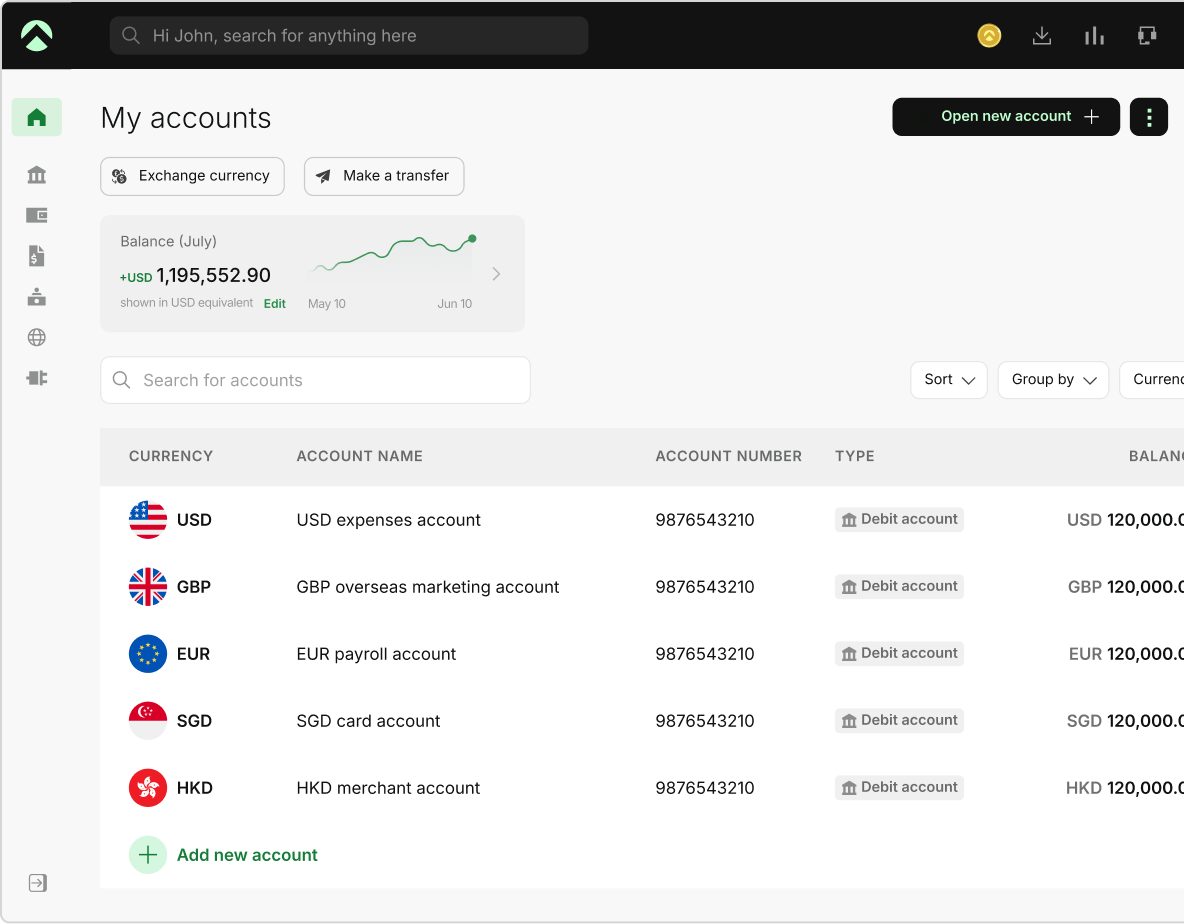
One Aspire account to manage your business finances in one place.
Get a business account¹, issue corporate cards², manage expenses, and automate financial workflows, all from one powerful platform built for modern businesses.
For many small business founders, the friction in accounts payable isn't invoice capture; it's approval bottlenecks, email chaos, vendors asking, "Where's my payment?", and uncertainty about actual cash position. Manual AP costs time, cash flow visibility, and vendor relationships. That's why accounts payable automation matters. But choosing the wrong tool creates new bottlenecks while solving old ones.
Some founders consider outsourced AP instead of in-house automation; both have merit. This guide focuses on automation, but outsourcing exists as an alternative if your volume or team size warrants it. Effective selection begins by diagnosing your specific operational bottleneck approval complexity, cash flow visibility, vendor communication, and accounting accuracy, not by comparing features.
Equally important: verify your AP solution integrates with your complete financial system, accounting software, banking, and expense management, rather than operating in isolation. This integrated approach unlocks AP automation's full ROI potential.
Why AP software matters differently for small businesses
Enterprise AP automation typically focuses on scaling invoice processing: handling high volumes of 10,000+ invoices per month, managing complex approval hierarchies, three-way matching with purchase orders, NetSuite integration, and audit compliance.
According to Ardent Partners' research on AI in AP automation, manual invoice processing costs approximately USD $12.88 per invoice, while automated solutions can reduce the cost to approximately USD $2.78 per invoice. Actual savings depend on current volumes, process complexity, and implementation quality.
Small business AP is different. You're not processing 10,000 invoices per month. You might process 50 to 500. Your bottleneck isn't invoice capture; your bottleneck is founder time spent chasing approvals, vendors, and visibility into what you owe. Your cash flow problem isn't "we're paying invoices inefficiently"; it's "we don't know if we should take an early payment discount or hold cash for payroll next week." This is why accounting for startups and small businesses requires a different tooling strategy than enterprise finance.
This is the gap that every accounts payable system for small businesses misses. Enterprise-focused reviews optimize for throughput. Small businesses need optimization for founder friction.
Where does manual AP slow you down
Before choosing accounts payable software, diagnose which of these bottlenecks is costing you the most time and cash:
Approval bottlenecks
Invoices scatter across email, approvals stall, and vendors keep following up.
You need a centralized AP workflow with automatic routing and notifications.
Cash flow blindness
You don't know payment obligations or DPO. Can't capture early payment discounts strategically.
You need real-time visibility into due dates and the impact of payments.
Vendor communication friction
Invoices arrive via email, portal, text, and Slack. No central tracking. This is core AP vendor management friction.
You need a centralized invoice inbox and payment notifications.
Multi-currency and international vendors
Unpredictable foreign exchange costs on payments to international suppliers.
You need multi-currency payment support or platform integration.
Accounting software integration gaps
Manual data entry into QuickBooks/Xero creates double-entry bookkeeping errors.
You need native accounting software sync.
Identifying your primary bottleneck helps you choose the right tool. Most tools solve one or two problems exceptionally well while creating trade-offs elsewhere. That's normal; choose the tool that solves your biggest friction point.
Five categories of accounts payable software, and which founder friction each solves
Accounts payable software exists on a spectrum from "let me just pay invoices" to "manage my entire procure-to-pay process." Knowing where you sit on that spectrum matters more than comparing feature lists.
Simple payment tools
These tools streamline bill payment without comprehensive invoice management capabilities. You are responsible for receiving invoices, and you use the tool to process and track the payment.
Best for
Companies with simple vendor relationships, low approval workflows, and low volumes of invoices.
Time-to-value
Fast implementation, days to the first few weeks.
Basic automation with workflow
Invoices come to a central inbox. Approvals go to people in the team. Payments happen after approvals.
Best for
Companies with multiple approval levels and a mixed vendor base.
Time to value
Mid-range implementation time, typically measured in weeks.
Line-item intelligence with AI
The tool reads invoice line items, categorizes them, identifies duplicate invoices, and highlights coding errors. It needs to be trained on your chart of accounts.
Best for
Companies that need detailed expense tracking and precise financial record-keeping.
Time-to-value
Extended implementation time, several weeks to months.
Job costing and project integration
Invoices are linked to projects or jobs, which automates cost allocation. Expenses are linked to billing, which tracks profitability.
Best for
Project-oriented companies where tracking profitability by engagement or job is critical.
Time-to-value
Moderate to long implementation time.
Comprehensive procurement integration
Links purchase orders, purchase requisitions, invoices, and payments with one workflow. Includes vendor management, contract compliance, and spend analytics.
Best for
Moderate-sized teams with complex procurement policies and vendor hierarchies.
Time-to-value
Longer implementation complexity and timeline.
Many organizations find that categories 2-3 meet their operational needs, including approval workflows and basic invoice intelligence, without heavy procurement complexity. Matching your tool category to your actual requirements helps avoid implementing unnecessary features and complexity.
The best accounts payable automation software comparison
Here's how leading AP automation software solves your friction. Many of these tools are powered by AI and machine learning technologies, but the key is how each one applies that technology to solve your specific bottleneck.
Melio: Best for simple bill pay with vendor flexibility
Melio makes bill payment simple for organizations with simple workflows and low approval needs.
What it does
AI-powered bill capture automatically extracts invoice data. A centralized inbox organizes all bills by vendor. Approval workflows (on paid tiers) route invoices to appropriate approvers.
Payments can be made via ACH, check, or card to vendors in 80+ countries, with support for USD and local-currency transactions. Accounting software sync and expense management are included.
Approval workflow
You can essentially send bills to team members for review before approval. Only simple hierarchies.
Accounting integration
Integrates with QuickBooks Online and Xero. Every payment can be tagged to an account.
Friction it solves
Email fragmentation, scattered invoices, and approval delays on simple approval structures.
What’s missing
No AI invoice intelligence, job costing, vendor portal, or multi-currency payments.
Best for
Companies with basic vendor relationships, low approval requirements, and simple operational structures.
Timeline
A couple of days to set up. Extra days for accounting software integration.
Cost
- Free Go plan (5 free ACH payments/month, one user) with no subscription fees
- Paid plans start at:
- Core: USD $25/month: 20 free ACH/month, accounting sync, approval workflows
- Unlimited: USD $80/month: unlimited free ACH, unlimited users
- Higher-volume businesses can apply for Platinum pricing
- All plans offer a 90-day free trial of premium features with no credit card required
BILL: Best for growing SMBs with accounting software integration
BILL handles approval workflows and accounting integration for organizations that have outgrown manual processes.
What it does
Central bill inbox. Invoices come in via email forwarding, phone upload, or vendor portal. Approval workflows go to the assigned team members. Payments connect to your bank account. Automatic reconciliation with your accounting software
Approval Workflow
Advanced features allow you to create rules for auto-approval limits and escalation paths, and the audit trail records all approvals.
Accounting System Integration
Connects with QuickBooks Online, QuickBooks Desktop, Xero, and NetSuite. Two-way sync: payments automatically recorded.
Eliminates email overload, approval delays, cash flow visibility issues, and manual accounting entry.
What’s lacking?
Limited international payment options. Job costing requires additional modules.
Best for
Growing organizations with multiple approval touch points, accurate accounting integration, and standard vendor relationships.
Timeline
A few weeks to set up accounting software and build the workflow.
Cost
- Essentials plan at USD $49/user/month with manual accounting software integration via CSV
- Team plan at USD $65/user/month with automatic 2-way sync with QuickBooks Online, Pro, Premier, and Xero
- Corporate plan at USD $89/user/month with automatic sync, custom approval workflows, procurement features
- Enterprise with custom pricing, multi-location accounting, API access, and priority support
- BILL Spend & Expense is free: $0/user/month
- Additional transaction fees apply: USD $0.59 for ACH, USD $1.99 for checks and 2.9% for card payments
Ramp: Best for spending visibility and integrating AP with cards
Ramp combines corporate card management, expense tracking, and accounts payable in a single platform.
What it does is issue both virtual and physical cards. Track employee spending in real time. Route vendor bills to the same platform. View all spending, cards, and payables in a single dashboard. Pay vendors and reimburse employees from a single account.
Approval workflow
Card spending is limited and subject to merchant controls. Bill approvals work like other tools. The biggest benefit is a single view of card transactions and vendor payments, providing a clear view of the current cash position.
Accounting integration
Integrates with QuickBooks Online, Xero, and NetSuite. All card and bill transactions are automatically categorized and reconciled.
Eliminates
Gaps in cash flow visibility, fragmented spend tracking, scattered approval chains, and working capital management across spend types.
What's missing
Line-item coding relies on OCR accuracy rather than manual flexibility for complex invoices. International vendor payment options are limited.
Best for
Companies that issue corporate cards and want a single view of spend across employees and vendors. Distributed teams with different approval processes. Implementation
Time
A few weeks each for card issuance, accounting integration, and approval setup.
Pricing
- Free core plan: unlimited users, unlimited physical and virtual cards, plus payment processing fees for Bill Pay: standard ACH USD $0.59, same-day ACH USD $10, domestic wire USD $15, international SWIFT USD $20, standard check USD $1.99
- Ramp Plus custom pricing, billed annually, is available for growing teams requiring advanced automation, multi-entity operations, and enhanced approvals
Stampli: Best for approval workflows and accounting accuracy
Stampli uses machine learning in AP automation software for organizations with complex workflows. Stampli solves the problem of approval routing and accounting accuracy.
What it does
It offers a centralized bill inbox. AI reads line items, categorizes them, and detects duplicate and coding errors.
Approval workflows route invoices based on configurable criteria like vendor, amount, department, and line item category. Audit trail for compliance
Approval workflow with advanced routing options Cost centers, approval limits, vendor types, expense categories Multiple levels of approval and delegation options
Accounting integration with 2-way sync to QuickBooks, Xero, NetSuite, and Sage, with GL codes auto-populating based on AI learning and patterns.
It eliminates friction
approval bottlenecks, gaps in accounting accuracy, cash flow visibility via software integration, and compliance documentation.
What's missing
Operates primarily within the accounting software ecosystem; limited standalone functionality outside of integrated accounting platforms.
Best for
Organizations with specific accounting needs, complex approval flows, and compliance documentation needs.
Setup time
Days to weeks, depending on integration complexity and scope. Basic implementations can deploy rapidly; more complex workflows integrating multiple accounting systems may extend the timeline.
Cost
Monthly subscription depending on volume of invoices and features required.
MakersHub: Excellent for construction, job costing, and complex workflows
MakersHub is built for construction AP automation, and it handles job costing and cost allocation for project-oriented companies.
What it does
Includes a centralized bill inbox. Invoices are grouped by project or engagement. AI scans line items and assigns costs to projects.
Approval workflow
Approval workflows can be project-specific or vendor-specific. Payment tracking by project enables profitability analysis. Routes are assigned based on projects. Routes are assigned based on the project owner, budget stakeholder, or invoice amount. Full audit trail.
Accounting integration includes connections to QuickBooks, Xero, and industry-specific accounting tools. Sends data to accounting, which automatically adds project codes.
Friction it eliminates
Not knowing project costs, managing vendors on multiple projects, ensuring expenses are properly divided, and determining how profitable a project is.
What's missing
Works best for businesses with many projects that require detailed cost tracking. It might be too much for basic needs.
Best for
Project-based organizations that require engagement and margin reporting by project, cost allocation by project, and project-specific financial reporting.
Timeline
Project mapping, vendor setup, and accounting alignment all require a longer setup time.
Cost
Monthly subscription based on the number of projects and features needed.
Accounts payable software comparison at a glance
| Tool | Best for | Core strengths | Approval workflows | Accounting integration | International | Pricing model | Implementation |
|---|---|---|---|---|---|---|---|
| Melio | Simple bill pay, vendor flexibility | AI bill capture, multi-currency vendor payments, flexible vendor relationships | Simple hierarchies only | QuickBooks Online, Xero | 80+ countries | Freemium (USD $0–$80/mo) | Fast (days) |
| BILL | Growing SMBs with complex approvals | Advanced routing, audit trails, 2-way accounting sync | Configurable limits, escalation, auto-approval | QB Online/Desktop, Xero, NetSuite | Limited | Per-user tiers (USD $49–$89/mo) + transaction fees | Moderate (weeks) |
| Ramp | Integrated card + AP visibility | Unified card/vendor/expense dashboard, real-time spend tracking | Card controls + bill approvals | QB Online, Xero, NetSuite | Limited | Freemium + custom Plus tier | Moderate (weeks) |
| Stampli | Complex workflows, accounting accuracy | AI line-item coding, multi-level routing, compliance audit | Department, vendor, amount, cost center routing | QB, Xero, NetSuite, Sage Intacct | Not emphasized | Custom (volume-based) | Variable (scope-dependent) |
| MakersHub | Project-based/construction, job costing | Project cost allocation, margin reporting by engagement | Project-specific routing | QB, Xero, industry tools | Not emphasized | Custom (project-based) | Extended (scope-dependent) |
What affects AP software implementation time
Implementation speed depends on several interconnected factors. Organizations often underestimate how long deployment takes because they focus on software setup alone, when the real timeline depends on business process readiness.
Accounting and ERP integration
Connecting AP software to your existing accounting system is the largest variable. Direct, native integrations like QuickBooks Online, Xero, and Sage Intacct deploy faster than custom API configurations or manual data bridges. Older or customized ERPs typically require more time.
Approval workflows and authorization rules
Defining who approves what, by amount, vendor, department, or project, takes time to map across your organization. Decentralized teams or complex approval chains, particularly in multiunit operations, extend this phase significantly.
Vendor migration and data cleanup
Moving existing vendors into the new system requires clean data. If your vendor list contains duplicates, incomplete banking details, or inconsistent naming conventions, cleanup and verification lengthen the timeline. Vendors requiring portal setup or re-onboarding add additional time.
Purchase order and procurement integration
If AP tightly couples with procurement, particularly in construction, manufacturing, or project-based businesses, matching invoices to POs and receipts requires configuration. This phase is especially time-consuming when POs and receiving data are in separate systems.
User permissions and role-based access
Establishing who can view, approve, code, and dispute invoices, and what data they can see across entities or cost centers, requires careful configuration. This step is often overlooked but critical for compliance and operational control.
Testing and parallel run periods
Running old and new AP processes side-by-side for validation prevents disruption but extends the timeline. The longer the parallel period, the higher the confidence in switchover, but also the higher the operational cost of dual processing.
Training and team adoption
How quickly your team learns new workflows directly affects stabilization time. Technical proficiency, turnover during implementation, and process familiarity all influence this phase. Organizations that underestimate training time often experience adoption friction and operational delays after go-live.
The combination of these factors determines whether implementation takes a few weeks or several months. Organizations frequently underestimate complexity because vendors emphasize speed, but the actual timeline reflects your operational readiness, not just software capability.
How your accounts payable choice impacts your cash flow and working capital
This scenario is where AP software goes from a convenience to a strategic decision: it directly impacts your cash position.
Days payable outstanding DPO
How many days do you hold cash before paying vendors? Manual AP? Your DPO is whatever happens: pay when you remember, pay when vendors threaten. Automated AP with visibility? You can strategically optimize DPO: take early payment discounts when cash is healthy and delay non-critical payments when cash is tight.
Example: A USD $100,000 monthly spend with 30-day payment terms versus 45-day terms is a USD $50,000 working capital difference. Choosing an AP tool that gives you DPO visibility and payment scheduling can be worth more than the software cost.
Early payment discounts
Early payment discount structures vary by vendor. Manual payment processes often obscure discount opportunities and their financial impact. Automated systems can find discounts and run cost-benefit analyses to see if it makes sense to bid based on the organization's cash position and priorities.
Vendor relationship quality
Vendors know they can reach you and get reliable payments. Such a relationship translates to better payment terms, priority during shortages, and willingness to extend terms during cash crunches.
Cash flow forecasting
An AP tool integrated with your accounting software gives you future cash visibility: "We owe USD $50,000 next week and USD $30,000 the week after." This feature is especially powerful when combined with accrual accounting, where your AP tool automatically records obligations as they are approved, not when cash leaves your account. Combine that with accounts receivable visibility and payroll timing, and you can forecast cash position 8-12 weeks out.
While automating vendor payables, don't forget customer invoices. Aspire's accounts receivable solution creates and sends professional invoices while automatically syncing incoming customer payments, so you see your full cash position, what you owe, and what you are owed in one place.
Integrating AP software with your complete finance system
You cannot optimize cash without visibility into both sides of the ledger. An automated AP tool that connects to accounts receivable invoicing and payment collection shows you the net cash position: money owed to you minus money you owe. This changes payment timing decisions and DPO strategy entirely. Most founders treat AP, expense management, and AR as separate workflows. But when integrated, they reveal cash flow opportunities you cannot see in isolation.
Your company’s financial system has four sides:
- Payables: Vendor invoices, payment terms, cash outflow
- Receivables: Customer invoices, collection, cash inflow
- Expenses: Employee spending, corporate cards, reimbursement
- Banking: Cash position, payment routing, working capital
Most AP software reviews focus on payables alone. But the real ROI comes when AP integrates with the other three.
AP + Receivables integration
You cannot optimize cash without visibility into both sides. An automated AP tool that connects to accounts receivable invoicing and payment collection shows you the net cash position: money owed to you minus money you owe. This changes payment timing decisions and DPO strategy entirely.
AP + Expense management integration
Employee expenses and vendor payments both represent cash outflows. Separate tools result in double reconciliation and no unified spend visibility.
Aspire1 expense management bridges this gap by unifying employee spending, corporate card management, and accounts payable into a single dashboard.
A single approval workflow handles both vendor bills and employee expenses. All spending across vendors and employees flows into one accounting integration, eliminating reconciliation friction and giving you the complete picture of outgoing cash across all categories. This integrated approach is why founders often choose tools based not on a single friction point, but on how well they fit into their entire finance stack.
A tool that solves approval bottlenecks alone but creates accounting integration headaches is a net loss. A tool that unifies spending visibility and automates accounting saves time and improves cash flow intelligence.
AP + Banking integration
Your AP tool should be integrated with your business's banking and payments systems. This means that approved invoices are automatically displayed as upcoming cash outflows in your bank account, you can initiate payments directly from your AP tool, and reconciliation is automated. Banking and payments are core features of some application programming tools, such as Ramp. Some require specialized banking software.
AP + Global payments integration
If you work with international vendors or pay in multiple currencies, your AP tool should support currency conversion and multi-currency payments, such as Aspire Global Payments. Manual currency handling introduces risk and fee surprises.
When AP integrates with your entire finance system, the time savings and cash flow benefits multiply. You're automating not just invoices but your entire financial workflow.
The founder's decision checklist: choosing the right AP tool
Before committing to any AP automation for a small business, answer these questions:
| Decision criteria | Scenario | Key considerations |
|---|---|---|
| Primary friction point | Approval routing delays | Look for workflow management, flexible routing, and approval visibility features |
| Cash flow visibility gaps | Prioritize solutions combining payables with spending visibility and forecasting | |
| Invoice management challenges | Evaluate centralized inbox, basic routing, and consolidation capabilities | |
| Project cost tracking | Assess tools with project-level cost allocation and profitability analysis | |
| International payments | Solutions should support multi-currency or integrate with payment platforms | |
| Fragmented employee spending | Consider unified platforms combining vendor payables and employee spending | |
| Transaction volume | Low volume | Basic tools with simple setup and minimal configuration |
| Moderate volume | Mid-range solutions with customizable workflow and routing options | |
| Higher volume | Advanced solutions with automation, analytics, and complex routing | |
| Enterprise volume | Full-featured platforms with extensive configuration and customization | |
| Approval structure | Solo decision-maker | Minimal tool complexity; basic payment processing may suffice |
| Simple approval chain | Basic workflow routing with 2-3 approval levels | |
| Distributed approvers | Solutions with flexible routing, notifications, and visibility across locations | |
| Department-specific workflows | Advanced routing by cost center, approval limit, vendor type, or category | |
| Complex hierarchies | Enterprise-grade solutions with granular permissions and configuration | |
| Accounting software | QuickBooks Online or Xero | Most solutions offer integration; verify before committing |
| NetSuite | Evaluate integration availability; not all tools support | |
| Other platforms | Verify integration support and API compatibility prior to selection | |
| Card and expense management | Payables only | Standard AP tools without card or employee expense features |
| Cards + expense tracking | Solutions offering integrated corporate card and spending management | |
| Complete spend visibility | Unified platforms or integrated solutions combining payables, cards, and expenses | |
| Implementation timeline | Rapid deployment | Simple setup, basic integrations, minimal training required |
| Moderate implementation | Mid-range timeline accounting for workflow configuration and team onboarding | |
| Extended implementation | Longer timeline for configuration, customization, training, and stabilization | |
| International operations | Domestic only | Standard solution capabilities sufficient |
| International vendors | Solutions with multi-currency support, payment routing, or payment integrations |
Accounts payable software selection should prioritize operational fit over feature richness
Organizations routinely evaluate AP solutions by comparing feature lists, leading to tools that address some needs but create holes elsewhere. A better approach is to identify your biggest operational bottleneck, whether that’s approval routing complexity, cash flow visibility, vendor communication, or accounting accuracy.
Choose a solution that directly addresses your biggest operational bottleneck. Make sure the accounting software integrates and is compatible with your broader financial platforms.
The best accounts payable solution is one that matches the way your organization actually operates, solving the operational friction that affects productivity and financial visibility. Test solutions in a hands-on manner. Tailor workflows to fit your approval processes. Run real transactions on the platform. If team adoption is organic and processes settle in the first few weeks, the solution likely fits your needs.
Frequently Asked Questions
Most AP tools connect via your accounting software's API. You authorize the connection once, and the AP tool reads your chart of accounts, syncs approved invoices, records payments automatically, and creates reconciliation records. No manual entry. Most integrations are typically set up in 1-2 days.
Not necessarily. Some founders use different tools, AP software, and a corporate card processor and reconcile it manually each month. Others use Ramp for their accounts payable and card management and Aspire Expense Management for employee spending and approvals. Consolidation reduces reconciliation work but means finding a tool that does both well.
- You are a solopreneur with 10 invoices/month: Melio or your bank's bill pay tool
- You are a startup with 50 invoices/month and two founders: Melio or BILL
- You are a 20-person service agency with distributed approvals: BILL or Stampli
- You are looking for AP automation software for a construction company for tracking project profitability: MakersHub
- You are a SaaS company issuing corporate cards and need spend visibility: Ramp
Most founders underestimate. Count on 4-6 weeks from the decision to "this is how we work now" setup, vendor onboarding, team training, and the first reconciliation. Melio is 1-2 weeks faster than that. Enterprise tools take 12+ weeks.
AP automation ROI will vary based on the size of the organization, the volume of transactions, and the maturity of the existing processes. Typical benefits include:
Time savings: Reduced manual invoicing, approvals, and vendor management can save a few hours/week depending on volume and complexity.
Working capital improvement: Improved timing of payments and DPO management can free up working capital tied up in AP.
Discount capture: Visibility into early payment discounts and systematic capture can result in substantial savings depending on vendor terms and cash position.
Accounting efficiency: Reduced manual data entry and reconciliation errors can improve accuracy and reduce workload on the finance team.
Overall, the first-year ROI typically recoups software costs within the first several quarters, with ongoing benefits in productivity, working capital, and financial accuracy. Actual ROI will depend on the efficiency of current processes, transaction volume, and organizational priorities.
Melio provides free bill pay; you pay the payment fees. Your bank's business checking account may include bill pay. These work for <30 invoices per month. Outside of that, paid AP software is a great option for approval workflows, accounting integration, and audit trails.
All invoice history stays in your old tool. Your new AP tool doesn't retroactively process past invoices; it processes new ones going forward. Your accounting software keeps all reconciliation records. Switching is clean if you move at the beginning of a fiscal period.
Yes. Expect a few hours of training per team member. Most modern AP tools have intuitive user interfaces and built-in onboarding. The friction of adoption is typically less than you think; after your team uses it for 3-4 weeks, it becomes second nature.
Sources
- https://xelix.com/resources/accounts-payable-solutions/best-13-accounts-payable-software-solutions - January, 2026
- https://www.cflowapps.com/accounts-payable-software/ - September 1, 2026
- https://makershub.com/blog/best-accounts-payable-software-small-businesses - 2026
- https://melio.com/blog/how-to-choose-best-ap-software-for-small-business/ - Jul 29, 2026
- https://www.getyooz.com/blog/accounts-payable-software-small-business - July 13, 2026
- https://blog.approvalmax.com/best-accounts-payable-automation-software - 2026
- https://tipalti.com/blog/selecting-the-best-accounts-payable-software/ - August 26, 2026
- https://tipalti.com/blog/accounts-payable-software-small-business/ - July 8, 2026
- https://www.gartner.com/reviews/market/accounts-payable-applications - 2026
- https://www.rydoo.com/cfo-corner/best-accounts-payable-automation-software/ - March 27, 2026
- https://www.zoneandco.com/articles/top-ap-automation-software-solutions - July 13, 2026
This blog is for general information only and does not constitute financial, legal, tax, or professional advice. Aspire’s services are subject to the terms outlined in our ’Terms of Service’ and ’Pricing’ pages. We make no guarantees as to the accuracy, completeness, or timeliness of the content, and past results do not indicate future performance. Always consult a qualified professional before acting on any information provided.
Bintang Lestada
Writer
Bintang is a seasoned writer specialising in fintech, agtech, politics, and pop culture. With a writing history at VICE ASIA, Letterboxd, Whiteboard Journal and other reputable organisations, Bintang leverages their broad range of experiences to resources that educate audiences, build trust, and support business growth.
Aspire Launchpad
Supercharge your finance operations with Aspire
Find out how Aspire can help you speed up your end-to-end finance processes from payments to expense management.

Latest articles

Business Account •
Best business bank account for Shopify: 8 options compared for 2026
Shopify pays out to any ACH-eligible US checking account. Compare eight options on payout speed, wire and FX costs, cashback caps, FDIC coverage, and eligibility.

Business Account •
Best business bank accounts for landlords
Compare bank accounts for landlords by fees, property-level organization, rent collection, accounting tools, cash deposits, yield, and FDIC structure.

Business Account •
How many business bank accounts do you need?
Learn how many business bank accounts your business may need, when multiple accounts help, and how to structure operating cash, taxes, payroll, and reserves..