


What are the best AI tools for accounting in 2026

Bintang Lestada

Summary
AI tools for accounting automate repetitive finance tasks such as invoice processing, bookkeeping, expense management, transaction reconciliation, financial reporting, and forecasting
The best AI tools for accounting in 2026 include Aspire, Vic.ai, QuickBooks Online, Xero, Sage Intacct, BILL, Zeni, Puzzle, and Ramp, each built for different accounting workflows and business stages
Aspire and Vic.ai are strong choices for accounts payable automation, while QuickBooks, Xero, and Puzzle are better suited for bookkeeping and accounting management
When choosing AI accounting software, focus on your biggest bottleneck first, whether that's AP automation, bookkeeping, expense management, reporting, or financial operations
The best AI accounting software isn't the one with the most AI features. It's the one that saves your team the most time, improves accuracy, and provides better visibility into your financial performance
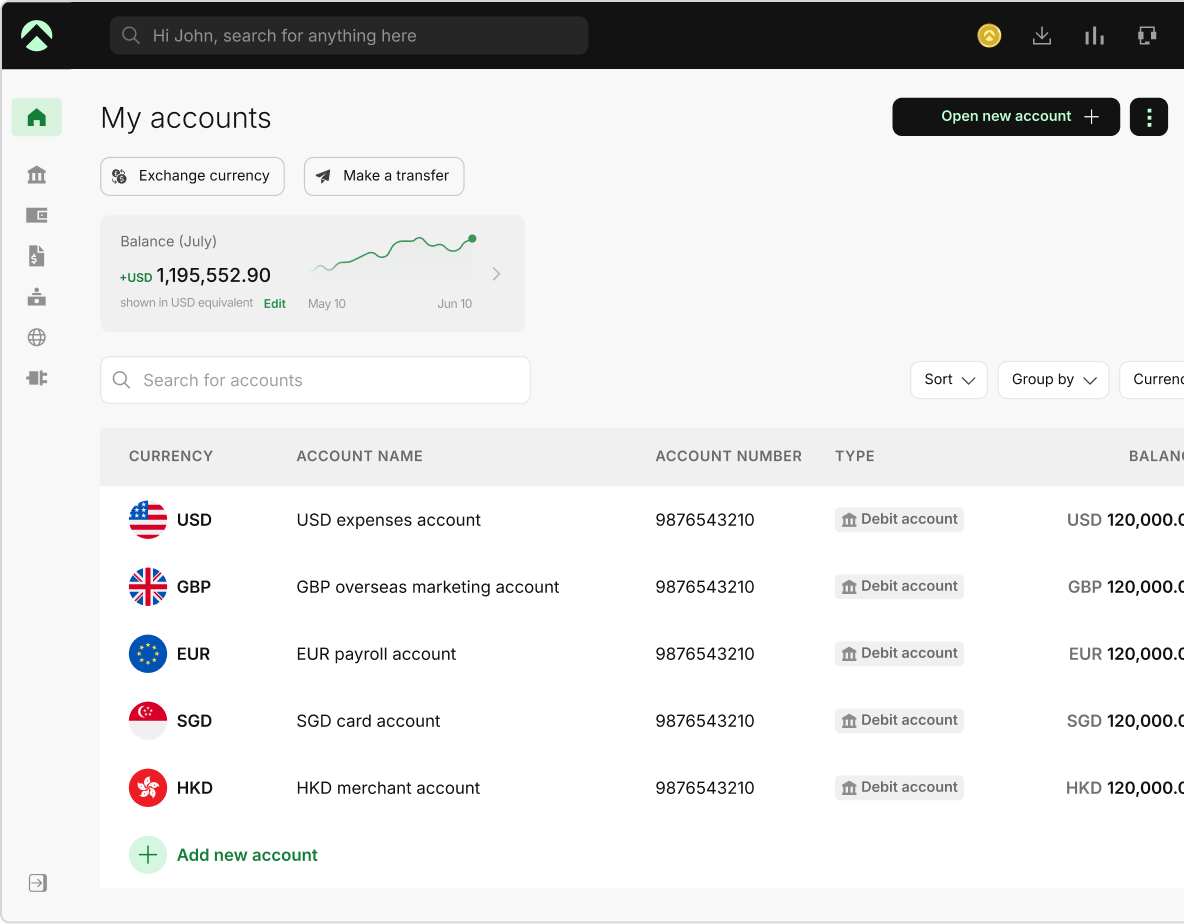
One Aspire account to manage your business finances in one place.
Get a business account¹, issue corporate cards², manage expenses, and automate financial workflows, all from one powerful platform built for modern businesses.
According to Deloitte's State of AI in the Enterprise research, organizations are increasingly moving AI from experimentation into day-to-day business operations, with a growing focus on productivity, efficiency, and workflow automation. Platforms like Aspire, Vic.ai, Ramp, QuickBooks, Puzzle, etc., use AI workflows to reduce manual work and help you close books faster, improve accuracy, and gain real-time visibility into business performance.
The challenge when it comes to choosing the best AI accounting tool is that not every tool solves the same problem. While some help you set up bookkeeping, others focus on automating accounts payable, expense management, forecasting, or payroll.
What are AI tools for accounting
AI tools for accounting are AI-driven software platforms that use artificial intelligence, machine learning, and automation to build accounting processes and workflows. AI can perform a number of these tasks automatically at a higher speed and accuracy. Common capabilities of an AI tool for accounting include:
- Invoice data extraction
- Expense categorization
- Receipt processing
- Transaction reconciliation
- Fraud and anomaly detection
- Cash flow forecasting
- Financial reporting
The goal of AI in accounting isn’t to replace accountants but to eliminate rigorous or repetitive work, so the finance team can shift its focus to analysis, controls, and decision-making.
9 best AI tools for accounting in 2026
The best AI tools for accounting in 2026 are a decision based on numerous factors, such as what their AI capabilities are, what the price is, and how users rate them. These factors help in deciding whether the AI accounting software you choose is worth it.
AI accounting software comparison table
| Tool | Category | Best business stage | Key AI capabilities | Starting price | G2 rating |
|---|---|---|---|---|---|
| Aspire1 | AP automation & spend management | Startups & Small businesses (primarily Southeast Asia) | AI invoice/receipt OCR, auto-categorization, receipt-matching, fraud detection, spend controls | Free to start($0/mo; + USD $4/extra spend user/mo) | 4/5 (TrustScore) |
| Vic.ai | Accounts payable automation | Mid-market to enterprise, high invoice volume | Autonomous invoice processing, GL coding, PO matching, approval routing, payments | Custom(volume-based | 4.7/5(G2) |
| QuickBooks Online | Accounting software | Small businesses | Intuit Assist AI agents, categorization, reconciliation, reporting insights | From USD $38/mo(Simple Start) | 4.0/5(G2) |
| Xero | Accounting software | Small & growing businesses | Bank reconciliation, expense categorization, reporting automation, JAX AI assistant | From USD $29/mo(Early, US) | 4.4/5(G2) |
| Sage Intacct | ERP & financial management | Mid-market & enterprise | AP/financial automation, multi-entity consolidation, reporting, Sage Copilot AI | Custom(quote-based) | 4.3/5(G2) |
| BILL | AP & AR automation | SMB to growing/mid-market finance teams | AI invoice capture/data extraction, AP & AR automation, approval workflows | From USD $45/user/mo(Essentials) | 4.4/5(G2) |
| Zeni | AI bookkeeping service | Venture-backed startups | AI bookkeeping (auto-categorization/reconciliation) + human finance team | From USD $549/mo(Starter) | 4.7/5(G2) |
| Puzzle | AI-native accounting software | Early-stage / venture-backed startups | AI-native accounting, auto-categorization/reconciliation, real-time bookkeeping | Free tier, then from USD $25/mo | No reviews available |
| Ramp | Spend management & corporate cards | Startups & growth/mid-market | Expense automation, AI receipt matching, AI-assisted coding, spend controls, AI agents | Free(Plus USD $15/user/mo; Enterprise custom) | 4.8/5(G2) |
Which AI tools for accounting in 2026 should you choose
Your choice of AI tools for accounting depends on what exactly you are looking to automate or which problem you are trying to solve.
1. Aspire1
Aspire1 is an AI-powered accounting software that supports multi-currency business accounts*, corporate cards2, expense, and spend management. Accounts receivable, invoicing, and cross-border payments in one interface. It works more as a financial technology company and not a bank, banking services provided through Column N.A.
Best for which stage of business: Aspire is the best AI accounting software for small businesses and startups.
Key AI features: Aspire AI automates data extraction using invoices and receipts through OCR. This way, users never have to key in data manually. You can auto-categorize transactions, perform receipt matching, and detect unusual or fraudulent spend in real time. It is prompt at freezing a card when there is irregular activity and enforcing smart spend limits.
Pricing: Aspire offers a pricing model where the basic plan starts at USD $0 with no setup fees. Additional spend users can add up to USD $4 per user per month. Additionally, if you choose a premium model at USD $15/month offering exclusive perks.
What you should know: AI features offered by Aspire1 are a part of a broader banking and spend platform and not the core product itself. It is not a dedicated accounting or general ledger system.
2. Vic.ai
Vic.ai offers AI accounting automation and accounts payable automation using AI to verify and understand documents, structures, and files. This includes reading incoming invoices, coding them to correct GL accounts, matching them to the purchase orders, routing them through approvals, and executing payments with minimal manual intervention. The tool is designed for finance teams that want to automate processes for high-volume invoices.
Best for which stage of the business: Mid-market to enterprise finance teams with high invoice volume.
Key AI features: The key features that you can find on this AI tool for accounting include its autonomous invoice processing, AI-based GL coding, purchase-order matching, automated approval routing, and payment workflows.
Pricing: The pricing is custom, based on the quotation and services provided to you.
What you should know: Because it is built for high invoice volumes, it is generally too much for small businesses with light AP needs.
3. QuickBooks Online
QuickBooks Online is Intuit's cloud accounting software for small businesses, covering bookkeeping, invoicing, expense management and tracking, bank connections, and reporting. It connects to over 800 apps and includes Intuit Assist, Intuit's AI assistant, across its plans.
Best for which stage of the business: This best AI accounting software for small businesses, with a lighter Solopreneur option for self-employed individuals.
Key AI features: Intuit Assist provides AI-driven transaction categorization, reconciliation, and reporting insights. AI capability increases by plan: lower tiers include core Intuit Assist functionality, while higher tiers add AI support for payments, customer follow-up, and finance and project workflows.
Pricing: The Solopreneur plan is USD $10/ month. The full small-business accounting plans range from Simple Start at USD $19/month up to Advanced, which costs around USD $137.50/month.
What you should know: The plan prices that QuickBooks Online has provided over time have risen steadily. Simply Start, for example, has increased roughly by 12.7% per year on average since 2023. Plans cap the number of billable users by tier, and total cost climbs once payroll and add-ons are included.
4. Xero
Xero is a cloud AI accounting tool that offers double-entry bookkeeping, bank reconciliation, invoicing, bill management, and reporting specifically built for small and growing businesses. Xero includes JAX (Just Ask Xero), which is their agentic AI assistant that helps businesses automate their tedious accounting or financial processes.
Best for which stage of the business: This is the best AI accounting software for small businesses or businesses that are looking to find their footing in the industry.
Key AI features: Some of the key features, along with JAX, are bank reconciliation suggestions, automated expense categorization, and reporting automation. You can integrate directly into your core Xero interface, and JAX can directly handle administrative tasks in the background. The tool can learn how your suppliers charge you and automate suggestions or match bank transactions.
Pricing: Businesses at an early stage on the pricing are around USD $5/month, for growing businesses it can be around USD $10/month, and established businesses can pay upto USD $15/month.
What you should know: The entry-level Early plan enforces hard caps of 20 invoices and 5 bills per month, which forces growing businesses to upgrade. Several common needs, such as project tracking, employee expense claims, multi-currency, and deeper analytics, are only available on the top Established plan. Payroll and other capabilities come through paid add-ons and usage-based fees.
5. Sage Intacct
Sage Intacct is an AI-powered accounting software that is designed to automate and streamline cloud financial management and ERP platform aimed at mid-market and enterprise organizations. It helps you in handling core accounting, accounts payable and receivable, multi-entity consolidation, and advanced reporting and dashboards, and includes Sage Copilot, its AI-assistant.
Best for which stage of the business: Mid-market and enterprise companies, especially those managing multiple entities.
Key AI features: Sage Copilot, a generative AI assistant, can answer your queries around aspects such as overdue invoices, cash flow summaries, and allows you to run budget variance analyses on demand. You can review thousands of transactions in minutes using the AI-assistant, proactively flagging suspicious activities. The tool captures vendor details automatically, extracting amounts and dates through all the uploaded invoices, saving up to 80% of processing time.
Pricing: Pricing is custom or quote-based, depending on the plan or services you choose.
What you should know: Implementation is more complex and costly than small-business tools, often requiring an implementation partner, and the learning curve is steeper. It is generally overkill for small businesses or simple accounting needs.
6. BILL
BILL (formerly Bill.com) is a financial operations platform focused on accounts payable and accounts receivable automation. It captures invoices, routes them through approval workflows, and executes via ACH payments, check, card, or international wire, with a live two-way sync to QuickBooks, Xero, and NetSuite. It also offers a free Spend & Expense plan (formerly Divvy) for corporate cards and budgets.
Best for which stage of the business: Small to mid-market businesses or growing financing teams can choose BILL as their AI tool for accounting.
Key AI features: The tool can easily extract invoice details for you, including the vendor name, invoice number, totals, etc., to auto-populate digitized bills. The AI also helps in handling vendor document collection by pre-validating W-9 forms. You can categorize your expenses automatically using the smart reconciliation. Autonomous agents can take over routing processes like user onboarding, virtual card setup, and resolving any payment issues.
Pricing: AP & AR plans are priced per user per month: Essentials $45, Team $55, and Corporate $79. Enterprise-level prices are custom.
What you should know: Per-user pricing scales up as the finance team grows. Per-transaction fees are charged separately from the subscription and, for high-volume AP teams, can exceed the subscription cost itself. Some users report slow customer support.
7. Zeni
Zeni pairs AI-powered bookkeeping software with a full-service human finance team, delivering bookkeeping, accounting, bill pay, and CFO services through a single platform with a real-time dashboard showing metrics like burn rate and runway. Founded in 2019 and based in Palo Alto, it is categorized as a bookkeeping services provider, meaning it blends software with human service rather than being pure software.
Best for which stage of the business: This AI tool for accounting is best for venture-backed startups.
Key AI features: Using Zeni, you can automatically process and categorize transactions. The tool can perform real-time bank reconciliations while continuously matching receipts from banks, emails, and even Slack. There is a built-in business checking account and zero-fee corporate credit cards that can help you directly control company spending. One of the best things is that the platform assigns a human finance team at the backend for you to handle tricky accounting workflows and tax preparations.
Pricing: There are tiered service plans depending on the scale of the business, but the subscription rate generally ranges between USD $547 to USD $799/ month.
What you should know: The all-in-one bundled pricing can include services a business does not need, and the base cost is higher than standalone software. Some reviewers note limits in international support and edge-case AI handling, and a small number have reported payment and ACH issues.
8. Puzzle
Puzzle is an AI accounting software and financial reporting platform that automates bookkeeping for startups and small businesses. Using the financial data automatically, it uses machine learning to categorize those transactions and support accrual accounting by generating real-time financial statements. The tool also helps you keep track of metrics like cash flow, burn rate, runway, and ARR/ MRR. You can also integrate it with tools like Stripe, Brex, and Gusto.
Best for which stage of the business: Best AI accounting software for startups, early-stage businesses, and venture-backed businesses.
Key AI features: Using AI-first automation, AI to categorize and reconcile transactions and bank statements, reducing manual accounting by manifold. You can review real-time dashboards that provide immediate insights into your key financial KPIs, such as burn composition, cash runway, MRR, and ARR. Using Puzzle, you can also automate both your cash and accrual books and handle complex processes like revenue recognition, prepaid expenses, and fixed assets easily and more effectively.
Pricing: The starter pack for Puzzle offers a starter pack for free, Core at USD $30/ month, ranging up to USD $150/month for the Complete plan and higher for core or premium plans, depending on your business requirements.
9. Ramp
Ramp is a known corporate card and AI- driven spend management platform that helps automate expenses, clear invoices, receipt matching, and real-time budgeting using top accounting integrations like ERP and cash back on card spend. The tool helps in eliminating manual data entry and compressing month-end close times. AI auto-coding helps you in categorizing transactions across GL accounts, departments, classes, and locations with 98% accuracy.
Best for which stage of business: This AI tool for accounting is best for startups or growth-stage to mid-market companies
Key AI features: Along with auto-coding, Ramp also offers smart receipt matching using OCR technology with 99% accuracy. It can automatically match digital receipts to respective card swipes. You can easily automate accruals and amortize prepayments. The tool also continuously flags compliance issues like out-of-policy spending or potential fraud. Ramp also offers seamless integration with 4+ systems like QuickBooks, NetSuite, etc.
Pricing: The core plan is usually free, but Ramp Plus is USD $15 per user per month, and Enterprise pricing is custom-based on your requirements and the final quotation.
What you should know: International support outside the US is limited. Advanced procurement, custom workflows, and multi-entity support require the paid Plus or Enterprise tiers. Reporting and analytics are less customizable than dedicated FP&A or BI tools, and integration depth with some legacy ERP systems is limited. Ramp complements an accounting system rather than replacing it; it is not standalone general-ledger software.
How to choose AI-powered accounting software
The best AI accounting software isn’t the one with the highest number of features. It’s the one that helps you streamline your business processes and finance workflows. Before evaluating providers, identify your specific bottlenecks or where your team is spending the most manual effort.
1. Start with your biggest accounting bottleneck
Start with understanding where your team feels the process slows down. If your team is spending hours processing invoices, then looking for AP automation software such as Aspire of Vic.ai can be considered. If bookkeeping is consuming a lot of your team's time, then you can consider AI tools for accounting like QuickBooks, Xero, or Puzzle. If expense management is creating friction for you, then tools like Aspire or Ramp may be a better fit.
2. Evaluate AI capabilities
Not all AI features are meant to deliver the most meaningful automation. Some platforms simply automate using some preset rules. While it fits perfectly with some business workflows, it might not be the case for you. Choose AI accounting solutions that use machine learning to improve categorization, invoice coding, anomaly detection, and better forecasting over time.
3. Check accounting and ERP integrations
Your AI accounting software should fit into the financial ecosystem that you have built. Look out for the AI tool for accounting that you are choosing offers integrations with:
- QuickBooks
- Xero
- NetSuite
- Sage Intacct
- Payroll platforms
- Bank providers
4. Consider where your business will be in 2 years
Rather than choosing an AI accounting software based on your present needs, check whether the tool scales with your business. Check if it will support you the same way once:
- Transaction volume grows
- Additional entities are added
- You start dealing internationally
- There is a larger finance team
- More complex approval workflows
5. Review security and compliance standards
Accounting software often handles the most sensitive data in your business. Look for providers that offer:
- SOC 2 compliance
- Data encryption
- Role-based permissions
- Audit trails
- Approval controls
6. Understand the comprehensive cost
Pricing usually includes more than your monthly subscription fees. Evaluate what is included in the costs below:
- Platform costs
- User fees
- Implementation costs
- Payment processing fees
- Additional charges for advanced automation
7. Choose AI tool for accounting based on outcomes, not features
The best AI accounting software helps your finance team work faster, improve accuracy, and gain better visibility into the business.
If a tool can't clearly save time, reduce errors, or improve decision-making, the AI features probably aren't adding meaningful value.
Next step, as you choose AI tools for accounting
Whichever AI tools you choose depends on where your team spends most of its time. It shouldn’t just automate tasks but also help your finance team move faster with improved accuracy and better decision-making skills with real-time financial data.
Start by identifying your biggest accounting bottleneck and then choose the AI tool that solves that problem best. The goal here isn’t to add more software to your accounting stack; it is to eliminate the manual work and improve visibility across teams.
Frequently Asked Questions
AI is used in accounting to automate repetitive financial tasks such as invoice processing, expense categorization, transaction reconciliation, bookkeeping, financial reporting, and forecasting. Modern AI accounting software can also detect anomalies, identify duplicate transactions, flag potential fraud, and generate real-time financial insights. This helps finance teams spend less time on manual work and more time on analysis and decision-making.
You can use ChatGPT to assist with accounting tasks, but it shouldn't replace accounting software or professional judgment. ChatGPT can help explain accounting concepts, draft financial reports, summarize transactions, create journal entry examples, and analyze financial data. However, it isn't designed to serve as a system of record, process transactions, maintain compliance, or produce audited financial statements. Dedicated AI accounting software remains the better option for operational accounting workflows.
No. AI can automate many accounting tasks, but it cannot fully replace an accountant. Accountants provide expertise in financial reporting, tax compliance, internal controls, audits, and strategic financial planning. AI works best as a productivity tool that helps accountants complete routine work faster and more accurately. Most businesses see the greatest value when AI supports their finance team rather than replacing it.
The most effective way to use AI in accounting and bookkeeping is to automate high-volume, repetitive processes. This includes:
- Extracting data from invoices and receipts
- Categorizing transactions automatically
- Reconciling bank accounts
- Managing accounts payable workflows with AI
- Tracking expenses
- Generating financial reports
- Forecasting cash flow
The best way to use AI in accounting is to focus on the tasks that consume the most manual effort. For some businesses, that's bookkeeping and reconciliations. For others, it's invoice processing, expense management, or month-end close activities.
Start by identifying your biggest accounting bottleneck and choosing an AI tool that addresses that specific workflow. The goal isn't to automate everything at once. It's to reduce manual work, improve accuracy, and give your finance team more time to focus on strategic decisions.
This blog is for general information only and does not constitute financial, legal, tax, or professional advice. Aspire’s services are subject to the terms outlined in our ’Terms of Service’ and ’Pricing’ pages. We make no guarantees as to the accuracy, completeness, or timeliness of the content, and past results do not indicate future performance. Always consult a qualified professional before acting on any information provided.
Bintang Lestada
Writer
Bintang is a seasoned writer specialising in fintech, agtech, politics, and pop culture. With a writing history at VICE ASIA, Letterboxd, Whiteboard Journal and other reputable organisations, Bintang leverages their broad range of experiences to resources that educate audiences, build trust, and support business growth.
Aspire Launchpad
Supercharge your finance operations with Aspire
Find out how Aspire can help you speed up your end-to-end finance processes from payments to expense management.

Latest articles

QuickBooks vs Xero: Key differences, costs and which is better
QuickBooks vs Xero compared on features, pricing, users, reporting, and ease of use. See which accounting software is a better fit for your business.

How general liability vs professional liability insurance works in the US
Small business guide to general liability insurance. Learn about costs and coverage, if you need it, and how to choose the right policy.

Best multi-currency business accounts in the US for 2026
Compare the best multi-currency business accounts in the US for 2026. Explore fees, FX costs, currencies, holding, receiving options, and key features.