

What is invoice processing software
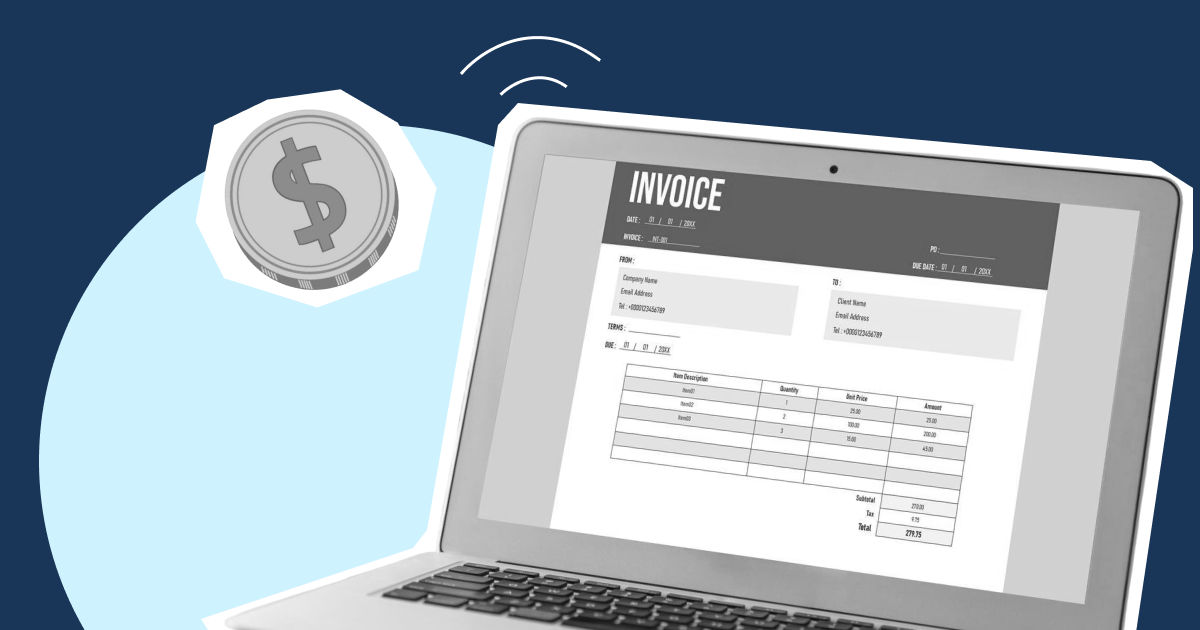
Invoice processing software works as a single platform where you can capture, validate, approve, track, and pay your business invoices. Rather than having to chase each invoice manually and consolidate them using spreadsheets or accounting systems, invoice automation software helps you handle repetitive AP workflows automatically.
Modern automated invoice processing solutions typically help you with processes like invoice capture, OCR and AI data extraction, approval routing, ERP and accounting integrations, payment reconciliation, audit trails, vendor management, and real-time invoice tracking. The goal is to simply reduce the manual work with improved accuracy, visibility, and financial control.
What to look for in invoice processing software
Usually, businesses want their invoice processing software to have higher OCR accuracy, along with seamless integration with AI and their desired accounting software. Modern founders also look for mobile accessibility through apps for flexible approvals and the ability to detect any fraud trails. Let’s check what you should definitely look for while selecting your invoice processing software.
1. AI and OCR accuracy: You should look out for how accurate the invoice extraction is and how it impacts the overall financial efficiency. Check whether the software can extract multi-format invoices, adapt to AI, and improve. Whether it can do line-item extraction, detect duplicates, and offer multi-language support.
2. ERP and accounting integrations: Make sure the invoice processing software of your choice offers seamless integrations with ERP and other accounting software. Strong integrations help in minimizing your reconciliation work.
3. Customizable approvals and workflow automation: Look for workflows that you can configure based on departments, cost centers, invoice threshold, entities, and budget ownership. This becomes a crucial part as the team grows bigger as your business scales.
4. Multi-currency support: Along with multi-language support, ensure your invoice processing software also supports cross-border payments with FX visibility, multi-currency reconciliation, and international vendors.
5. Multi-entity support: For a scaling business, finance operations are not holistic, but scattered and split across subsidiaries and entities. Your invoice management software should help centralize approvals and reporting across multiple entities to avoid unnecessary delays due to the absence of formal permission.
6. Real-time reporting and scalability: The software should be able to alert you about approval bottlenecks, vendor payment timelines, cash flow impact, and AP aging. The right platform also grows with your business and notifies you of any anomalies.
7. Ease of onboarding: Complex systems result in slow implementation and adoption company-wide. There should be minimal setup friction as you onboard your invoice processing software.
8. Security certifications: Only look for and choose platforms that have SOC 2 compliance, role-based access controls, offer data encryption, and have audit logs.
Best invoice processing software in 2026: Quick comparison
Some of the best invoice processing software to choose from in 2026 are those that fit perfectly with your business type and needs. Some of the best invoice processing software in 2026 are:
[Table:1]
Detailed analysis of the best invoice processing software in 2026
1. Aspire
Best for: Scaling businesses that want invoice automation, accounts receivable management, and integrated finance operations all in a single platform.
Aspire1 invoicing helps you manage the entire invoice lifecycle. From creating branded invoices and collecting payments to automating reconciliation and tracking cash flow in real-time, Aspire can be your one-step invoice processing solution. You can connect invoicing, receivables, business payments, spend management, and finance visibility across teams through Aspire1.
Key features:
- Branded invoice creation
- Accounts receivable management
- Multi-currency* automation
- Automatic payment reconciliation
- Payment links for faster collection
- Real-time cash flow visibility
- Invoice workflow automation
Pros
- Combines invoicing, receivables, and finance operations in one platform
- Real-time visibility into paid, pending, and overdue invoices
Cons
- Large enterprises with highly customized procurement workflows may require deeper procurement tooling
- If you are looking only for standalone OCR extraction software may prefer specialized AP tools
Ideal business size: Startups, E-commerce businesses, Agencies, Multi-entity growth stage companies
2. Tipalti
Best for: Tipalti is best for mid-market and enterprise-level businesses that need to manage high-volume global accounts payable workflows
Tipalti is invoice automation software that assists end-to-end invoice management and accounts payable automation if your business handles a large vendor network, along with multi-entity operations and global payment processing infrastructure. The platform helps you automate invoice capture, coding, and approval routing, PO matching, payment processing, and reconciliation inside a centralized accounts payable workflow.
Tipalti also supports two-way and three-way PO matching, supplier onboarding, tax compliance workflows, and multi-currency payments across global operations.
Key features:
- AI-powered invoice capture
- OCR and line-item extraction
- Automated invoice coding
- Two-way and three-way PO matching
- Approval workflow automation
- Supplier onboarding
- Tax compliance management
- Global payment workflows
- Multi-entity AP management
- ERP integrations
Pros:
- A well-known software for automation across the full AP lifecycle
- Advanced techniques used for invoice extraction with exceptional coding capabilities
Cons:
- Higher implementation complexity than small business-focused platforms
- Pricing may be difficult to justify for smaller finance teams
Ideal business size: Mid-market companies, Enterprise businesses, Global organizations, Multi-entity finance teams
3. Coupa
Best for: Enterprise businesses looking to connect procurement, invoicing, and accounts payable automation
Coupa treats invoice processing as a part of a broader spend management ecosystem. This invoice processing software builds a single workflow by connecting invoices with suppliers, purchase orders, approvals, invoicing, and payments. This helps in reducing manual intervention of the finance teams, improving invoice accuracy, and accelerating approval cycles.
If your business manages large supplier networks, this software helps create stronger control over spend by automating invoice validation, enforcing policy compliance, performing invoice matching, and gaining real-time visibility into cash flow.
Key features:
- E-invoicing
- PO and non-PO invoice processing
- Supplier self-service portal
- Real-time invoice status tracking
- Approval workflow automation
- Supplier management
- Automated invoice matching
- Global invoicing capabilities
- Spend visibility and analytics
- Spend analysis and anomaly detection
Pros:
- Strong procurement-to-pay workflow automation
- Reduces manual invoice handling through e-invoicing
Cons:
- Can be complex to implement and administer
- Higher investment than many mid-market solutions
Ideal business size: Enterprise organizations, procurement-driven businesses, multi-entity companies, global enterprises, high-volume AP teams
4. Airbase
Best for: Businesses that are looking for invoice processing, procurement, corporate cards, and spend controls all in one platform.
Airbase provides bundled financial services combining accounts payable automation, expense management, procurement workflows, and corporate card management. This makes it a unified spend management platform rather than just invoice processing software.
The platform helps you navigate through purchase requests and approvals to invoice processing, payments, expense tracking, and reconciliation. You can automate invoice capture, approval routing, payment execution, and accounting workflows to get an insight into company spend.
Key features:
- Automated invoice capture
- Invoice data extraction
- Approval workflow automation
- Accounts payable automation
- Invoice capture and processing
- Procurement management
- Vendor management
- Accounting automation
Pros:
- Single platform solution to multiple business problems, such as AP automation and spend management
- Centralizes procurement, invoices, expenses, and payments
Cons:
- Procurement-focused workflows can increase implementation complexity
- Some advanced functionality may require additional configuration
Ideal business size: Growth stage startups, mid-market businesses, multi-department organizations, high-spend companies
5. Ramp
Best for: Startups and scaling businesses looking to automate their invoice management and gain better visibility into spending.
Ramp invoice processing software helps combine invoice management, accounts payable automation, corporate cards, and spend control within a single finance platform. If your business is looking for an invoice automation system that helps in payment scheduling and reconciliation, Ramp is your tool. Ramp utilizes AI through AI- powered invoice extraction, reducing manual data entry. For growing businesses with lean finance teams, Ramp's focus on automation helps reduce administrative work without adding complexity.
Key features:
- Invoice capture and management
- AI-powered data extraction
- Approval workflow automation
- Bill payment management
- Automated coding
- Vendor management
- Spend controls
- Accounting automation
- Corporate cards
Pros:
- Simple and intuitive UI/UX
- Strong automations to help lean finance teams
Cons:
- Less procurement functionality than platforms like Coupa
- May lack some enterprise-level customization requirements
Ideal business size: Ramp is better suited for startups and growth-stage companies than large global enterprises
6. Stampli
Best for: Stampli is best for finance teams that want collaborative invoice management with an efficient approval workflow
Stampli is an invoice processing software that helps tailor the invoice management experience at the stakeholder level, such as your AP team, approvers, management, CFO, founders, and vendors. The AI assistant in Stampli, Billy, helps automate accounts payable through GL coding, approval selection, notifications, and duplicate identification. This helps you optimize your entire invoicing workflow. One thing that truly differentiates Stampli from other invoice processing software is its collaboration hub. This is where conversations, approvals, documentation, and invoice history stay attached to the invoice itself.
Key features:
- AI-powered invoice processing
- Billy AI assistant
- Automated GL coding
- Duplicate invoice detection
- Invoice audit rails
- Collaboration hub
- ERP integrations
- Management dashboards
- Real-time invoice tracking
Pros:
- Centralizes communication directly on invoices
- Fast implementation with pre-built ERP integrations
Cons:
- Less focused on the global payment infrastructure
- Limited spend management functionality over other tools
Ideal business size: Stampli is best for mid-market businesses, enterprise finance teams, high-volume AP departments, and organizations with complex approval chains.
7. SAP Concur
Best for: SAP Concur is best for you if you want accounts payable automation. procurement controls, and stronger compliance management
SAP Concur offers AI-driven AP workflows while improving visibility into spending, overall policy compliance, and purchasing control. This invoice processing software consolidates invoice capture, purchase requests, invoice matching, and approvals into a centralized workflow. It offers a Three-Way invoice matching that can help prevent fraud by flagging unsolicited invoices, increase accuracy by ensuring payments are made for requested goods and services, and streamline processes through automation.
Key features:
- Invoice capture automation
- Accounts payable automation
- Purchase request management
- Three-way invoice matching
- Supplier spend visibility
- Reporting and analytics
- Approval workflow automation
- Audit trails
- Compliance controls
Pros:
- Once you set up everything, you save a lot of time on high volume AP environment
- Easy to navigate point and click interface with a non-PO-based environment
Cons:
- Invoice capture doesn’t work with password-protected invoices
- Slightly complicated to change business and accounting processes in the software
Ideal business size: If you own a larger enterprise with a long-term plan in mind, you can go for SAP Concur, as it is slightly on the expensive end and requires a lot of work to be done on your end.
8. Rossum
Best for: Best invoice processing software for businesses that deal with cross-border transactions, as it helps you stay aligned with country-specific e-invoicing practices
Rossum is an AI-powered software for invoice processing designed to help you process invoices across multiple formats, channels, and regulatory environments. While many invoice processing software platforms focus primarily on PDF invoice extraction, Rossum supports both traditional invoices and structured e-invoices within a single workflow. If you receive an invoice in a country-specific format, Rossum processes it within a unified accounts payable workflow.
Key features:
- AI-powered invoices
- Supports multiple formats and converts to the desired one
- OCR and document extraction
- E-invoicing support
- ERP integrations
- Tax coding automation
- Automated GL coding
- Approval of workflow automation
Pros:
- Processes all types of invoice formats in one single workflow
- Strong automation across invoice validation and coding
Cons:
- More specialized in providing invoice processing solutions only, without any broader finance operations
- Businesses that don’t deal with many international invoices might not get anything extraordinary from this software.
Ideal business size: It is built for mid-market and enterprise-level businesses with high-volume AP teams. Might not be the best choice for smaller businesses, as it is slightly more advanced for them.
9. Melio
Best for: Small businesses and growing companies looking for flexible invoice management, bill payments, and cash flow control
Melio combines accounts payable, accounts receivable, and payment management into a single platform designed to simplify how businesses send, receive, and track payments. Unlike many invoice processing software platforms that focus primarily on automation workflows, Melio emphasizes payment flexibility. Businesses can pay vendors by bank transfer or credit card, automate approval workflows, manage domestic and international payments, and track all AP and AR activity from one dashboard.
Key features:
- Accounts payable automation
- Accounts receivable management
- AI bill capture
- Invoice creation and tracking
- Batch payments
- Mobile payment management
- Accounting software synchronization
- Approval workflows
Pros:
- Combines AP and AR workflows in one platform
- Flexible payment options, including credit card payments
Cons:
- Less advanced procurement and enterprise workflow capabilities than platforms like Coupa or SAP Concur
- Fewer large-scale AP automation features
Ideal business size: This software is more suitable for small businesses rather than highly complex enterprise environments. It works best for startups, agencies, professional service firms, and growing companies.
10. Xero
Best for: Xero offers branded templates for you so you don’t have to create invoices from scratch, track the status of each invoice, and automate payment reminders
Xero is an invoice processing software that helps you combine invoicing, billing, and payment collection tools into one cloud-based program that works wonderfully for small businesses. Xero provides strong invoicing capabilities within the broader accounting workflow. Xero also supports e-invoicing, allowing businesses to exchange invoices digitally between systems, reducing manual data entry and processing errors. Combined with online payment integrations and cash flow reporting, it provides a practical solution for businesses focused on getting paid faster.
Key features:
- Online invoicing
- Recurring billing automation
- Branded invoice templates
- Automated payment reminders
- Online payment collection
- E-invoicing support
- Financial forecasting
- Accounting integration
- Cash flow reporting
Pros:
- Combines invoicing and accounting in one platform
- Easy invoice creation and tracking
Cons:
- Less advanced AP automation than other dedicated invoice processing softwares
- Limited approval workflow functionality compared to enterprise solutions
Ideal business size: It is best for small businesses and startups, as it is not designed for too complex procurement or multi-entity invoice management
How to choose the right invoice processing software for your business
The best invoice processing automation software isn’t the one that offers all the features in one. It is the one that fits the best with your business, invoice volume, approval complexity, accounting stack, and growth plans without creating operational frictions.
1. Questions to ask your vendors before you sign the contract
- What invoice formats can the platform process?
- How accurate is invoice extraction?
- What onboarding support is included?
- How often are new features released?
- Can the system handle line-item extraction?
- Does it support PO and non-PO invoices?
- How are approval rules configured?
- How many invoices can the platform process monthly?
- How does the platform handle delegation and out-of-office approvals?
2. Red flags to avoid
Avoid any invoice processing software if they offer limited integration capabilities. They shouldn’t require heavy implementation efforts that increase your timeline and budget. No workflow is perfect, so the software should know where to make an exception. Business evolves, and thus processes evolve too; avoid platforms that require extensive vendor involvement for each workflow change.
3. Hidden price considerations
Make sure you get a complete breakdown of the total cost you are expected to pay for their services. Ask them about costs, including implementation fees, onboarding costs, ERP integration fees, etc.
4. Integration checklist
Check which platforms they integrate with, such as NetSuite, QuickBooks, Xero, SAP, etc. This will help the invoice processing software fit naturally into your existing financial stack.
5. Security checklist
Make sure you check compliance, as invoice data contains sensitive financial information. Check for SOC2 certification, data encryption policies, role-based permissions, multi-factor authentication, etc.
The real value of invoice processing software
The best time to realize you need invoice automation software is when manual processes create bottlenecks across your business. All the mentioned invoice processing software above help solve one problem, automating repetitive work using different process dynamics. As you evaluate these platforms, focus on what you want to achieve rather than the number of features on a product page. The best solution is the one that fits your current workflows while supporting where your business is headed next.