


Mercury business account review: Fees, features and requirements

Bintang Lestada

Summary
Mercury fits best for US-formed startups, online businesses, agencies, consultants, freelancers, and other digitally operated companies.
The standard account has no monthly maintenance fee, account-opening fee, minimum balance requirement, or required opening deposit. Eligible checking and savings deposits can receive up to $5 million in FDIC insurance through Mercury's partner banks and their sweep networks, subject to applicable coverage terms.
Mercury combines business checking and savings with ACH, USD wires, team cards, Bill Pay, invoicing, accounting integrations, and financial automation. However, it does not support cash deposits and does not let businesses hold non-USD balances.
One Aspire account to manage your business finances in one place.
Get a business account¹, issue corporate cards², manage expenses, and automate financial workflows, all from one powerful platform built for modern businesses.
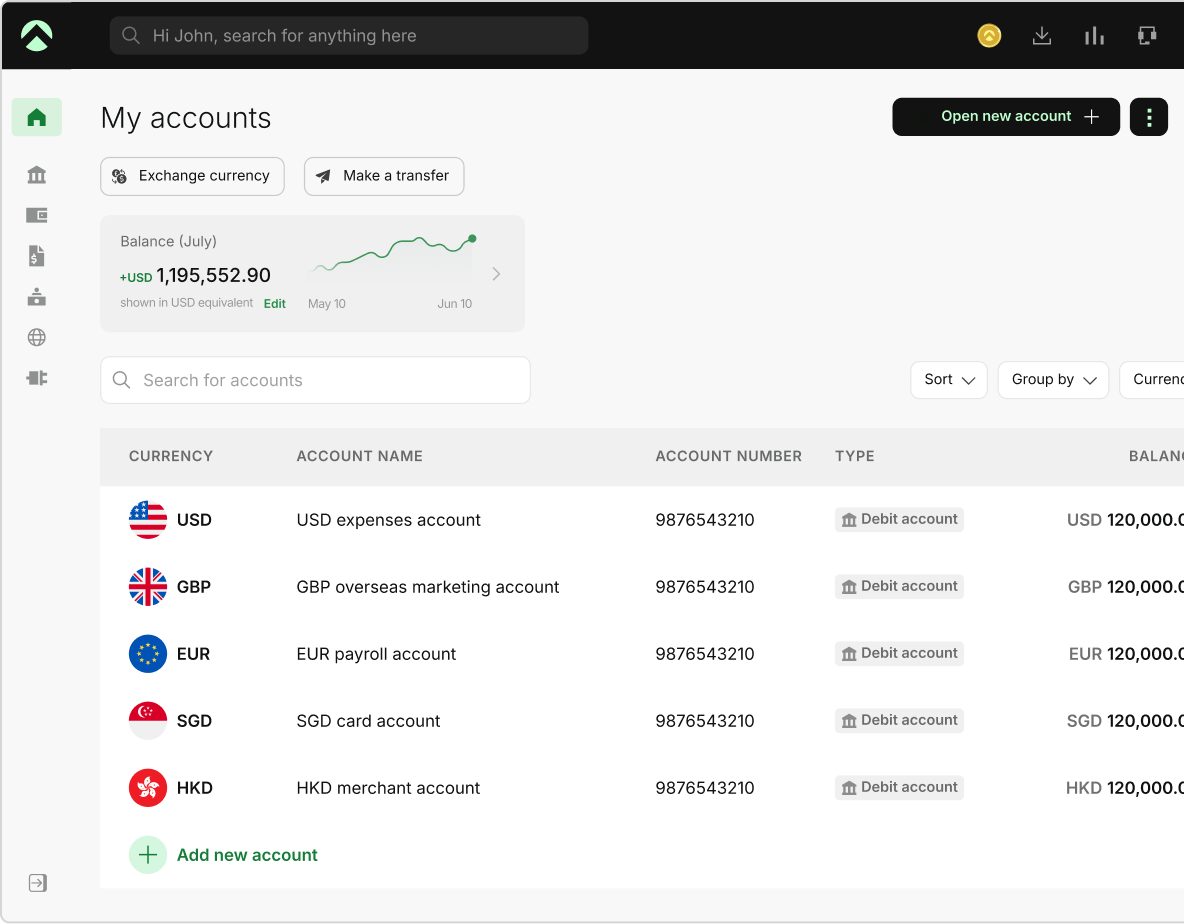
Mercury is a US-focused business banking platform designed for companies that want banking and financial management tools in one place. This review covers its fees, features, eligibility requirements, and key limitations about whether a Mercury business account fits your business.
What is a Mercury business account?
A Mercury business account combines business banking with software for payments, spending, invoicing, accounting, and other financial workflows. Mercury is a financial technology company rather than a bank, and its banking services currently operate through partner banks.
Is Mercury a bank?
No. Mercury is a fintech company, not a bank. Its banking services are currently provided through Choice Financial Group and Column N.A., both Members FDIC. In April 2026, Mercury received conditional approval from the Office of the Comptroller of the Currency to establish Mercury Bank, N.A. It is still working toward final authorization and other required approvals, so customers continue to use Mercury through its existing partner-bank structure.
When you open a Mercury account, your funds are held at one of its FDIC-insured partner banks or their sweep networks. You can see the banking provider associated with your account in the Mercury dashboard and on your account statements.
Mercury supports most eligible US companies, including SaaS businesses, ecommerce companies, agencies, consultants, law firms, and real estate developers. It doesn't support businesses such as money services businesses, certain adult entertainment businesses, cannabis businesses, or internet gambling businesses, and it doesn't open accounts for trusts.
In practice, Mercury is best understood as business banking combined with financial operations software rather than a branch-based bank.
Mercury business account at a glance
| Feature | Mercury |
|---|---|
| Account type | Business checking and savings |
| Standard monthly fee | $0 |
| Account-opening fee | $0 |
| Minimum balance | None |
| Opening deposit | No minimum required |
| ACH | Free standard ACH |
| Domestic USD wires | Free |
| International USD wires | Free with SHA; $15 with OUR |
| Non-USD international wires | 1% currency conversion fee |
| Non-USD card transactions | 3% currency conversion fee |
| Cash deposits | Not supported |
| FDIC coverage | Up to $5 million through partner banks and sweep networks, subject to applicable terms |
| Treasury | Available with at least $250,000 across Mercury accounts, subject to eligibility |
| Best for | Startups, online businesses, agencies, consultants, freelancers, and other digitally operated businesses. |
Mercury business account fees: What does Mercury actually cost?
Mercury's core account costs $0 per month, but your total cost depends on which payment methods, currencies, and advanced workflows you use.
Mercury standard account fees
The standard Mercury bank business account has:
- $0 monthly maintenance fee
- $0 account-opening fee
- No minimum balance requirement
- No overdraft fees
- No required opening deposit
Mercury says its business checking and savings accounts are free, and you don't need a paid plan to send payments from your account. That makes the free account a practical option for early-stage companies that want core business banking without a recurring account fee.
Mercury transaction and international fees
Standard ACH payments and domestic USD wires are free. Mercury also lets you send international USD wires without a Mercury fee under the SHA option. With SHA, intermediary banks can deduct their fees from the amount the recipient receives.
If you choose OUR instead, Mercury charges a flat $15 fee to cover eligible intermediary-bank charges. Mercury notes that the receiving bank can still charge its own fee.
For non-USD international wires, Mercury charges a 1% currency conversion fee. Mercury supports sending wires in more than 40 currencies, although availability can vary by account.
Non-USD transactions made with Mercury business debit cards and IO cards carry a 3% currency conversion fee.
That makes Mercury's pricing particularly straightforward for businesses that operate mainly in USD. Costs matter more if you regularly send or spend money in non-USD currencies.
Mercury Plus and Pro pricing
Mercury's current pricing page lists:
- Mercury: $0 per month
- Mercury Plus: $29.90 per month
- Mercury Pro: $299 per month
Plus adds features such as recurring invoices, higher invoicing API limits, and additional tax-filing functionality. Pro adds features such as a relationship manager, unlimited invoicing API capacity, and NetSuite categorizations.
Mercury also describes certain advanced workflows as starting at $35 per month, including enriched NetSuite automations and additional reimbursement and invoicing capabilities.
If you mainly need checking, savings, ACH, USD wires, cards, and basic financial workflows, the free account may cover what you need.
What could Mercury cost a typical business?
- A US-focused startup: If you mainly use USD ACH payments, domestic payments, and USD wires, your core banking cost can remain $0 per month.
- A freelancer: If you receive USD payments and pay for software, contractors, and other digital business expenses, the standard account can cover many everyday banking needs without a recurring account fee.
- An international business: Costs matter more if you regularly send non-USD international wires or make non-USD card purchases. A 1% conversion fee on non-USD international wires and a 3% fee on non-USD card transactions become more meaningful as transaction volume grows.
The $0 account keeps fixed banking costs low, but your total cost depends on how you use Mercury.
Mercury business account features
Mercury combines everyday banking with tools for payments, spending, invoicing, accounting, and cash management.
Business checking and savings
Mercury provides business checking and savings accounts without a monthly maintenance fee or minimum balance requirement. You can keep operating cash in checking and separate surplus funds into savings without maintaining separate traditional banking relationships.
Mercury also lets you create additional accounts for purposes such as payroll, taxes, or vendor spending and automate transfers between them.
ACH and wire transfers
Mercury supports ACH payments, checks, domestic wires, and international wires. You can use these payment methods to:
- Receive customer payments
- Pay contractors
- Pay vendors
- Move money between business accounts
- Send domestic wires
- Pay international suppliers
For businesses that primarily transact in USD, this covers many common payment workflows. Mercury currently offers free ACH transfers and free domestic USD wires. It also offers USD international wires at no fee to the sender, but international wires can involve intermediary or recipient-bank charges.
Mercury offers an optional $15 OUR wire for USD international payments, which is designed to cover intermediary fees and make it more likely that the recipient receives the full amount.
Mercury debit cards and team spending controls
Mercury offers physical and virtual debit cards, along with its IO card for eligible businesses. You can issue cards to team members and control spending through permissions, limits, and other card controls.
If your startup has several employees, team cards can reduce the work involved in reimbursing routine purchases. You can give team members access to approved spending while keeping account-level control with administrators.
Bill Pay, invoicing, and accounts payable
Mercury Bill Pay lets you collect bills, manage payment workflows, and sync bill data with accounting software. Mercury says businesses can process unlimited bills and make payments through Bill Pay without a payment fee.
Mercury's free invoicing tools let you create, send, track, and receive payments on invoices. Some more advanced invoicing features require a paid plan, including recurring invoices, an invoicing API, higher monthly invoice limits, and $0 ACH debit invoicing. Mercury Plus currently adds recurring invoices and an invoicing API for up to 500 invoices per month, while Mercury Pro includes unlimited invoices through the API and $0 ACH debit invoicing.
Accounting and business software integrations
Mercury connects with accounting platforms such as QuickBooks and Xero. Basic enriched QuickBooks and Xero automations and bank-feed connections are available without a paid subscription.
Mercury also offers NetSuite functionality, but some advanced NetSuite accounting automations and categorizations are reserved for paid plans. Mercury Pro includes NetSuite categorizations, while paid plans also provide access to enriched NetSuite integrations.
These integrations can keep banking and accounting data connected and reduce manual reconciliation.
Mercury Treasury and cash management
Mercury Treasury is designed for businesses holding larger cash balances. You currently need at least $250,000 across your Mercury accounts to qualify, along with other eligibility requirements.
Mercury currently lists Treasury yields of up to 3.88%, based on the 30-day Effective Yield for MCRYX as of July 31, 2026. Yields vary by portfolio and balance, can change, and aren't guaranteed. Treasury also carries fees of 0.15% to 0.60% based on total Mercury balances.
Treasury is also different from a bank deposit. Treasury investments aren't FDIC-insured deposits and can lose value.
For a venture-backed startup or established company holding substantial idle cash, Treasury may be more relevant than it is for a freelancer with a small operating balance.
Automation and API capabilities
Mercury provides API, MCP, and CLI capabilities that let technical teams connect financial data and actions to other tools. You can also schedule recurring payments and automate transfers between Mercury accounts.
Basic integrations and automation capabilities are available with the free account, while some advanced financial workflows and paid-plan features are designed for businesses with more complex operations. Paid plans include enriched NetSuite automations and additional invoicing capabilities, while Mercury's API may also have fees for certain use cases such as mass payments.
For a technology company with more complex financial operations, these tools can reduce manual work and connect banking activity to existing systems.
What requires a paid Mercury plan?
Mercury's core business banking remains available at $0 per month, but paid plans are available for businesses that need more advanced workflows. Current paid-plan features include:
- Recurring invoices
- Invoice payments by ACH debit with different pricing by plan
- Invoicing API with higher or unlimited monthly invoice limits
- Enriched NetSuite accounting automations
- NetSuite categorizations on Pro
- Higher-volume employee expense reimbursements
- A relationship manager on Pro
- Additional tax and partner benefits
Mercury's current pricing lists Plus at $29.90/month and Pro at $299/month, with annual pricing discounts available; Mercury also says some businesses can receive custom pricing.
If you mainly need checking, savings, basic payments, cards, Bill Pay, and basic invoicing, the free account may cover most everyday needs. Paid plans become more relevant when invoicing, accounting, reimbursement, or financial operations become more complex.
Mercury business account requirements: What do you need to open one?
To apply for a Mercury business account, you'll need company formation documents, an IRS-issued EIN document, government-issued identification, and information about your business, ownership, operations, and source of funds.
Who is eligible for a Mercury business account?
Mercury requires your company to be formed and registered in the US or a US territory. Eligibility requirements can vary depending on your company structure, industry, ownership, and the location of your founders or controllers. It must also have existing or planned US operations and a physical principal business address. The address can be residential, but it can't be a registered-agent address, P.O. box, or UPS Store address.
Mercury supports most US-registered companies, including businesses founded by people living outside the US. Certain industries and structures are restricted, and eligibility is determined during the application review.
What documents do you need?
A typical Mercury application requires:
- State-filed company formation documents
- An IRS-issued EIN document
- Government-issued ID or an international passport
- Business address
- Ownership information
- Information about the person with operating control
- Information about your business activities and source of funds
Mercury requires identification for owners with at least 25% ownership and at least one person with operating control. Mercury may request additional documents depending on your business structure and circumstances.
Can non-US residents open a Mercury business account?
Yes. Mercury supports US companies founded by people around the world, so you don't need to be a US citizen or resident to apply.
Your business must still:
- Be formed and registered in the US or a US territory
- Have existing or planned US operations
- Have an eligible US or international principal business address
Mercury also restricts businesses whose founders or financial controllers live in certain countries and regions.
So a US-registered business with a non-US founder can qualify if it meets Mercury's eligibility requirements. Your place of residence still matters because Mercury doesn't currently support businesses with founders or financial controllers in certain locations.
How to open a Mercury business account
If your business qualifies, you can complete the application online.
1. Check whether your business qualifies
Confirm that your company meets Mercury's US formation, operations, address, and industry requirements.
2. Gather your documents
Have your formation documents, EIN documentation, and government-issued identification ready.
3. Start the online application
Complete the application through Mercury's online platform. You don't need to visit a branch.
4. Provide business and ownership information
You'll need to provide information about your company, business activities, ownership, source of funds, and the people responsible for operating the account.
5. Submit the application for review
Mercury reviews your application and supporting information to determine eligibility. Approval isn't guaranteed or necessarily instantaneous.
6. Set up your account after approval
Once approved, you can fund the account, create additional accounts, issue cards, set user permissions, make payments, and connect accounting tools.
Is Mercury a good business account for startups?
Mercury fits startups that operate primarily online, work mainly in USD, and want banking and financial operations tools in one platform.
Why startups choose Mercury
The main benefits are:
- $0 standard banking
- Online account management
- USD ACH and wire payments
- Team cards and spending controls
- Bill Pay and invoicing
- Accounting integrations
- Cash-management options
- API and automation capabilities
These tools become more useful as you move from managing expenses yourself to managing vendors, contractors, subscriptions, and team spending.
Mercury for early-stage startups
If you run a company with a small team, the free account can cover many everyday requirements without adding a recurring banking expense.
Mercury fits particularly well when you have:
- Mostly digital revenue
- USD customers
- Contractor or software expenses
- A small team
- Little need to handle physical cash
- A preference for online financial management
Mercury for venture-backed startups
As your startup grows, your financial workflows become more complex.
Mercury can support larger operations with additional accounts, team spending controls, accounting integrations, automated transfers, Treasury, and other financial workflows.
Treasury becomes relevant once you hold at least $250,000 across eligible Mercury accounts, while paid plans add more advanced invoicing, accounting, and operational features.
When Mercury may not be the best startup bank
Mercury may be a weaker fit if you:
- Regularly deposit physical cash
- Need physical branches
- Need to hold non-USD balances
- Depend heavily on multi-currency banking
- Have specialized banking requirements outside Mercury's supported services
Mercury currently supports receiving certain non-USD international wires, but the funds are converted to USD before they reach your account. Mercury doesn't support maintaining non-USD account balances.
Is Mercury a good business bank account for freelancers?
Mercury can be a good fit for some freelancers, particularly those who operate through an eligible US business and mainly receive and spend money digitally. However, not every freelancer or sole proprietor will qualify. Eligibility depends on factors such as how your business is structured, where it was formed and operates, your business address, and Mercury's other eligibility requirements.
That means being a freelancer, or even being a US-based sole proprietor, does not by itself guarantee that you can open a Mercury account.
Why Mercury can work for freelancers
If you mainly receive USD payments and pay for software, contractors, or other business expenses, the lack of a standard monthly fee keeps fixed banking costs low.
Checking, savings, debit cards, ACH payments, and invoicing can also cover many of the basic financial workflows a solo business needs.
When freelancers may prefer another account
Mercury becomes less compelling if you:
- Regularly deposit cash
- Need a physical branch
- Frequently spend or send money in non-USD currencies
- Want interest directly on a standard business checking balance
- Need banking services Mercury doesn't support
The eligibility rules also matter. Being a freelancer outside the US isn't enough by itself. Your business must meet Mercury's US formation, operations, address, and other eligibility requirements.
Mercury pros and cons
| Mercury pros | Mercury cons |
|---|---|
| $0 core account: No monthly maintenance fee or minimum balance | No physical branches: Mercury is designed for online banking |
| Broader financial workflows: Banking, payments, cards, Bill Pay, invoicing, accounting, and automation | No cash deposits: Mercury doesn't currently support cash deposits |
| USD payment capabilities: Free ACH and USD wires are useful for US-focused companies | International transaction costs: Non-USD international wires have a 1% conversion fee, while non-USD card transactions carry a 3% conversion fee |
| Potentially high FDIC coverage: Eligible checking and savings deposits can receive up to $5 million in coverage through partner banks and sweep networks | Advanced features can cost more: Some invoicing, accounting, reimbursement, and other workflows require paid plans |
Mercury vs. other business bank accounts
The right comparison depends on what your business needs most: low-cost USD banking, interest, cash deposits, or multi-currency support.
| Decision criterion | Mercury | Bluevine | Relay | Airwallex | Aspire |
| Best for USD-focused businesses | Strong fit for US businesses primarily operating in USD | Strong fit for US businesses wanting interest-bearing checking | Good fit for US businesses focused on banking and expense management | Best suited to businesses with significant international and multi-currency needs | Good fit for US businesses with global payment needs |
| Cash deposits | Not supported | Supported through Green Dot | Supported through Allpoint+ and Green Dot | Not its core use case | Not supported; digital-only banking |
| Multi-currency balances | Non-USD funds are converted to USD | International features available | More US-focused | 20+ currencies | 13 currencies, including USD*, EUR*, GBP* and CAD* |
| International payments | Supports 40+ payment currencies; 1% fee on non-USD wires | Available | Available | Strong multi-currency focus | Strong; Supports 98+ payment currencies* |
| Interest/yield eligibility | Treasury requires a minimum balance of $250,000 | 1.3-3.0% APY on eligible Standard balances up to $250,000 | 1.11% APY on Starter savings | Up to 3.47% on USD balances with Airwallex Yield | Up to 3.67% yield3 via Treasury, no minimum balance |
| Physical banking needs | Digital-first; no branch network | Better suited to businesses needing cash deposits | Digital-first; cash deposits supported at participating locations | Digital-first; not designed around physical branch banking | Digital-first; no physical branch network |
Final verdict: Is a Mercury business account worth it?
A Mercury business account fits best if your company operates primarily online, works mainly in USD, and wants banking and financial workflows in one platform. Its $0 core account, payments, cards, Bill Pay, invoicing, and accounting tools make it a practical option for startups and other digitally operated businesses.
It's less suitable if you regularly handle cash or need to hold multiple currencies. Mercury doesn't accept cash deposits, and its accounts don't support holding foreign-currency balances.
If multi-currency banking is a priority, Aspire1 is worth comparing. Its US business account supports multi-currency accounts* across 13 currencies, international payments, and corporate cards2.
Frequently Asked Questions
Yes. Mercury is a fintech company that provides business banking services through regulated partner banks. Mercury says eligible checking and savings deposits can receive up to $5 million in FDIC insurance through its partner banks and sweep networks, subject to applicable requirements.
The standard Mercury business checking and savings accounts have no monthly fee, account-opening fee, minimum balance requirement, or overdraft fee. Some transactions and advanced financial workflows carry fees.
No. Mercury's standard business banking accounts don't have a minimum balance requirement.
Yes. Mercury supports US companies founded by people outside the US. The company must be formed and registered in the US or a US territory, have existing or planned US operations, and have an eligible principal business address. Mercury also restricts businesses with founders or financial controllers in certain countries and regions.
Yes, if the business meets Mercury's eligibility requirements. Mercury supports consultants and other similar businesses, but the company must still meet its US formation, operations, address, and industry requirements.
No. Mercury doesn't currently support cash deposits. If your business regularly handles physical cash, a bank or provider with cash-deposit options may be a better fit.
Yes. Mercury supports international USD wires and non-USD international wires. USD international wires can be sent without a Mercury fee under the SHA option, while the OUR option costs $15. Non-USD international wires carry a 1% currency conversion fee.
No. Mercury supports receiving certain non-USD international payments, but the funds are converted to USD before they reach your account. Mercury doesn't support holding non-USD account balances.
Yes. Mercury charges a 3% currency conversion fee on non-USD transactions made with its business debit and IO cards.
Sources
- https://mercury.com/business-banking - 24 August 2026
- https://mercury.com/pricing?b_adgroup=Business_CreditCard&b_adgroupid=1345803968276206&b_adid=84113061032635&b_campaign=B_SEA_NB_%5BCREDITCARD%5D&b_campaignid=603016322&b_term=get+business+credit&b_termid=kwd-84113811101156 - 24 August 2026
- https://mercury.com/treasury?trk=organization_guest_main-feed-card-text - 24 August 2026
- https://mercury.com/contact?b_adgroup=general&b_adid=83357127830602&b_campaignid=602919718&b_term=company+bank&b_termid=kwd-83357894174190 - 24 August 2026
- https://mercury.com/credit?trk=public_post-text - 24 August 2026
- https://mercury.com/bill-pay?b_adgroup=online&b_adgroupid=1330410802407344&b_adid=83150988847004&b_campaign=B_SEA_USA_GNRC_%5BCORE%5D&b_campaignid=602919718&b_term=online+business+checking&b_termid=kwd-83151807726518:loc-190 - 24 August 2026
- https://support.mercury.com/hc/en-us/articles/28773111244436-Covering-recipient-fees-for-USD-international-wires - 24 August 2026
- https://support.mercury.com/hc/en-us/articles/28772836414228-Sending-non-USD-international-wires - 24 August 2026
- https://support.mercury.com/hc/en-us/articles/32529650270484-Understanding-conversion-fees-for-non-USD-card-transactions - 24 August 2026
- https://support.mercury.com/hc/en-us/articles/34750478414740-Receiving-non-USD-payments - 24 August 2026
- https://support.mercury.com/hc/en-us/articles/28770957425172-Gathering-your-documents - 24 August 2026
- https://www.bluevine.com/business-checking - 24 August 2026
- https://support.bluevine.com/s/article/What-is-Bluevine-Premier - 14 July 2026
- https://relayfi.com/hc/en-us/articles/35672368525972-Overview-of-the-Starter-Plan - 11 August 2026
- https://relayfi.com/hc/en-us/articles/35671952781204-Overview-of-Relay-Subscription-Plans - 11 August 2026
- https://www.airwallex.com/en-us/pricing?hsa_acc=5287111348&hsa_ad=550553539654&hsa_cam=14531831424&hsa_grp=127959469616&hsa_kw=euro+account&hsa_mt=p&hsa_net=adwords&hsa_src=g&hsa_tgt=kwd-1428659447469&hsa_ver=3 - 24 August 2026
This blog is for general information only and does not constitute financial, legal, tax, or professional advice. Aspire’s services are subject to the terms outlined in our ’Terms of Service’ and ’Pricing’ pages. We make no guarantees as to the accuracy, completeness, or timeliness of the content, and past results do not indicate future performance. Always consult a qualified professional before acting on any information provided.
Bintang Lestada
Writer
Bintang is a seasoned writer specialising in fintech, agtech, politics, and pop culture. With a writing history at VICE ASIA, Letterboxd, Whiteboard Journal and other reputable organisations, Bintang leverages their broad range of experiences to resources that educate audiences, build trust, and support business growth.
Aspire Launchpad
Supercharge your finance operations with Aspire
Find out how Aspire can help you speed up your end-to-end finance processes from payments to expense management.

Latest articles

QuickBooks vs Xero: Key differences, costs and which is better
QuickBooks vs Xero compared on features, pricing, users, reporting, and ease of use. See which accounting software is a better fit for your business.

How general liability vs professional liability insurance works in the US
Small business guide to general liability insurance. Learn about costs and coverage, if you need it, and how to choose the right policy.

Best multi-currency business accounts in the US for 2026
Compare the best multi-currency business accounts in the US for 2026. Explore fees, FX costs, currencies, holding, receiving options, and key features.