


QuickBooks vs Xero: Key differences, costs and which is better

Bintang Lestada

Summary
Xero is a good fit for teams that want unlimited users, a simpler interface, and standard accounting features.
QuickBooks Online is better suited to businesses that need deeper reporting, inventory, project profitability, or already work with a QuickBooks accountant.
Pricing depends on what you need, not just the entry-level plan. Xero charges per organization, while QuickBooks pricing increases with users and features.
There is no universal winner in the QuickBooks vs Xero comparison. The right choice depends on your team, accountant, and business needs.
Your banking setup matters too. Clean business transactions and clear expense details can make reconciliation easier on either platform.
Think about future needs before choosing. Switching later is possible, but moving financial history and updating your chart of accounts takes time.
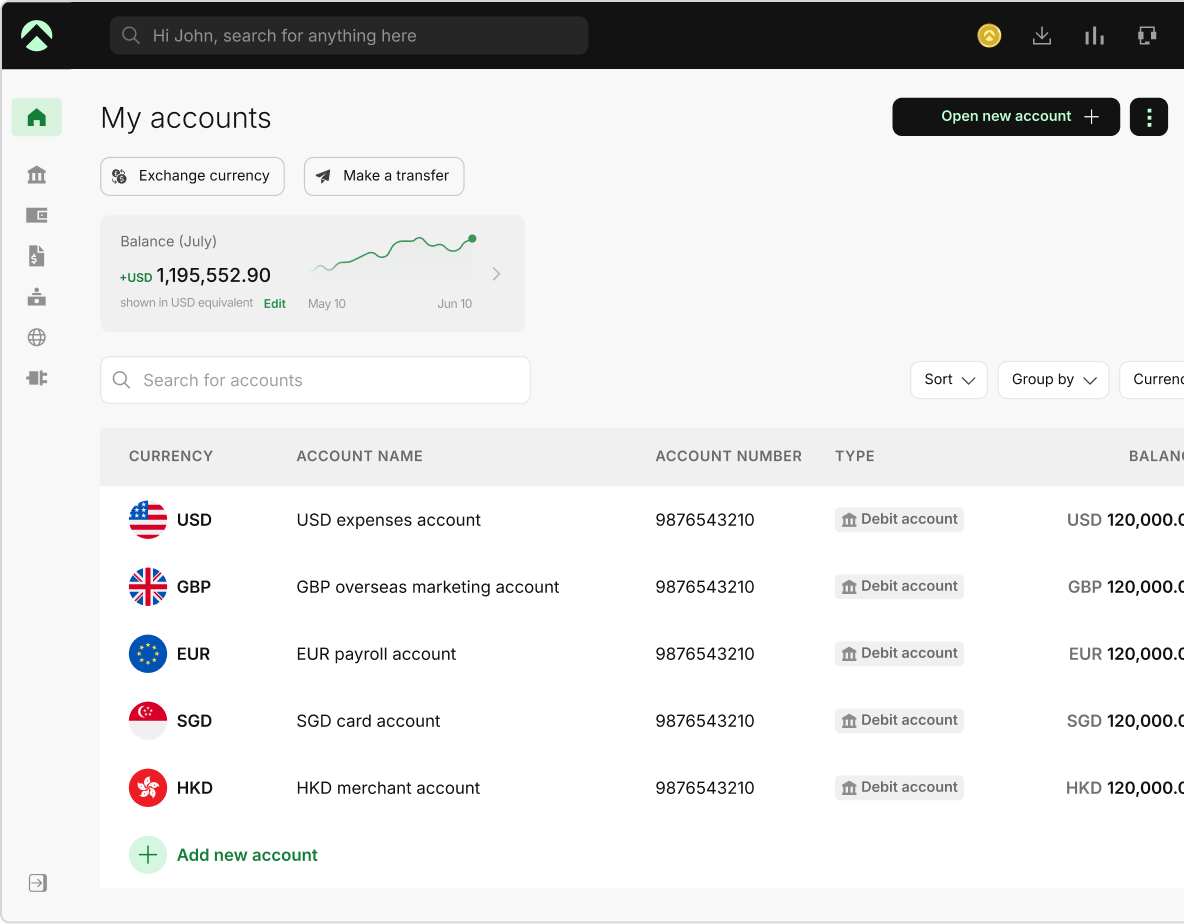
One Aspire account to manage your business finances in one place.
Get a business account¹, issue corporate cards², manage expenses, and automate financial workflows, all from one powerful platform built for modern businesses.
As a founder, picking the right accounting software feels like a small decision, until the costs surface later. The tool is not delivering the value you expected, your bookkeeper is frustrated, and switching means re-importing plenty of transactions. That cleanup lands on the whole team. Well, that is the real cost of getting QuickBooks vs Xero wrong.
They both are known to be strong accounting software, both handle daily invoicing, reporting, bank reconciliation, etc.
Then where is the difference? Well, QuickBooks vs Xero is rarely about which one is better in abstract, but it is more on the terms of how your team works, who deals with your books, and how complex your finances are.
In this blog, we will explore the major differences of QuickBooks vs Xero, costing, features, and much more to help you choose the best option for your business operations.
QuickBooks and Xero at a glance
Being a founder, you would have read about both the platforms and realised that they do the same core job, like pull in your bank transactions, help you categorize the transactions, and produce the records to your accountant. Still, there are some distinctions that you need to understand better to make the right decision.
| Category | Xero | QuickBooks Online |
|---|---|---|
| Leans toward | Simplicity and shared access | Depth and familiarity |
| Best suited to | Founders who want their whole finance team in the books without extra per-seat charges | Founders who want more depth and work with US accountants who already use it |
| Interface | Lighter, friendly for non-accountants | Powerful, rewards accounting familiarity |
QuickBooks vs Xero: Key differences
Here are some of the important distinctions between Xero accounting vs QuickBooks:
Users and team access
- Xero: Unlimited users on every plan with pricing per organization rather than per seat
- QuickBooks: Users limited for each tier - Simple Start at 1 user, Essentials at 3 users, Plus at 5 users, and Advanced at 25 users
- What to check: See how many people will actually log in to the platform and use it before comparing headline prices to avoid any surprises
Ease of use
- Xero: It has a clean interface which helps first-time users to work on invoicing and bank reconciliation quickly
- QuickBooks: Interface is approachable and some screens carry more options than a non-accountant needs
- What to check: match the tool to how your team likes to work, Xero suits people who want a lighter, faster interface, while QuickBooks suits those who want more depth on screen and do not mind the extra density
Reporting
- Xero: Strong on essentials, including profit and loss, balance sheet, cash flow, with heavier custom reporting having add-ons
- QuickBooks: Has deeper reporting with more built-in report types and stronger customizations at higher tiers
- What to check: If your business just needs standard monthly reports then Xero is fine, else if you need proper data classification, location based reporting then pick QuickBooks
Integrations and ecosystem
- Xero: a large integration ecosystem backed by a strong partner network, with its unlimited-user model suiting agencies and bookkeepers handling several clients
- QuickBooks Online: an equally broad app ecosystem, with especially strong familiarity among US accountants and bookkeepers
- What to check: in your Xero QuickBooks comparison, look past the app count and confirm your payment processor, expense platform, and bank connect cleanly to your pick
Multi-currency, inventory, and projects
- Xero: They have multi-currency support in established and highest plan
- QuickBooks: They have inventory tracking and project profitability at Plus tier
- What to check: As per your business operations, check if you would need the entry plan or the higher plans, and which tier would suit your requirements the best
Payroll
- Xero: payroll now runs inside Xero through Xero Payroll, powered by Gusto, launched for US businesses in 2026 as an optional add-on
- QuickBooks Online: built-in payroll available as a paid add-on
- What to check: decide whether you want payroll run and billed alongside your accounting, Xero Payroll is listed at USD $36 per month plus USD $6 per employee or contractor on Xero's pricing page, and QuickBooks prices its payroll as a separate add-on too
Cost: what actually drives the price
Reading the headline prices may make you question - is Xero better than QuickBooks? Or is QuickBooks worth more than Xero? Let us help you out here to understand the costing better.
Xero pricing
Xero announced the new pricing effective from October 1, 2026
- Early: USD $27
- Growing: USD $59
- Established: USD $97
QuickBooks pricing
- Simple Start: USD $38 per month
- Essentials: USD $85 per month
- Plus: USD $140 per month
- Advanced: USD $340 per month
These numbers may look simple and as a founder you may feel that you have the easiest overview of what you need to spend. Well, no, it does not work like that.
Both the platforms run promotions at times, so the pricing you get to see at the signup is not what you are actually going to pay later. And the tier you may need is rarely the cheapest one.
Xero has user costs flat because seats are unlimited, but features like multi-currency are at the higher tier like Established. And QuickBooks charges more as you add seats and unlock inventory and other features. So a QuickBooks vs Xero cost check depends on your specific setup and not the entry price.
Note: Also, these prices change often, so confirm the latest numbers before committing to a plan. A plan that seems cheap now may double up as you grow and need more from the platform.
Xero or QuickBooks: which is better for your business
There is no universal winner to this and your choice should be based as per your business needs. As a founder you will question which is better, and you should see it from the angle of your specific requirements. If you go by generic reviews you may make the wrong choice.
- Choose Xero if you want unlimited team access, a lighter interface for non-accountants and standard reporting rather than complex and advanced features
- Choose QuickBooks if you work with a US accountant who is already using it, need inventory or project profitability tracking or other features like payroll and accounting in one platform
Where Aspire¹ fits into your accounting workflow
Whichever side you choose in the QuickBooks vs Xero debate, your accounting software is only as good as the data going into it. This is something many founders overlook. Messy transactions, personal card spending, or slow bank feeds can create hours of cleanup every month, no matter which software you use.
That is where your banking setup can make things easier. An Aspire business account¹ gives you a separate feed for your business transactions, so your books do not get mixed up with personal spending and your expense categories stay organized from the start. Every Aspire corporate card² purchase also captures expense details when you spend, which means fewer unclear transactions when it is time to reconcile.
If you pay suppliers or contractors abroad, an Aspire multi-currency account* keeps those payments organized in one place. This can also help if your accounting software only offers multi-currency features on a higher plan. Aspire connects with your accounting tools, so your transaction data can flow in without having to rebuild everything manually.
The goal is not to replace Xero or QuickBooks. It is to give them cleaner data, so the software you choose actually saves you time.
Frequently Asked Questions
It depends on your team and accountant. If you want unlimited users and a simpler interface, Xero can be a good fit for early-stage teams. If your bookkeeper already uses QuickBooks or you need inventory tracking, QuickBooks Online may work better. There is no single answer to is Xero better than QuickBooks. It comes down to what works best for your business.
Yes. Both support migration, but switching takes some work. You will need to move your financial history and update your chart of accounts. The process can also make your books harder to manage for a while. That is why it is worth thinking carefully about your QuickBooks vs Xero choice from the start.
It depends on what you need. Xero includes unlimited users but features like multi-currency are available only on higher plans. QuickBooks charges based on the plan and number of users, with some features costing extra. So, the Xero or QuickBooks cost depends on your team size and the features you need.
No. Both Xero and QuickBooks are designed to be easy enough for non-accountants to use. Many founders manage their own books at first. But in the QuickBooks online vs Xero decision, your accountant's preference can make things easier, especially when it is time to file taxes.
No. Aspire is a business banking and spend platform, not accounting software. It sends your transaction data to the accounting tool you use, making reconciliation easier and helping you keep your books organized.
Sources
- https://www.Xero.com/us/pricing-plans/update/ - Aug 31, 2026
- https://QuickBooks.intuit.com/online/ - Aug 31, 2026
This blog is for general information only and does not constitute financial, legal, tax, or professional advice. Aspire’s services are subject to the terms outlined in our ’Terms of Service’ and ’Pricing’ pages. We make no guarantees as to the accuracy, completeness, or timeliness of the content, and past results do not indicate future performance. Always consult a qualified professional before acting on any information provided.
Bintang Lestada
Writer
Bintang is a seasoned writer specialising in fintech, agtech, politics, and pop culture. With a writing history at VICE ASIA, Letterboxd, Whiteboard Journal and other reputable organisations, Bintang leverages their broad range of experiences to resources that educate audiences, build trust, and support business growth.
Aspire Launchpad
Supercharge your finance operations with Aspire
Find out how Aspire can help you speed up your end-to-end finance processes from payments to expense management.

Latest articles

How general liability vs professional liability insurance works in the US
Small business guide to general liability insurance. Learn about costs and coverage, if you need it, and how to choose the right policy.

Best multi-currency business accounts in the US for 2026
Compare the best multi-currency business accounts in the US for 2026. Explore fees, FX costs, currencies, holding, receiving options, and key features.

How to start an LLC in Ohio: Step-by-step guide
Starting an LLC in Ohio costs $99 and clears in two business days if expedited. The filing steps, real year-one costs, and the municipal tax to plan for.