


AP automation for manufacturing: How to automate invoices and supplier payments

Bintang Lestada

Summary
AP automation for manufacturing reduces manual invoice handling by automating data capture, approval routing, matching, and payment preparation.
Manufacturing AP is harder because invoices often depend on supplier records, purchase orders, receipts, plant ownership, and price or quantity variances. When those inputs do not line up, finance must resolve the exception before payment.
Two-way matching checks the invoices against POs, while three-way matching adds goods receipt verification. Three-way matching is especially useful where payment should depend on what was actually received, not only what was ordered. Automating this process helps catch invoice discrepancies before the payment is released.
Automation can reduce specific payment risks by flagging duplicate invoices, PO mismatches and approval exceptions before release, but it does not eliminate fraud risk. It also enforces consistent approval policies.
One Aspire account to manage your business finances in one place.
Get a business account¹, issue corporate cards², manage expenses, and automate financial workflows, all from one powerful platform built for modern businesses.
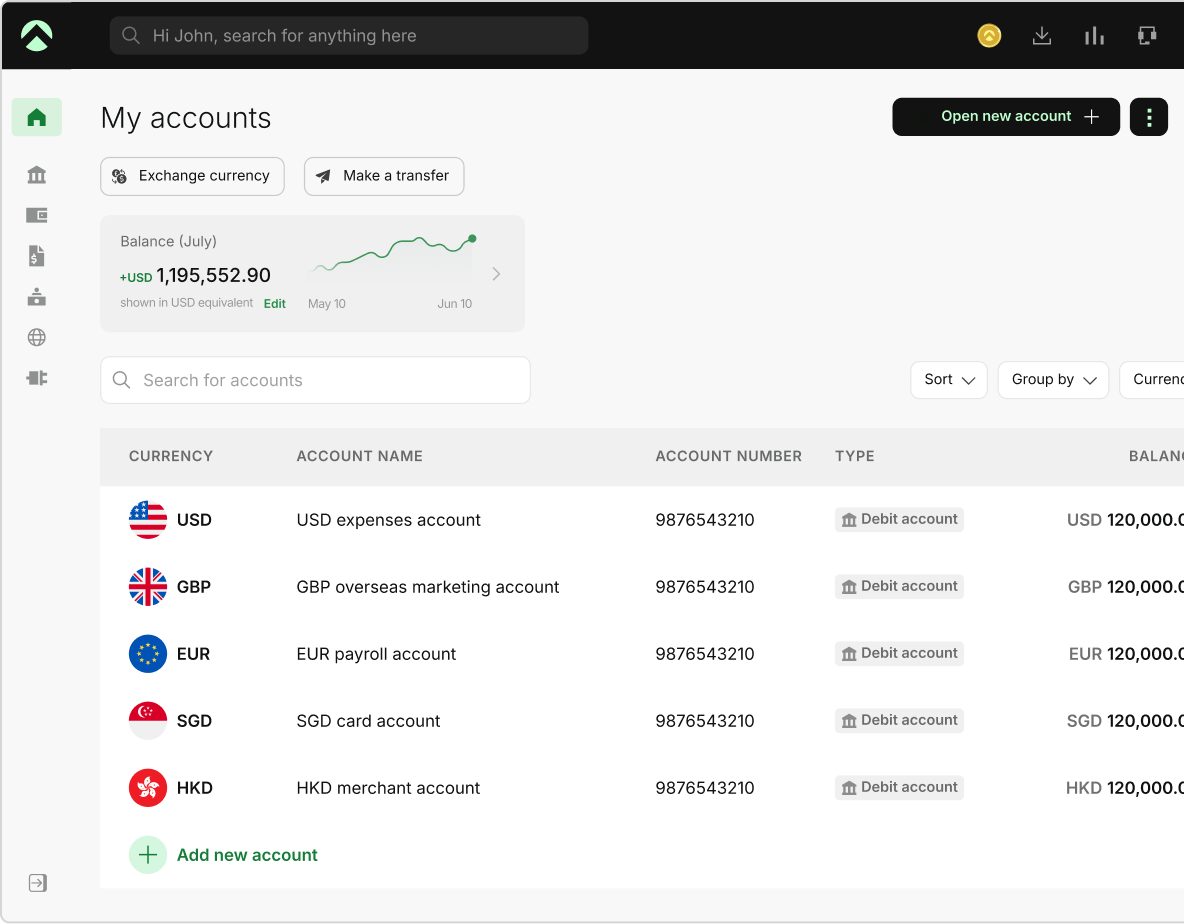
High invoice volumes, complex supplier networks, distributed plants, and PO/receiving dependencies can put pressure on manufacturing AP teams. Manual workflows make it harder to see which invoices are clean, which need investigation, and which are ready to pay. Handling these processes manually can lead to delays, errors, and missed opportunities, which cost more than just time.
AP automation for manufacturing helps standardize invoice capture, matching, approval, exception handling, and supplier-payment operations while keeping the ERP as the system of record. This article explains the practical benefits of AP automation for manufacturing and how you can streamline invoices and supplier payments.
Why manufacturing companies need AP automation
As manufacturers, your business depends on streamlined operations. Inefficient AP processes can distort the supply chain and trigger financial risks such as budget overruns, poor cash flow, and negative supplier relationships.
Your finance team is often handling a high volume of invoices from suppliers, equipment vendors, contractors, and freight carriers. Manual AP processes limit their visibility into cash flow and often delay the process, disrupt the payment cycles, halt the production schedules, and damage supplier relationships.
That’s why a lot of manufacturing companies in the US are now moving to AP automation software, which speeds up digital invoice approval and cuts down on manual work overload. This gives your finance team better control over your business spending. Here’s what accounts payable automation for manufacturing companies actually does:
Faster invoicing
Automation reduces the manual work required to key invoice data and route invoices between finance, procurement, receiving, and operational approvers. The actual cycle-time improvement depends on invoice quality, match rates, and how many exceptions still require human review.
Improved fraud protection and fewer errors
Automation can flag duplicate invoice numbers, vendor mismatches, PO/receipt variances, and approval exceptions before payment. These controls reduce certain error and duplicate-payment risks, but they still depend on clean vendor, PO, and receiving data.
Strong supplier relationships
Clearing supplier payments on time and processing their invoices accurately can help you reduce disputes and support fewer production delays or shipment holds.
Lower processing costs
Replacing paper-based AP processing with automation reduces the manual effort behind each invoice, helping you scale AP operations without adding more headcount.
Better visibility into cash flow
Your finance team can track what’s owed and when it’s due, making it easier to pay on time and capture early payment discounts where they make sense.
Streamlined reconciliation
Cleaner invoice, PO, receipt, and payment records reduce the amount of manual investigation required during reconciliation.
Key features to look for in AP automation software for manufacturing
If you run a manufacturing business with multiple entities, locations, and a complex ERP system, your AP automation software must have the features to handle it all. Not every platform is built the same. So, here are some features that matter when you are comparing multiple AP automation platforms for your manufacturing operations:
- Automated invoice capture: Look for support for the invoice formats your suppliers actually use, with extraction confidence flags and human review for the uncertain fields.
- Customizable approval routing: The invoice approval workflow must support routing by location, invoice amount, or department, with parallel and multi-level approvals when required. Manufacturing routing should also account for plant/site, entity, cost center, amount, and exception type, not just the department.
- Real-time ERP integrations: Evaluate integration depth with the ERP systems your plants actually use, such as SAP, Oracle, NetSuite, Sage, Microsoft Dynamics, JD Edwards, or Infor. Confirm whether PO, receipt, coding, invoice status, and payment data sync both ways or still require exports/imports.
- Vendor management tools: Look for the built-in tools to centralize vendor profiles and give visibility into payment terms. See Aspire’s guide to Accounts payable vendor management for founders to learn more.
- Global payment support: If you pay international suppliers, you must verify supported currencies, payment rails, beneficiary requirements, fees, and settlement timing of the platform. Not every manufacturer may need this, as it matters the most if you are sourcing internationally.
- Spend analytics: Look for visibility into the outstanding liabilities, due dates, exception backlog, supplier spend, and plant/entity exposure.
- Security and access controls: The AP automation tool must provide role-based access, detailed audit trails, and approval logs to protect your operations against fraud. It is especially important when AP is distributed across multiple locations.
- Configurable matching tolerances and exception rules: Manufacturing invoices often contain legitimate price or quantity differences caused by partial deliveries, freight, taxes, contract changes or rounding. The AP system should let the finance team define tolerance thresholds, route the out-of-tolerance items for review, and preserve a clear audit trail of how the exception was resolved.
- PO/receipt matching and exception routing: The system should support line-level matching, handle partial receipts and mismatches, and route unmatched invoices to a clear exception owner for resolution.
Can the system handle partial deliveries and non-PO invoices?
Manufacturing AP rarely consists only of clean one-PO/one-invoice transactions. Check how the system handles one PO fulfilled across several receipts, partial invoices, freight or surcharge lines, MRO purchases, and non-PO service invoices. A system that automates clean matches but sends every real-world exception into one manual queue may simply move the bottleneck rather than remove it.
How AP automation software works for manufacturing, step by step
Step 1: Capture the invoice and create a draft bill
- Invoices arrive through vendor email, EDI, supplier portal, or as scanned PDFs.
- Your AP automation tool captures these invoices in a working queue, extracts the key fields, and drafts a bill record with vendor name, invoice number, due date, tax, line items, total amount, preferred currency, and PO reference.
- The invoice-extraction tools can normalize different layouts and flag low-confidence fields for review. However, the extraction accuracy varies by supplier format and document quality.
- In some cases, where the automation system isn’t confident about a particular invoice field, it flags the same for the AP team to review it before the bill moves forward.
Step 2: Check PO, vendor, and receipt
- Before the invoice can move to the approval stage, the system checks the invoice vendor against the vendor master. If the vendor is inactive, missing, duplicated, or using a remittance address that doesn’t match the one in the system, the bill stops for review.
- If the invoice references a PO, the system compares the vendor, PO line, unit price, quantity, and other configured fields against the order.
- In a 3-way match, the goods receipt is then added to confirm if the billed items are received.
- Do not assume a single PO maps to a single receipt or invoice. Raw materials may arrive in more than one shipment, and a single invoice may cover only a part of the total ordered quantity. The system should compare at the relevant line level and preserve remaining open quantities rather than treating every partial delivery as an exception.
- With a proper workflow in place, the AP automation software shows specific match exceptions such as missing receipts, price variance, closed PO, quantity variance, exhausted PO balance, and within-tolerance vs. out-of-tolerance variance.
- With a holistic view of what was ordered, received, and billed, spend management becomes easier for the finance team.
Step 3: Apply coding and route approval
- Before an invoice is approved and processed, it needs the right project code, tax code, department, cost center, and GL account specified in it.
- Some platforms may suggest coding based on prior transactions or configured rules. However, the finance team should retain review and override controls.
- Once coded, the invoices are routed to the right approver based on system-specified rules, which typically include amount threshold, cost center, department, vendor type, and entity.
- The approver then sees the invoice, PO, receipt status, budget context, and coding before acting upon it, without having to go back to the AP team for context.
Step 4: Manage the exceptions
- An exception queue is also created automatically, which includes bills pending receipt, invoices with quantity or price variance, duplicate invoice numbers, vendor master issues, and others.
- The system then surfaces the reason for the exception and routes it to the person appointed to resolve it, such as procurement, the plant owner, the AP team, or the receiving team.
- The goal of this step is not to eliminate human review, but to reserve human attention only for the invoices that require genuine judgment, such as a price variance above tolerance, an unknown freight charge, or a partial receipt.
Step 5: Prepare the payment and sync it back to the ERP system
- Approved invoices then move to the payment batch, where your team can review what’s ready to release, including vendors, applicable payment methods, and the authorizing officer.
- Automation can batch multiple approved payments, route authorization, and generate remittance information, while your finance team can retain the appropriate release controls.
- Confirm which invoice, coding, status, and payment fields are actually written back to the ERP and whether the integration is real-time, file-based, or scheduled.
Where Aspire fits in a manufacturing AP workflow
Manual invoice handling limits your ability to scale as your supplier network, plant locations, and PO volume grow. Aspire1’s procure-to-pay workflow connects purchase requests, POs, vendors, bills, approvals, payments, and accounting sync, all under the same platform.
Your bills can be captured from PDFs or forwarded emails, routed for approval, and connected back to the POs. Aspire’s current product also supports approval policies by amount, category, entity, accounting sync, centralized vendor records, and payments from the integrated multi-currency account*.
Aspire runs the procure-to-pay layer, including 2-way PO matching with configurable tolerances, while your ERP stays the system of record. For complex three-way matching or partial-receipt logic, check current capability with the Aspire team, since smart line-item matching is still on the roadmap.
Frequently Asked Questions
An ERP system stores your financial records, but the AP automation tool manages the work that happens before an invoice is ready to pay. This includes intelligent invoice capture, PO matching, vendor checks, approval routing, exception handling, and payment preparation. Your ERP continues to be the system of record, whereas AP automation for manufacturing helps your finance team get cleaner and approved bill data into it.
The key question is whether your ERP already handles invoice capture, matching, exception routing, and approvals at the level your plants need. If it does, adding another AP layer may create duplication rather than value.
AP automation for manufacturing companies reduces payment risk by validating the invoice numbers, vendor records, receipt status, PO balances, coding, and approval history before the payment can be released. Your system holds invoices with exceptions such as missing receipts, closed POs, duplicates, over tolerance, or others.
Manufacturing AP often depends on POs, physical receipts, multiple plants, price/quantity tolerances, or partial deliveries. This makes exception handling more complex than it is in a simple service-business AP flow. Manual efforts to manage this can incur delays, missed payments, or expensive errors. Automating AP through dedicated software addresses these problems directly and reduces a lot of manual work.
Three-way matching is the process where a supplier invoice is verified against the PO and goods receipt. In manufacturing, suppliers often deliver materials in batches and invoice them in different phases. So, automating three-way matching allows you to drive more accuracy and efficiency. When the invoices are matched, they are processed automatically, whereas the exceptions are routed with valid context for your human team to review. If the invoice, PO, and receipt do not agree within the configured tolerance, the invoice should be held for review rather than paid automatically.
The most useful outcomes to measure are invoice cycle time, exception rate, percentage of invoices processed without manual intervention, duplicate-payment incidents, on-time supplier payments, and cost-per-invoice. The improvement depends on your invoice volume, PO discipline, receiving data, ERP integration, and the percentage of transactions that arrive clean for automation.
Start with the bottleneck. If invoices arrive without approved purchase orders, AP automation alone will not solve the root problem; strengthen purchasing and PO controls first. If POs and receipts are already reliable but finance still spends time on capture, matching, approvals, and payment preparation, AP automation may be the more direct intervention.
Sources
This blog is for general information only and does not constitute financial, legal, tax, or professional advice. Aspire’s services are subject to the terms outlined in our ’Terms of Service’ and ’Pricing’ pages. We make no guarantees as to the accuracy, completeness, or timeliness of the content, and past results do not indicate future performance. Always consult a qualified professional before acting on any information provided.
Bintang Lestada
Writer
Bintang is a seasoned writer specialising in fintech, agtech, politics, and pop culture. With a writing history at VICE ASIA, Letterboxd, Whiteboard Journal and other reputable organisations, Bintang leverages their broad range of experiences to resources that educate audiences, build trust, and support business growth.
Aspire Launchpad
Supercharge your finance operations with Aspire
Find out how Aspire can help you speed up your end-to-end finance processes from payments to expense management.

Latest articles

CFO Hub •
Global treasury management: Definition, benefits, challenges, and strategies
Learn what global treasury management is, how it manages cash, FX risk, payments, and compliance, plus strategies for growing global businesses.

Payments •
Healthcare AP automation: how to streamline invoices, approvals, and payments
Healthcare AP automation explained for finance teams: how invoice capture, approvals, and vendor payments work, what it costs, and how to choose a tool.
Expense Management •
Nonprofit expense tracking: A practical guide for finance teams
Learn how nonprofit expense tracking should work from purchase through receipt capture, coding, approval, reimbursement and month-end reconciliation.
Start your journey with Aspire