


Nonprofit expense tracking: A practical guide for finance teams

Bintang Lestada

Summary
Nonprofit expense tracking is the process of making every transaction traceable from the moment money is spent to the point it is reconciled in the books.
A useful expense record should show the amount, vendor, purchaser, business purpose, receipt, accounting category, program or grant, approver and reconciliation status.
Nonprofits often need to classify the same cost three ways: by natural expense category, by functional purpose and by the program, fund or grant that should carry it.
The strongest workflow captures context when the purchase happens, routes the expense through the right approval path and resolves missing information before month-end.
Spreadsheets can work while the process stays simple. Once receipts, approvals, coding and reconciliation start living in different places, expense management software becomes more useful.
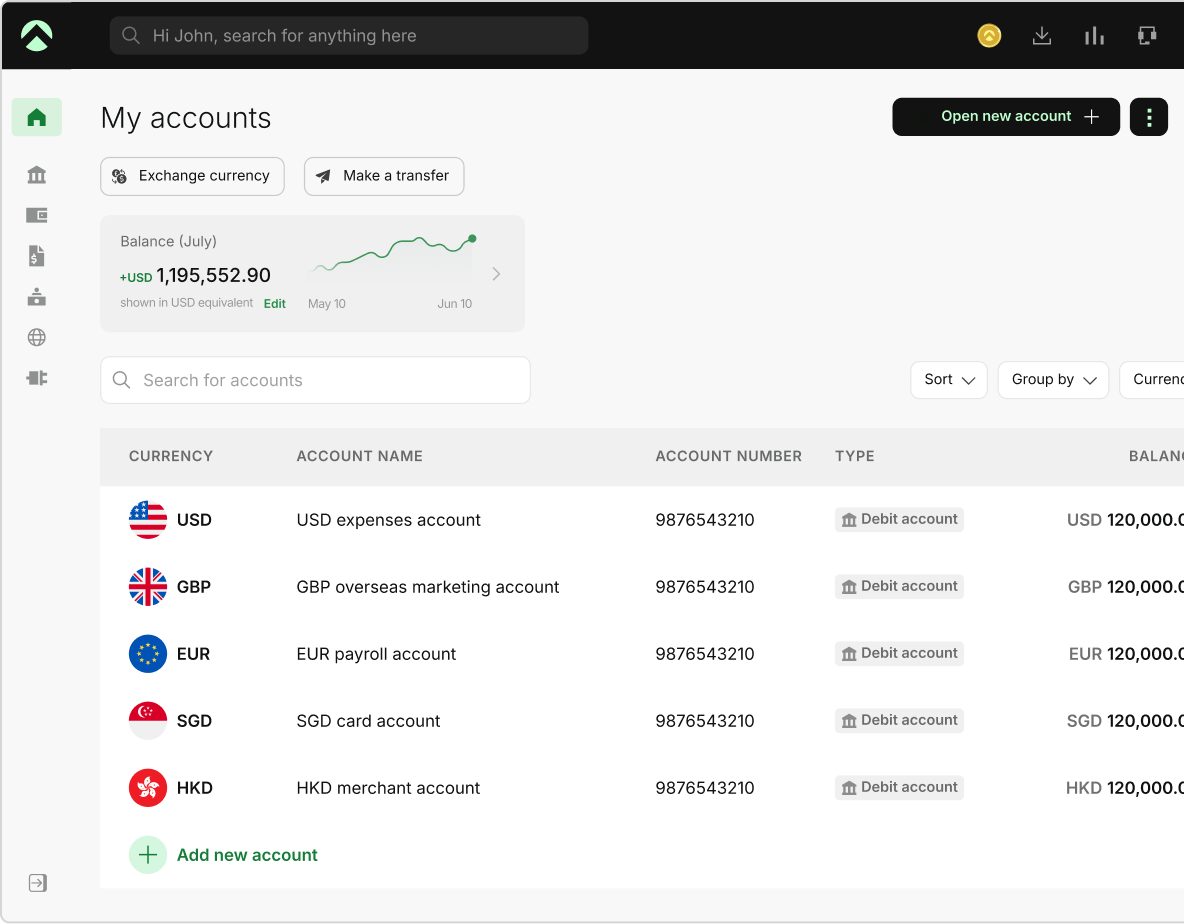
One Aspire account to manage your business finances in one place.
Get a business account¹, issue corporate cards², manage expenses, and automate financial workflows, all from one powerful platform built for modern businesses.
Nonprofit expense tracking gets difficult for a simple reason: one transaction has to answer more questions than the bank feed can.
A USD $500 hotel charge tells finance how much left the account. It does not tell you why the trip happened, which program benefited, whether a grant should carry the cost, who approved it or whether the supporting receipt is on file.
A good tracking process captures that context while it is fresh, then keeps it attached to the transaction through approval and month-end close. The practical goal is to record the expense once, but structure the record so finance can use it for bookkeeping, grant reporting, functional expense reporting and audit support.
What nonprofit expense tracking needs to accomplish
Nonprofit expense tracking is the process of recording organizational spend with enough context for finance to classify it, approve it and reconcile it correctly.
For each transaction, finance should be able to identify:
- transaction date
- vendor
- amount
- purchaser
- business purpose
- payment method
- receipt
- natural expense category
- program, grant, project or other funding/restriction tag where relevant
- functional expense category where relevant
- approver
- approval status
- reconciliation status
That is narrower than expense management. Expense tracking focuses on the record itself. Expense management covers the wider operating system around the transaction, including spend policies, card controls, claims, approvals, reimbursements, accounting sync and reporting. Aspire’s guide to expense management covers that broader process.
The distinction matters because a clean general-ledger entry is not always a complete nonprofit expense record. If finance cannot see the purpose, funding context or approval behind the transaction, the bookkeeping may be correct while the audit trail is still weak.
The nonprofit expense tracking workflow
The easiest way to keep nonprofit expense data clean is to collect information at the point where it becomes available, rather than rebuilding the transaction weeks later.
Set spend authority before purchase
Start with the spending rules. Staff should know what they can buy, which purchases need pre-approval, who can approve them and where higher-value spend needs an extra level of review.
Pre-purchase authorization and post-purchase expense approval are different controls. A purchase request can stop unauthorized spending before money moves; an expense review confirms after the fact that an incurred charge was documented, coded and consistent with policy.
A small nonprofit does not need a complicated approval matrix. It does need clear authority. A program manager may be able to purchase routine supplies within an approved budget, while a new USD $5,000 software contract may need finance approval before anyone commits the organization.
Corporate cards² with spend controls can reinforce the same structure by matching spending power to the role.
For business-card spend, match card limits and permitted use to the employee’s role or program budget, but keep the same receipt, purpose, coding and review requirements after the transaction. Card controls reduce unauthorized spend; they do not replace expense documentation.
The National Council of Nonprofits recommends internal controls that define access to funds and spending authority, and it highlights segregation of duties so one person does not control every stage of the same transaction.
The objective is simple: finance should know who had authority before the money moved.
Capture the expense while context is fresh
The next step is to collect the proof and purpose of the purchase.
Record the vendor, date, amount, purchaser and business purpose when the expense happens. Attach the receipt to the same record. Aspire’s expense report guide follows the same principle: the reviewer should have enough context to understand the charge without another round of messages.
A merchant name on its own is rarely enough. “Dinner — USD $146” tells finance almost nothing. “Dinner with three community partners after the September outreach workshop” gives the reviewer a clear business purpose.
This is where many manual systems start to break. If the explanation arrives three weeks later, finance is reconstructing the expense rather than tracking it.
Code the transaction once
Nonprofits often need more than one classification on the same transaction.
| Classification | What it tells you |
|---|---|
| Natural expense category | What was purchased? |
| Functional expense category | What organizational purpose did it support? |
| Program, fund or grant tag | Which activity or funding source should carry the cost? |
Take a USD $500 hotel stay for a program manager travelling to deliver a youth outreach event.
The natural expense category is Travel. That is the general-ledger view of what the organization purchased.
The functional category is Program services. That shows the organizational purpose the cost supported.
The program or grant tag is Youth outreach grant. That tells finance which activity or funding source should carry the cost.
Those labels answer different reporting questions, so they should not be collapsed into one field. The grant tag also does not make the expense allowable. Grant terms and applicable funding rules still determine whether the cost can be charged to that award.
Route the expense to the right approver
Once the transaction has its purpose, receipt and coding, the reviewer should be able to decide whether it is ready to post.
The approval check should confirm that the expense supported the nonprofit’s work, followed internal policy, has sufficient documentation and has been coded to the right place.
Employee-paid expenses can then move into reimbursement. Card-paid expenses move into reconciliation. Both should carry the same documentation and coding trail before finance closes the month.
If one expense supports several programs, document the allocation before posting it. Waiting until year-end to decide why a shared cost belongs in several places makes the reporting harder to defend and harder to repeat consistently.
Reconcile before month-end becomes a search exercise
Month-end should confirm the expense trail, not create it.
Finance can match card transactions, clear open claims, resolve missing receipts, review unusual charges, check coding and confirm that approved expenses reached accounting correctly.
A useful close test is this: can you move from the ledger entry back to the transaction, receipt, purpose, coding and approval without opening email, Slack and a separate spreadsheet?
If the answer is yes, the expense trail is doing its job. If not, the gap usually started earlier in the process.
How nonprofit expense categories work
For nonprofits, categorization is not simply a chart-of-accounts exercise. The same transaction may need to support bookkeeping, functional reporting and program-level reporting at the same time.
Natural expense categories
Natural categories tell you what the organization bought. Typical examples include travel, software, professional services, rent, payroll and office supplies.
This is the classification your general ledger normally uses to show where money was spent.
Functional expense categories
Functional categories show the organizational purpose of the cost.
For section 501(c)(3) and 501(c)(4) organizations completing the relevant columns of Form 990 Part IX, the IRS uses three functional categories: Program services, Management and general, and Fundraising.
That means the USD $500 hotel stay can remain Travel in the ledger while being classified as Program services for functional reporting.
Shared costs sometimes need allocation. The Form 990 instructions allow reasonable allocation methods where one expense supports more than one function. The method should reflect how the cost was actually used and be documented well enough for finance to apply it consistently.
Program, fund and grant tags
The third layer connects the transaction to the activity or funding source that should carry the cost.
A program tag helps finance see the cost of a specific initiative. A fund tag can separate restricted activity from unrestricted operations. A grant tag lets finance pull the transactions associated with a particular award.
That improves reporting, but it does not decide whether a cost is allowable under the award. The grant agreement and applicable funding rules still control that decision.
This three-layer structure is the most useful way to think about nonprofit expense tracking: one transaction, one underlying record, several reporting views.
Receipt rules that shape nonprofit reimbursements
Receipt policy affects more than whether finance can find a document later. For employee reimbursements, documentation also affects how the payment is treated for payroll purposes.
Accountable plan timing
IRS Publication 15 says an accountable plan generally requires three things: a business connection, substantiation within a reasonable period and return of amounts above the substantiated expense within a reasonable period.
The IRS also explains what it generally considers reasonable. Accounting for expenses within 60 days and returning excess advances within 120 days falls within that guidance.
Those figures are not universal nonprofit submission deadlines. Your internal policy can require a faster turnaround if that keeps monthly reporting current and reduces follow-up.
Receipt evidence
Do not build your nonprofit receipt policy around the idea that the IRS requires a receipt for every dollar.
For employee business expenses covered by IRS Publication 463, documentary evidence such as a receipt is generally required, but there are exceptions. One exception applies to non-lodging expenses under $75; lodging expenses generally still require documentary evidence. This is a substantiation rule for the covered expense, not a universal nonprofit receipt threshold.
A grant, state rule or your own internal policy can require stricter documentation.
The IRS separately requires exempt organizations to keep records that support the income and expenses reported on their returns. In practice, the best policy is one that gives finance enough evidence to explain the transaction later without creating an unnecessary administrative burden for staff.
When spreadsheets stop being enough
A spreadsheet can work when the same few people spend money, approval paths are simple and finance can close the month without chasing missing context.
The warning sign is not a specific transaction count. It is a process that starts fragmenting.
Typical signs include:
- receipts stored separately from the transaction
- approvals buried in email
- grant tags added after the fact
- duplicate data entry
- late employee claims
- slow card reconciliation
- finance discovering coding problems during close
At that point, the useful software workflow is straightforward:
Spend control → Receipt capture → Coding → Approval → Reimbursement or card matching → Accounting sync → Audit trail
Aspire’s¹ corporate expense tracking guide makes the same point for growing finance teams: manual workflows become harder to maintain once more transactions, people and approval paths are involved.
What nonprofit expense management software should support
Look for software that preserves the information your nonprofit already needs rather than forcing finance to reconstruct it later.
A useful system should support:
- receipt and business-purpose capture close to the transaction
- configurable categories and reporting fields for programs, grants or other funding dimensions
- pre-spend controls and post-spend approval workflows
- employee and volunteer reimbursement workflows where relevant
- split or allocation support for costs that benefit more than one program
- business-card controls such as spend limits or merchant restrictions
- a clear audit trail showing who submitted, changed and approved the expense
- integration with the organization’s accounting system without pretending the expense platform replaces accounting judgment
Aspire¹ expense management tools can support this workflow with card controls, employee claims, receipt capture, configurable claim-review policies, budgets and supported accounting integrations. The value for a nonprofit is not that software makes the accounting judgment for you. It is that the transaction can reach finance with more of the information needed to make that judgment.
Expense management software does not determine grant allowability, perform nonprofit fund accounting or prepare Form 990 on the organization’s behalf. Those decisions still sit with the nonprofit and its finance or accounting team.
Frequently Asked Questions
Nonprofit expense tracking is the process of recording each transaction with enough information for finance to classify, approve and reconcile it. A complete record usually connects the amount, vendor, purchaser, business purpose, receipt, accounting category, program or grant, approval status and final accounting status.
Track the date, vendor, amount, purchaser, business purpose, payment method, receipt, natural expense category, approver and reconciliation status. Nonprofits may also need a program, grant or other funding/restriction tag where relevant, plus a functional expense classification for reporting.
For section 501(c)(3) and 501(c)(4) organizations completing the relevant Form 990 Part IX columns, the functional categories are Program services, Management and general, and Fundraising. Other organizations do not necessarily complete all three functional columns.
No single IRS rule says every nonprofit expense must have a receipt. Tax-exempt organizations must keep records that support the expenses reported on their returns, while specific substantiation rules can apply to employee business expenses. Under IRS Publication 463, certain non-lodging expenses under $75 can qualify for an exception from documentary-evidence requirements, but that is not a blanket nonprofit receipt threshold. Grant terms, state rules and internal policy may require stricter documentation.
An accountable plan is a reimbursement arrangement that generally requires a business connection, timely substantiation and return of excess advances. IRS Publication 15 generally treats 60 days for substantiation and 120 days for returning excess as reasonable periods. Payments that fail the accountable-plan rules can be treated as compensation or wages depending on the circumstances.
Keep the normal accounting category separate from the grant tag. Attach the receipt, business purpose and approval trail to the same transaction. The tag shows which award the organization attributes the cost to; the grant terms still determine whether that expense is allowable. Where one cost benefits multiple awards or programs, use the organization’s documented allocation method rather than assigning the full expense to whichever grant has available budget.
For federal awards, this is consistent with the allocation principles in 2 CFR 200.405.
Move when the spreadsheet no longer preserves a reliable trail from purchase through reconciliation. Frequent missing receipts, email approvals, late coding, duplicate entry and slow card reconciliation are stronger warning signs than a fixed transaction count.
Yes. Nonprofits can reimburse volunteers for legitimate out-of-pocket expenses, but the organization should require clear documentation showing what the expense was, when it occurred and how it related to the nonprofit’s activities. IRS guidance notes that properly documented reimbursements that do not exceed actual expenses generally do not create taxable income for the volunteer.
Sources
- IRS Publication 15 - 2026 edition
- IRS Publication 463 - accessed September 13, 2026
- IRS Instructions for Form 990 - accessed September 13, 2026
- IRS recordkeeping requirements for exempt organizations - accessed September 13, 2026
- National Council of Nonprofits: Internal Controls for Nonprofits - accessed September 13, 2026
- Nonprofit Accounting Basics: The Statement of Functional Expenses - accessed September 13, 2026
- 2 CFR 200.405 (eCFR) - accessed November 26, 2026
- IRS: Providing disaster relief through charitable organizations: Working with volunteers - accessed November 26, 2026
This blog is for general information only and does not constitute financial, legal, tax, or professional advice. Aspire’s services are subject to the terms outlined in our ’Terms of Service’ and ’Pricing’ pages. We make no guarantees as to the accuracy, completeness, or timeliness of the content, and past results do not indicate future performance. Always consult a qualified professional before acting on any information provided.
Bintang Lestada
Writer
Bintang is a seasoned writer specialising in fintech, agtech, politics, and pop culture. With a writing history at VICE ASIA, Letterboxd, Whiteboard Journal and other reputable organisations, Bintang leverages their broad range of experiences to resources that educate audiences, build trust, and support business growth.
Aspire Launchpad
Supercharge your finance operations with Aspire
Find out how Aspire can help you speed up your end-to-end finance processes from payments to expense management.

Latest articles

CFO Hub •
Global treasury management: Definition, benefits, challenges, and strategies
Learn what global treasury management is, how it manages cash, FX risk, payments, and compliance, plus strategies for growing global businesses.

Payments •
AP automation for manufacturing: How to automate invoices and supplier payments
Learn how AP automation for manufacturing handles invoice capture, PO and receipt matching, approvals, exceptions, supplier payments, and ERP sync.

Payments •
Healthcare AP automation: how to streamline invoices, approvals, and payments
Healthcare AP automation explained for finance teams: how invoice capture, approvals, and vendor payments work, what it costs, and how to choose a tool.
Start your journey with Aspire