


FreshBooks vs Wave: Costs, features and differences

Bintang Lestada

Summary
FreshBooks vs Wave mainly comes down to the features your business actually needs and how much you want to spend
FreshBooks is a better option for businesses that need accounting software to support client billing, time tracking and project-based work alongside their financial management.
Wave works well for small businesses that mainly need straightforward accounting and invoicing without the added cost
FreshBooks pricing starts at USD $23 per month, while Wave offers a Starter plan at no cost
FreshBooks is especially useful for businesses that regularly bill clients, track their time or manage client-related finances
FreshBooks vs Wave doesn’t have a universal winner. The better option depends on your business model, budget and the features you’ll actually use
One Aspire account to manage your business finances in one place.
Get a business account¹, issue corporate cards², manage expenses, and automate financial workflows, all from one powerful platform built for modern businesses.
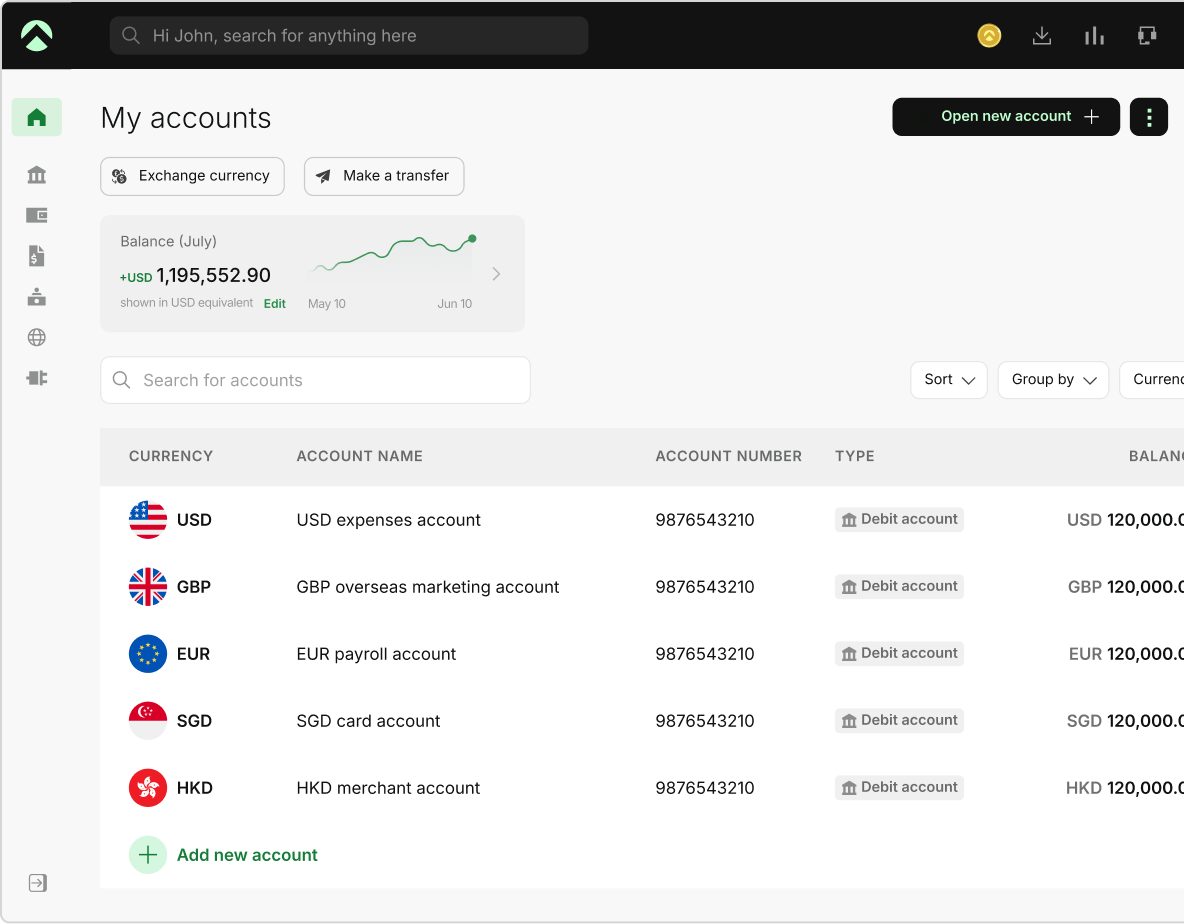
At first glance, FreshBooks vs Wave may seem like two equally good accounting options for your small business, but the features each platform offers can make one a much better fit for your specific needs.
As a founder, you’ll want to look beyond the basic features and consider how each platform fits your business. We’ll compare their pricing, how they handle accounting, invoicing and expenses, along with more niche factors like usability, integrations and support. We’ll also look at their practical costs and different business scenarios to help you make the right choice.
FreshBooks vs Wave: What you need to know
What is FreshBooks
FreshBooks goes beyond accounting and invoicing with tools for managing billable work and projects. For founders managing both client work and business finances, FreshBooks brings these workflows together in one place.
With FreshBooks for small businesses, you can manage invoices and payments while also keeping track of the time and work that goes into each project. When comparing FreshBooks vs Wave, this broader focus on managing billable work and client projects is one of the main differences to consider.
What is Wave
Wave gives small businesses a way to handle their accounting and invoicing without paying for features they may never use. Wave accounting software for small businesses is designed to be cost-effective, offering a free version with unlimited invoicing and clients as your business grows.
When comparing FreshBooks vs Wave, if keeping costs low is your priority, Wave makes more sense. As a founder with a growing business, Wave’s unlimited clients and invoicing may be exactly what you’re looking for.
FreshBooks vs Wave: Key differences
| Feature | FreshBooks | Wave |
|---|---|---|
| Pricing | 4 plans: Lite USD $23/mo, Plus USD $43/mo, Premium USD $70/mo, or Select custom pricing. | 2 plans: Starter USD $0/mo and Pro USD $19/mo or USD $190/year. |
| Clients and invoicing | Lite supports 5 billable clients, Plus 50, while Premium and Select support unlimited clients. All plans include unlimited customized invoices and estimates. | Starter includes unlimited estimates, invoices, bills and bookkeeping records with unlimited clients. |
| Accounting | Double-entry accounting reports, bank reconciliation and accountant access are included from Plus upward. | Starter includes core bookkeeping; Pro adds automatic bank imports, transaction merging and categorization. |
| Expense management | Unlimited expenses and real-time expense tracking are included across plans; receipt scanning and automatic receipt data capture are available from Plus. | Pro includes unlimited digital receipt capture and expense tracking; receipt capture is also available as an optional add-on for the Starter plan as well. |
| Payment processing | Standard US credit/debit cards: 2.9% + USD $0.30ACH: 1%BNPL: 6% + USD $0.30 | Starter: 2.9% + USD $0.60 for Visa/Mastercard/Discover and 3.4% + USD $0.60 for Amex.Pro: Starter rates but waived USD $0.06 fixed fee for the first 10 card transactions each month.ACH is 1% with a USD $1 minimum. |
| Time tracking | Unlimited time tracking is included across all plans, supporting billable hours and team time tracking. | Wave's current pricing/features pages do not list built-in time tracking among its accounting, invoicing or business-management features. |
| Project management | Includes project management and billing across plans, with project profitability available on Premium and Select | Wave's current feature and pricing pages focus on accounting, invoicing, payments, receipts and cash-flow management and do not list project-management functionality. |
| Team access | Additional team members cost USD $11/user/month. Select includes 2 team-member accounts at no extra charge. | Wave’s Pro allows businesses to add unlimited users to their account at no additional cost. |
| Reporting | Includes tax-time reports across plans; financial and accounting reports from Plus, plus project profitability on Premium and Select. | Pro provides dashboard insights and reports including profit and loss statements, Wave's bookkeeping tools also provide financial reporting. |
| Banking automation | Automated bank import, bank reconciliation and related accounting tools are available from Plus. | Pro automatically imports, merges and categorizes bank transactions. |
| Payroll | FreshBooks Payroll is an add-on at USD $40/mo + USD $6/mo per user. | Wave Payroll is an optional add-on at USD $40/mo + USD $6 per active employee + USD $6 per independent contractor paid. |
| Mobile apps | Mobile apps are available for iOS and Android, supporting tasks such as invoicing, payments, expense receipts and mileage tracking. | Wave offers a mobile app for invoicing and payments, while its Pro features also support mobile receipt and accounting workflows. |
| Customer support | Support is available during office hours, with 24/7 self-service help and FreshBot; available phone/email options can vary by plan and region, with dedicated phone support on Select. | Pro includes live-person chat and email support, available Monday–Friday from 9 AM - 4:45 PM ET. |
| Accountant access | Accountant access is included from Plus upward. | Wave allows accountants and other stakeholders to access an account; Pro includes these user-access capabilities. |
| Best suited for | Freelancers and service businesses that need client billing, time tracking, project budgeting and project profitability alongside accounting. | Small businesses looking for low-cost accounting and invoicing, with unlimited invoices and bookkeeping records on the free Starter plan. |
Pricing and plans
Pricing is probably one of the biggest factors founders consider before deciding between FreshBooks vs Wave. Each accounting software has its own pricing structure, with FreshBooks pricing offering four plans starting at USD $23 per month, while Wave accounting software pricing includes a free plan with unlimited invoicing and clients.
FreshBooks pricing
- Lite - USD $23/month: Up to 5 billable clients, unlimited invoices and estimates, expense tracking and unlimited time tracking
- Plus - USD $43/month: Up to 50 billable clients, plus recurring billing, receipt scanning, accounting reports and accountant access
- Premium - USD $70/month: Unlimited clients, plus project profitability and other advanced accounting features
- Select - Custom pricing: Unlimited clients with additional support and features for businesses with more specific requirements
Wave accounting software pricing
- Starter - USD $0/month: Unlimited invoicing, estimates, clients and bookkeeping records, with core accounting features
- Pro - USD $19/month: Adds automatic bank transaction imports, categorization and merging, unlimited receipt capture, additional accounting features and unlimited user access
Worked Example
Say your business has 50 clients and 2 employees, and you want your accounting software to handle invoicing, bookkeeping and team access. Here's how the monthly software costs could look:
With FreshBooks:
- Plan: Plus - USD $43/month, supporting up to 50 billable clients
- Additional users: USD $11/month, 1 additional team member
- Base monthly cost: USD $43 + USD $11 = USD $54/month before payment-processing fees
With Wave:
- Plan: Pro - USD $19/month
- Additional users: No additional software charge for adding users to the account
- Base monthly cost: USD $19/month before payment-processing fees
Note: This is an illustrative example based on the listed pricing and assumptions above. Actual costs may vary depending on your plan, business location, payment volume and specific requirements.
Accounting, invoicing and billing
Both FreshBooks and Wave cover the core invoicing and billing processes, but as a founder, you need to look at the minor differences that could make one more suited to your business than the other.
FreshBooks has an integrated time tracker that lets you record billable hours and automatically pull them into client invoices. Wave's advantage is its Starter plan already lets you create unlimited invoices and estimates without any monthly fee.
When it comes to collecting online payments, both platforms support credit cards and ACH. FreshBooks goes a step further with FreshBooks Payments, which gives you options like Buy Now, Pay Later, instant payouts and checkout links.
Expense management
Both platforms let you record and categorize business expenses, but FreshBooks ties expenses more directly to client and project workflows. Both FreshBooks vs Wave cover these requirements, helping you keep track of business spending and organize it within your accounting records.
The difference is clearer when you look at how expenses fit into the wider workflow. FreshBooks can connect expenses to specific clients and projects, so you can automatically bill clients for expenses.
The extra features may make FreshBooks pricing worth the higher cost, but as a founder, you need to decide whether you’ll actually benefit from them. If your main challenge is controlling employee and company spending rather than recording it afterward, accounting software may not address the whole workflow. Aspire1 can complement your accounting platform with corporate cards2, spend controls and centralized visibility into company transactions.
Reporting and bookkeeping
As a founder, you need your accounting software to give you a clear picture of how your business is doing financially. FreshBooks vs Wave can both do that by providing financial reports and bookkeeping tools.
Wave accounting software for small business and FreshBooks both cover core financial reporting, including the information you need to monitor your business's financial position and performance. FreshBooks adds deeper reporting capabilities on its higher-tier plans, which can give businesses more insight into project performance and how their operations are tracking.
Both platforms let you give accountants or bookkeepers access to your account for collaboration. When comparing FreshBooks vs Wave, consider whether you need a more cost-effective option or additional reporting capabilities for deeper insight into your projects and operations.
What to consider when choosing FreshBooks vs Wave
Project and time tracking: When comparing FreshBooks vs Wave, consider whether your business would benefit from tracking billable hours and connecting them directly to your accounting workflow. FreshBooks brings time tracking and project management into the same workflow as your accounting, so you can track billable hours and manage project-based work alongside your finances.
Bank automation and receipt capture: FreshBooks vs Wave differ in how much of the bookkeeping process they automate after transactions enter the system. FreshBooks includes bank reconciliation on Plus and higher plans, while Wave Pro can automatically merge and categorize transactions. For receipts, FreshBooks offers scanning from Plus, while Wave Pro includes unlimited digital receipt capture.
Users, accountant access and payroll: As your team grows, compare the additional costs alongside your accounting software subscription. FreshBooks charges USD $11 per additional team member, while Wave Pro includes unlimited users. Both support accountant access, while payroll adds USD $40 per month plus USD $6 per employee on FreshBooks and Wave, depending on the payroll configuration.
Integrations: Your invoice management software should work smoothly with the other tools your business relies on. Check that your accounting software connects with the payment, payroll, productivity and commerce platforms you already use, especially if you want to avoid manually transferring information between systems.
When FreshBooks may be the better fit
For businesses that regularly track billing or manage projects, FreshBooks for small business offers the tools that keep these workflows connected to your accounting. Its time tracking, expense management, built-in payment solution, and detailed reporting can be especially useful.
When comparing FreshBooks vs Wave, the higher cost can make sense if you need these additional capabilities and they save you time managing your finances.
When Wave may be the better fit
Keeping accounting costs low can be a priority for founders with straightforward invoicing and bookkeeping needs. Wave accounting software for small business gives you a free Starter plan with unlimited invoices, estimates and clients, making it a practical choice if you don't need many advanced features.
FreshBooks vs Wave: Which is right for your business
The choice between FreshBooks vs Wave ultimately comes down to what your business prioritizes. If you believe the additional cost of FreshBooks for small businesses can deliver enough value through better time tracking, project management and billable-work features to support your growth, the higher subscription may be worth it.
If you're just starting out and keeping costs under control is more important, Wave accounting software for small businesses offers a free Starter plan with unlimited invoices, estimates, clients and bookkeeping records. That can give you the essentials without adding another monthly software expense.
Frequently Asked Questions
FreshBooks vs Wave really depends on what you need from your accounting software. FreshBooks for small business makes more sense if you need tools for billable work, time tracking or project management. Wave is a better fit if you mainly need simple accounting and invoicing without a high monthly cost.
Yes, Wave accounting software for small business has a free Starter plan with unlimited invoices, estimates and clients. You can use it for basic accounting and invoicing without a monthly subscription. Wave also offers a paid Pro plan if you need features such as automatic bank imports and receipt capture.
FreshBooks starts at USD $23 per month for Lite, which gives you features such as invoicing, expense tracking and time tracking. If you need more, the higher-tier plans go up to USD $70 per month. There’s also a Select plan with custom pricing for businesses that need a more tailored option.
If you just need to send regular invoices, either platform can do the job. FreshBooks becomes more useful when you also bill clients for your time. You can track your hours and add them to invoices, so you don’t have to keep working those numbers out separately.
Wave accounting software pricing gives you a choice between a free Starter plan and a Pro plan at USD $19 per month. Starter covers basic invoicing and accounting, while Pro adds features such as automatic bank imports, transaction categorization and receipt capture.
FreshBooks vs Wave both offer straightforward ways to manage your everyday accounting and invoicing. Wave may be enough if you only need the basics, while FreshBooks gives you more tools for managing billable work and projects. Which feels easier will largely depend on how you run your business.
Yes, both platforms let you record and organize business expenses. FreshBooks also lets you link expenses to specific clients and projects, which can be useful if you need to pass those costs on to clients or see how much individual projects are costing you.
This blog is for general information only and does not constitute financial, legal, tax, or professional advice. Aspire’s services are subject to the terms outlined in our ’Terms of Service’ and ’Pricing’ pages. We make no guarantees as to the accuracy, completeness, or timeliness of the content, and past results do not indicate future performance. Always consult a qualified professional before acting on any information provided.
Bintang Lestada
Writer
Bintang is a seasoned writer specialising in fintech, agtech, politics, and pop culture. With a writing history at VICE ASIA, Letterboxd, Whiteboard Journal and other reputable organisations, Bintang leverages their broad range of experiences to resources that educate audiences, build trust, and support business growth.
Aspire Launchpad
Supercharge your finance operations with Aspire
Find out how Aspire can help you speed up your end-to-end finance processes from payments to expense management.

Latest articles

Finance Tools •
Accounting software for hotels: Complete buyers’ guide 2026
A 2026 buyer’s guide to hotel accounting software, covering key features, USALI reporting, PMS integrations, selection criteria, and top platforms.
Finance Tools •
Best dental accounting software for US practices
Compare the best dental accounting software for US practices by features, pricing, accounting capabilities, and practice size.
Starting a Business •
How to get an LLC in Virginia: Costs, requirements, and key considerations
Learn how to get an LLC in Virginia: $100 formation fee, $50 annual registration fee, registered agent rules, filing steps, and post-formation requirements.