


Best ERP solutions for manufacturing: features and systems to compare

Bintang Lestada

Summary
ERP solutions unify inventory, production, finances, and sales into a single platform. This reduces manual data entry and improves real-time decision-making for manufacturers
Knack, NetSuite, Microsoft Dynamics 365, Epicor Kinetic, Acumatica, and Odoo are 6 ERP systems compared across different business sizes and levels of operational complexity
When choosing an ERP solution for manufacturing operations, analyze your actual workflows and bottlenecks for a better comparison. Don’t be led by just the feature lists or free trials provided by the vendor
Implementation, data migration, employee training, and integrations often add up to the total cost of ownership of an ERP solution for manufacturing businesses
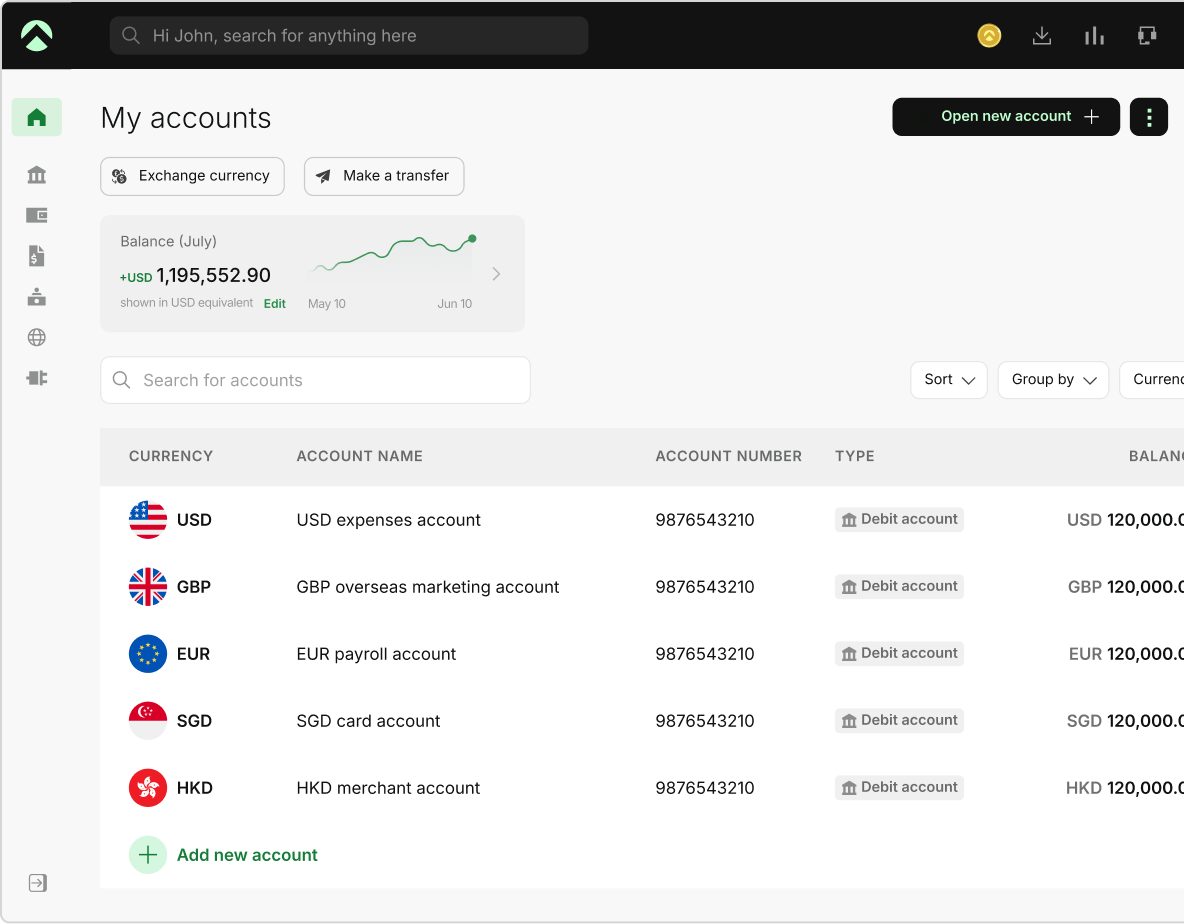
One Aspire account to manage your business finances in one place.
Get a business account¹, issue corporate cards², manage expenses, and automate financial workflows, all from one powerful platform built for modern businesses.
Manufacturing ERP software is a centralized system that connects the core functions of a manufacturing business, including production planning, procurement, inventory, finance, and quality control. So, teams work from one source of data instead of separate spreadsheets and tools.
ERP for manufacturing helps producers schedule work, control costs, and track orders and materials from start to finish. As the right ERP for the manufacturing industry depends on how you produce, what you can spend, and how much change your team can absorb, this article compares selected systems by manufacturing capabilities, pricing model, fit, and implementation considerations.
A glance at the top ERP solutions for manufacturing companies
The table below compares six manufacturing ERP systems by pricing, best fit, key strengths, deployment, and customization and integration:
| ERP software | Pricing (checked as of Sep 2026) | Best for | Key strengths | Deployment | Customization and integration |
|---|---|---|---|---|---|
| Knack ERP | Starter USD $49/month billed annually (USD $59 billed monthly); Pro USD $110 (USD $130); Corporate from USD $250 (from USD $300). Enterprise: contact vendor. Unlimited app users | Small to mid-sized manufacturers seeking a custom-built ERP system | It has a no-code workflow builder, supports custom database design, and third-party integrations. | Cloud-hosted; US, Europe, or Asia data center; private server options on Enterprise | No-code app designer, Knack Flows automation with 500+ integrations, API; custom CSS/JavaScript from Pro |
| NetSuite ERP | Contact vendor. NetSuite's manufacturing material does not publish list prices | Mid-size to enterprise-grade manufacturers with multi-location or complex supply chains | It has multi-level inventory tracking, demand planning, and integrated CRM or financial management features | Cloud | Built on native NetSuite ERP, so manufacturing connects to financials, inventory, and orders; native mobile barcode scanning for shop floor reporting |
| Microsoft Dynamics 365 ERP | Essentials USD $80 and Premium USD $110 per user/month, paid yearly; Team Members USD $8. Manufacturing is included in Premium only. Copilot agents require separately sold credits | Manufacturers who are already working with the Microsoft ecosystem | Provides AI-driven insights and seamlessly connects with Microsoft products such as Excel, Teams, or Outlook | Online (Microsoft cloud) or on-premises | Customization and extensibility included in both plans; partner apps and add-ons |
| Acumatica Cloud ERP | Licensed by functionality and data used, not by seat. Unlimited users. Contact vendor for a quote | Best for small to mid-sized manufacturers wanting to avoid per-user pricing | Supports unlimited users, open API integrations, and real-time multi-warehouse inventory tracking | Cloud | Modular suite; native PTC Arena connector, CAD/PLM connectors, and marketplace apps (e.g., process manufacturing suite) |
| Epicor Kinetic | Contact vendor. Sold as bundles: platform core, cloud package, and concurrent users | Mid-sized manufacturers wanting to digitize their floor-based production and improve planning capabilities | IoT and MES integration, supporting advanced production scheduling and real-time floor visibility | Cloud-focused, with on-premises and hybrid options | Low-code/no-code development and integration (iPaaS) offerings listed by Epicor |
| Odoo | Community edition: free, self-hosted. Enterprise: Standard USD $24.90 and Custom USD $49 per user/month, billed yearly; monthly billing costs more; rates vary by region | Ideal for startups and small manufacturers seeking a modular and pay-for-what-you-use model in an ERP system | Open-source flexibility, wide app ecosystem, and modular pricing | Self-hosted (Community) or Odoo-hosted; Odoo.sh and on-premise hosting are listed among the reasons to choose Custom | Studio (no-code customizer), multi-company, and external API access are Custom-plan features |
Manufacturing ERP features to compare
Most manufacturing ERP systems cover the same core areas. However, the difference lies in the depth. So, compare how far each system goes in specific areas, and not just whether it lists it:
- Production planning and scheduling: Turns demand into work orders and sequences them against capacity. Check whether the scheduling accounts for finite capacity or only sets due dates
- Inventory and materials management: Tracks stock, material movements, and locations across warehouses. Check multi-warehouse support, serial and lot control, and how the system flags material shortages
- Bills of material and routings: Define what goes into a product and the steps and work centers that make it. Check multi-level bills of material, engineering change control, and revision handling
- Shop floor control: Captures labor, material, and machine data as work happens. Check whether the system includes MES functions or connects to a separate MES
- Quality and traceability: Records inspections and links finished goods back to material lots. Check lot tracking and how quickly you could trace a recall
- Demand planning and MRP: Forecasts demand and calculates what to buy or make, and when. Check how the forecasts feed purchasing and production plans
- Supply chain integration: Connects purchasing, suppliers, sales orders, and warehouses. Check the connections to your accounting, CRM, and e-commerce tools
The vendor sections below show which of these areas each ERP system covers and how. So, use this list to compare them on the same terms.
Six ERP systems for manufacturing
This is a comparison, not a ranking. We chose six ERP systems that represent different approaches to manufacturing ERP: a no-code platform you build yourself, a cloud ERP suite with tiered manufacturing editions, a product tied to the Microsoft ecosystem, a system licensed by functionality and data rather than per user, a manufacturing-focused platform, and an open-source modular system.
We apply the same five criteria to every vendor, using its own pricing and product pages, checked as of September 2026:
- Pricing model: How the vendor charges, either per user, by functionality and data, or bundled. We have also reviewed whether you must contact the vendor for a particular tool to get the pricing model
- Manufacturing capabilities: We have reviewed the manufacturing-specific capabilities of the ERP solutions, such as production planning, MRP, bills of material, and shop floor features
- Manufacturing models supported: We reviewed the supported manufacturing models for each ERP solution, and where the vendor states them
- Deployment: We have categorized whether the ERPs follow a cloud, hybrid, or on-premises deployment model
- Customization and integration: We have analyzed how each of these systems is extended and connected to other tools
If a vendor doesn’t publish information for a criterion, we say so or point you to the vendor. Pricing and features change, so confirm the details with the vendor before you buy.
1. Knack ERP
Knack is a no-code application platform, not a packaged manufacturing ERP like Epicor Kinetic or NetSuite. Instead of starting from preset manufacturing modules, you are responsible for building a custom ERP-style system that comprises your own tables, screens, and workflows, shaped specifically around how you run your operations.
The website of Knack lists out the solutions for inventory management, work orders, supply chain, vendor and supplier portals, and asset and equipment management. Manufacturers can build these on their platform. As you design the entire ERP system, you can decide what it covers, and either someone on your team or one of Knack’s expert builders must build and maintain it.
It suits manufacturers whose processes don’t fit any packaged ERP system, and who would rather build one of their own.
Key features and the problems they solve:
- Data scattered across spreadsheets: Import from CSV, Excel, or Google Sheets into connected tables, so one record replaces several copies
- Processes that don't fit off-the-shelf software: Define your own tables, fields, pages, and rules in the no-code builder to match how your shop works
- Re-keying data between systems: Knack Flows automates tasks and connects to more than 500 tools, such as accounting and CRM
- License fees that grow with headcount: Unlimited app users with role-based access means adding floor staff doesn't add seat costs. Plans do cap database records
- No view of how production is performing: Build dashboards and reports directly from your own data
- Deployment: Supports cloud deployment, with a private server option on the Enterprise plan
2. NetSuite ERP
NetSuite is a popular cloud-based ERP solution by Oracle. Its manufacturing functionality is built on the core NetSuite ERP, ensuring production connects to financial management, inventory, and open orders, all in one system.
Oracle offers three manufacturing editions. Work Orders and Assemblies are meant for light assembly functionalities. WIP and Routings are meant to add work centers, routings, and labor costing. Advanced Manufacturing adds finite capacity scheduling and manufacturing execution, and also supports both discrete or assembly and batch or process production.
It fits manufacturers that want to start with simple work orders and later add scheduling and execution controls as they scale. It also fits businesses that run their operations in more than one location, as NetSuite allows you to set up the same items differently at each site.
Key features and problems they solve:
- Work orders you can't follow through the shop: The WIP and Routings edition adds work centers, routing definitions, labor costing, and drag-and-drop Gantt scheduling
- Schedules that ignore real capacity: Advanced Manufacturing adds finite capacity scheduling and rough-cut capacity planning
- Shop floor data that arrives late: Mobile barcode scanning and tablet support record work order completion, material issuance, downtime, and labor or machine hours as they happen
- Cost overruns found after the fact: Variance management compares actual costs against standard
- Lot traceability for batch and process producers: Recipe and formulation management, FIFO issuance for lot-controlled items, and batch travelers with automatic lot IDs
- Outgrowing your setup: You can upgrade between the three manufacturing editions. The core ERP also connects production with financials, inventory, and orders
- Deployment: Supports only cloud deployment
3. Microsoft Dynamics 365 ERP
Use Dynamics 365 Business Central Premium to run manufacturing in the same system as finance, inventory, sales, and purchasing. Microsoft prices it at USD $110 per user/month, paid yearly. The Essentials Plan, priced at USD $80 per user/month, paid yearly, covers finance, inventory, and supply chain planning, but it doesn’t include manufacturing.
Microsoft requests to contact a partner to purchase or get an assessment, and its prices may differ by region. Business Central can run online in the Microsoft Cloud or on-premises. This matters when you compare features because Microsoft limits some capabilities, such as Copilot and the Teams app, to online deployments.
Key features and the problems they solve:
- Production planned apart from finance and inventory: The Premium plan adds manufacturing to finance, inventory, purchasing, and sales in one system. Essentials does not include manufacturing
- Material shortages and stock-outs: Supply chain planning and warehouse management sit alongside inventory
- Running more than one business unit: It supports multiple companies and environments
- Manual order and invoice handling: Sales Order and Payables agents can take on routine steps. They require Copilot Credits, which are sold separately
- Teams working outside the ERP: Microsoft documents a Business Central app for Teams, though it can't connect to on-premises deployments
- Needs that the standard product doesn't cover: Both plans include customization and extensibility, and the partner apps add further functions
- Deployment: Some features, such as the Teams app or Copilot, work only in online deployments
4. Acumatica Cloud ERP
Acumatica is a cloud ERP with a dedicated manufacturing module for growing businesses in the sector. Acumatica licenses the product based on the data and functionality you use rather than the number of users. It also includes unlimited users, giving manufacturers the flexibility to scale. This suits companies where many people need access, such as sales, back-office, or floor staff.
Acumatica still has a licensing cost, and it asks you to contact them for a price quotation. The manufacturing edition supports process and discrete production, and make-to-stock, configure-to-order, make-to-order, engineer-to-order, and project-centric operations.
Key features and problems they solve:
- Engineering and production out of sync: Bills of material, routings, and engineering change control with approval workflows, plus a native PTC Arena connector and CAD connectors
- Guesswork on what to buy and when: MRP produces time-phased plans for production, purchasing, and transfers
- Schedules that don't match capacity: Advanced Planning and Scheduling plans work centers and production orders
- Slow or inaccurate floor reporting: The Shop Floor Kiosk and mobile data collection capture labor, material, and move transactions in real time
- Slow quotes on custom products: A rules-based product configurator and manufacturing estimates speed up custom quoting
- Licensing that penalizes growth: Unlimited users, with licensing based on the functionality and data you use rather than seats
- Deployment: It only supports cloud-based deployment
5. Epicor Kinetic
Epicor Kinetic is a cloud-based ERP designed for manufacturers. Epicor positions this product as specialized for make-to-order and discrete production, while also supporting process manufacturing. It connects planning and scheduling, production management, and IoT-enabled MES data with supply chain and financial management.
The deployment is cloud-focused, whereas there are also on-premises and hybrid options. It suits manufacturers that want shop floor data and production scheduling in the same system as their ERP, and that need a deployment option other than the cloud.
Key features and the problems they solve:
- Blind spots on the shop floor: IoT-enabled MES and data collection show equipment, efficiency, and quality metrics
- Demand and supply out of balance: Forecasting, MRP, advanced planning and scheduling, and sourcing tools
- Poor visibility across sites: Site-to-site visibility for multi-plant operations
- Slow quote-to-order: Configurable CPQ and eCommerce for customer-facing sales
- Margins you can't see: Financial reporting and analytics built into the ERP
- Cloud not being an option, or not the only one: The platform is cloud-focused but also offers on-premises and hybrid deployments
6. Odoo
Odoo is a modular ERP that comes in two editions. Community is the free open-source edition that you host yourself, whereas Enterprise is the commercial edition, which provides additional functionality and services through a per-user subscription.
Odoo’s pricing is not pay-per-module. The Custom and Standard plans each include Odoo’s apps for one per-user fee. You choose which apps to use, but the price doesn’t change with that choice. Odoo also has a One App Fee plan, covering a single app for unlimited users.
Manufacturing and MRP are among the apps in the paid plans of Odoo. It fits manufacturers that want to start out with a free edition or only a single app, and move onto a full subscription later in the business. Businesses with technical staff to manage self-hosting or ERP customization upon choosing the Community plan can also prefer Odoo.
Key features and the problems they solve:
- Budget too tight to start: The Community edition is free and self-hosted, but it lacks Studio, the mobile app, and official support
- Paying for modules you won't use: A free plan covers one app for unlimited users. Adding more apps means moving to a paid plan
- Planning production and stock separately: Manufacturing, MRP, inventory, and purchase orders come with the paid plans, alongside accounting, CRM, and eCommerce
- Workflows the standard apps don't match: Studio (the no-code customizer), multi-company support, and external API access require the Custom plan rather than Standard
- Deployment model: Self or Odoo hosted
Which type of manufacturing ERP do you need
Your production model decides which capabilities matter most, so match the ERP to how you make things before you compare vendors.
- Discrete manufacturing: You build countable units from components, such as machinery or electronics. Look for bills of material, routings, work orders and engineering change control
- Process manufacturing: You make products from formulas or recipes, in batches or continuous runs, and you can’t separate the ingredients afterward. An ERP for process manufacturing needs formulation management, batch production, and lot traceability. Ask each vendor to demonstrate their own batch workflow
- Make-to-order and mixed-mode manufacturing: You build to customer orders, configure products to specification, or run more than one model in the same plant. Look for product configuration, quoting and the ability to run different production modes in one system
Vendors state their supported models differently, such as:
- Acumatica lists discrete and process production, and make-to-stock, configure-to-order, make-to-order, engineer-to-order, and project-centric operations
- Epicor Kinetic positions the product for discrete and make-to-order production and also supports process manufacturing
- NetSuite Advanced Manufacturing edition supports discrete or assembly and batch or process production
- Knack, Microsoft Dynamics 365, and Odoo don’t state supported manufacturing models. So, you must ask each vendor directly
How to choose the right ERP solution for manufacturing
Finding the best manufacturing ERP solutions takes thoughtful decision-making, based on your overall working process, requirements, technological needs, and other such attributes. Use these criteria to evaluate each ERP system:
Analyze your manufacturing process
Your manufacturing operations need software that fits how you actually work. So, start by comparing each manufacturing ERP system with your actual workflow.
Most ERPs offer similar features, whereas some are designed specifically for manufacturing workflows. So, compare the features based on their relevance to your manufacturing operations, which will save you a lot of configuration effort.
Define your requirements
Don’t rush into the demonstrations or sign-up trials. The first thing you must do after you have identified your manufacturing processes is to outline the problems and bottlenecks you intend to solve.
Once you have documented the same, define the measurable targets for how those problems can be fixed, and use them as part of your evaluation criteria for the manufacturing ERP software. With this, you can ask the right questions and also stress-test the ERP software to determine if it can solve your problems.
Include total cost of ownership in your budget
The subscription price is only one part of what the ERP system costs. Vendor pricing pages show license or subscription fees, and they often leave out the work needed to get the system up and running. Some of the added costs of ownership you must consider in your ERP budget are:
- Licensing: You have to pay either per-user or functionality-based fees, alongside any add-on or extra modules
- Implementation and configuration: Reasonable costs can go into implementing and configuring the system to match it with the production workflows
- Data migration: Moving item masters, open orders, and bills of material from the current system also adds up to the cost
- Customization: The changes required for certain processes that the standard ERP product doesn’t cover
- Integrations: Connecting the ERP to your accounting, e-commerce, shop floor, or CRM tools
- Training: Getting your purchasing, production, and finance teams ready to work with the ERP system also comes at a cost
- Support and maintenance: Ongoing vendor or partner support, upgrades, and administration expenses
Test a real workflow
Before you select an ERP for the manufacturing industry, run a representative workflow through each shortlisted system. Use a real process, such as a work order from release to completion, with the integrations it depends on and the edge cases your team handles less often, such as rework, partial shipments, or a rush order that changes the schedule.
The test shows you:
- If the system is capable of handling your actual process and not just the demo version
- If the data passes cleanly between the ERP and your CRM, shop floor and accounting tools, and where it doesn’t
- If your team can complete the workflow without the UI slowing them down
Ask the vendor or the implementation partner for a trial or sandbox environment, and have your team run the test.
Pick an ERP that fits your operations
Compare each shortlisted system on the same criteria: manufacturing fit, feature coverage, deployment options, pricing model, integrations, and implementation effort. Then, run a representative workflow through each finalist before you make your decision.
An ERP covers production, inventory, and planning. Your finance team still needs the matching bank, bill, and expense data in your accounting records.
Aspire’s1 accounting integrations cover part of that work. Admin, Finance, and Accountant users can export account statements, bills, and expenses in a format for accounting tools such as NetSuite and QuickBooks, then import the file into the tool’s bank feed or expenses section.
Of the six systems in the article, NetSuite is the one Aspire lists as an export format. All admins on Aspire’s Custom Plan can also connect NetSuite in the app, and other users can import statements into NetSuite manually. For the other five systems, check Aspire’s help center for supported formats.
Frequently Asked Questions
A manufacturing ERP system is business software that runs production, inventory, purchasing, sales orders and finance from one shared set of data. ERP stands for enterprise resource planning. In manufacturing, it lets planners, buyers, and accountants work from the same item, order, and cost records instead of separate files.
The core ERP modules are production and work order management, bills of materials and routings, MRP, inventory and warehouse management, purchasing, sales order management, and financial accounting. Many systems add quality management, shop floor data collection, and production configuration as extra modules or editions.
ERP plans and records the business, such as orders, materials, costs, and financials; MES runs and monitors production on the shop floor in real time, tracking machine status, labor, and quality checks.
Yes, if the system includes process-specific features such as recipes or formulations, batch production, and lot traceability. Among the systems in this article, Acumatica and Epicor Kinetic list process manufacturing, and NetSuite’s Advanced Manufacturing edition supports batch and process production. Ask each vendor to demonstrate their own batch workflow before you decide to commit.
You can expect months, not weeks. One vendor-published estimate puts ERP implementation at 6 months to 2 years, depending on the company size, system complexity, customization, and quality of existing data. Treat any range available online as the starting point, and ask each vendor or the implementation partner for an exact timeline based on your project scope.
Sources
- https://learn.microsoft.com/en-us/dynamics365/business-central/dev-itpro/deployment/deployment - Sep 2026
- https://learn.microsoft.com/en-us/dynamics365/business-central/dev-itpro/features-not-implemented-on-premises - Sep 2026
- https://www.knack.com/pricing/ - Sep 2026
- https://www.netsuite.com/portal/assets/public-pdf/ds-ns-advanced-manufacturing.pdf - Sep 2026
- https://www.microsoft.com/en-us/dynamics-365/solutions/erp - Sep 2026
- https://www.microsoft.com/en-us/dynamics-365/products/business-central/pricing - Sep 2026
- https://www.acumatica.com/erp/acumatica-tour-pricing/ - Sep 2026
- https://www.epicor.com/en/products/enterprise-resource-planning-erp/epicor-kinetic/ - Sep 2026
- https://www.odoo.com/pricing - Sep 2026
This blog is for general information only and does not constitute financial, legal, tax, or professional advice. Aspire’s services are subject to the terms outlined in our ’Terms of Service’ and ’Pricing’ pages. We make no guarantees as to the accuracy, completeness, or timeliness of the content, and past results do not indicate future performance. Always consult a qualified professional before acting on any information provided.
Bintang Lestada
Writer
Bintang is a seasoned writer specialising in fintech, agtech, politics, and pop culture. With a writing history at VICE ASIA, Letterboxd, Whiteboard Journal and other reputable organisations, Bintang leverages their broad range of experiences to resources that educate audiences, build trust, and support business growth.
Aspire Launchpad
Supercharge your finance operations with Aspire
Find out how Aspire can help you speed up your end-to-end finance processes from payments to expense management.

Latest articles
CFO Hub •
Finance tech stack for startups: Banking, accounting, and spend tools
Build a startup finance tech stack across 6 layers, from banking and spend to accounting, payroll, forecasting, and cross-border payments.

Expense Management •
Financial management for nonprofits: Budgeting, cash flow, and controls
Master nonprofit budgeting, cash flow forecasting, donor restrictions, financial controls, and board reporting. Complete financial management guide for founders.

Business Account •
6 best law firm accounting software options for 2026
Discover the 6 best law firm accounting software options for 2026. See how Clio, CosmoLex, LeanLaw + QuickBooks, and others handle trust accounting, billing, and reporting, plus where Aspire fits for operating finances.