


6 best law firm accounting software options for 2026

Bintang Lestada

Summary
The strongest law firm accounting systems combine general bookkeeping/reporting with legal workflows such as matter billing, client-cost tracking and, where needed, trust accounting.
Firms that hold client or third-party funds should prioritize trust-account segregation, client ledgers and reconciliation capabilities, then confirm that the software supports the rules of their jurisdiction. IOLTA requirements are one subset of trust accounting and vary by state.
Decide whether you want accounting built into your legal platform or a legal billing/trust layer connected to a general ledger such as QuickBooks Online. That architecture affects reconciliation, migration and duplicate-entry risk.
Compare your options based on legal-specific accounting features, trust accounting, billing, integrations, security, ease of use, and scalability before choosing the right software for your law firm.
Compare Clio, CosmoLex, MyCase, LeanLaw, PracticePanther, and QuickBooks Online for trust accounting, billing, and accounting features.
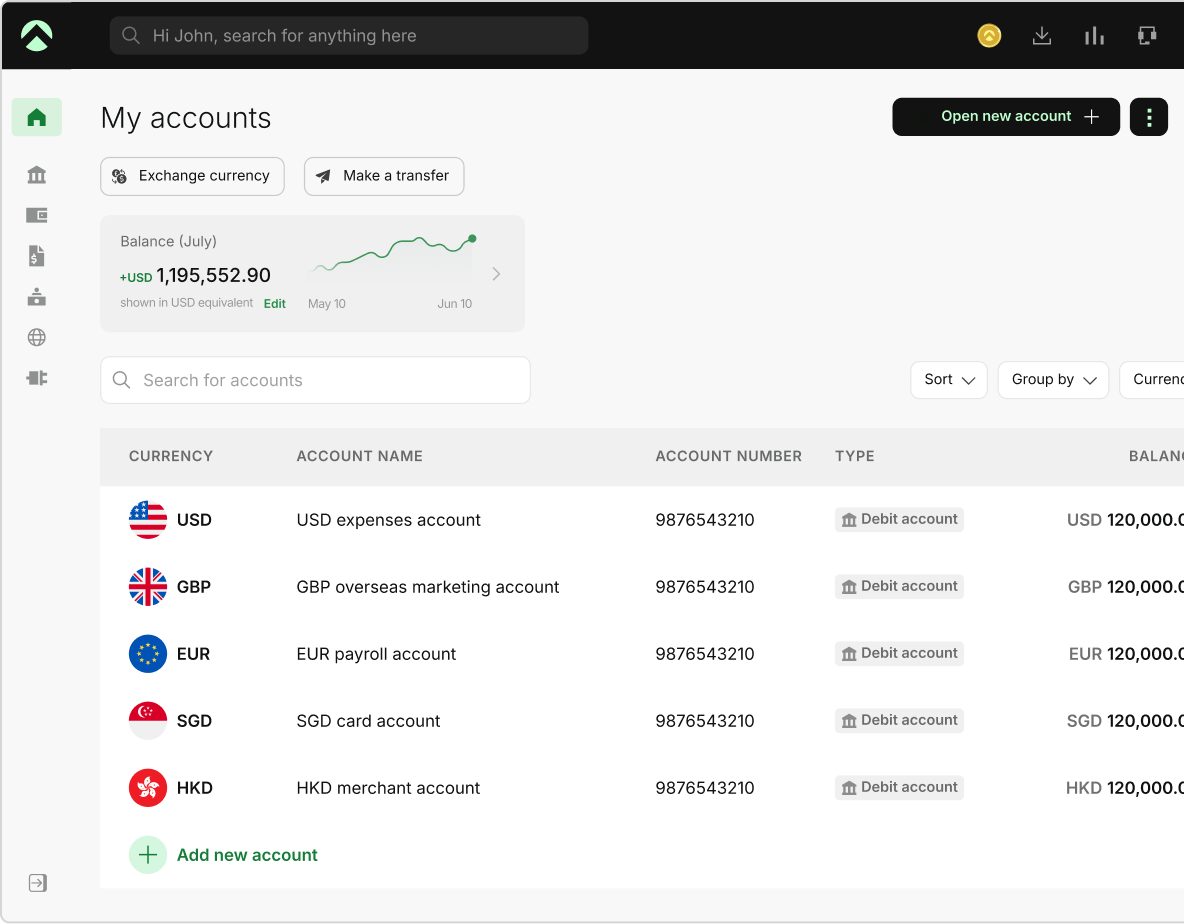
One Aspire account to manage your business finances in one place.
Get a business account¹, issue corporate cards², manage expenses, and automate financial workflows, all from one powerful platform built for modern businesses.
Law firms in the United States face unique financial needs that require careful management, complex trust accounting rules (IOLTA), and everyday financial tracking. Accounting software is a high-impact operational decision because errors can affect billing, financial reporting, and client-fund controls.
While other firms prefer a dedicated accounting system connected to legal software and a separate financial-operations platform, legal specific product is an augmentation of practice management, billing, and accounting in one system. Modern financial operations tech stacks manage ancillary business accounts, payments, and vendor disbursements unlike Legal-specific platforms that handle matter-based general ledgers. Modern legal specific software allows law firms to have the flexibility to build a financial technology stack around their core workflows and compliance requirements.
This thorough blueprint on 6 best law firm accounting software options for 2026 highlights the must-have features, key integrations, and strategic comparisons to help your U.S. law firm choose the best financial ecosystem and remain audit-ready. The right setup depends first on whether your firm holds client funds, or you want accounting built directly into your practice-management system or prefer a separate general ledger such as QuickBooks.
Key features that define top law firm accounting software
The financial requirements of a Law and legal firm are different from other businesses and go beyond bookkeeping. Law firms need ordinary operating accounting, while firms that hold client or third-party money also need separate trust-account records and controls. This ‘separation principle’ is reflected in ABA Model Rule 1.15, which requires client funds to be kept separate from a lawyer’s own property, making accurate recordkeeping and reconciliation essential.
Trust rules are jurisdiction-specific varying state by state. While accounting software can support and automate reconciliation workflows, law firms should choose software that supports required workflows and documentation. The firm remains responsible for following the applicable state bar rules and maintaining accurate financial records.
Industry experts and legal bookkeepers note that the core differentiators of top-tier legal accounting solutions include real-time matter profitability visibility, automated time-to-invoice workflows, and transparent, audit-ready reporting systems.
Core Legal Accounting Software Features to Prioritize
Look carefully for following capabilities when choosing law firm accounting software:
1. Trust accounting and three-way reconciliation
For law firms that hold client funds, look for client-level trust ledgers, separation of operating and trust funds, reconciliation reporting, and controls that reduce commingling or negative client-ledger balances. Trust accounting is one of the most crucial considerations and requirements vary by jurisdiction. Confirm that the software’s workflow aligns with your own jurisdiction’s rules, serious trust-account violations can lead to professional discipline.
Three-way reconciliation compares the trust bank statement, the firm’s trust-account journal/register, and the total of individual client ledgers. For example, California requires monthly three-way reconciliation of trust accounts, demonstrating why firms must consider their specific jurisdictional requirements when selecting accounting software.
2. Matter-Centric Accounting
Legal accounting becomes more useful when time, expenses, invoices, client costs, and trust balances can be associated with the correct matter. Unlike standard business tools that organize data strictly by vendor or category, This matter-level tracking by strong legal accounting software helps firms maintain accurate financial records and gives attorneys and finance teams better visibility into each client's financial activity.
When evaluating legal accounting software, look for support for different billing arrangements, including:
- Hourly billing: Tracking billable increments, timekeeper rates, and work-in-progress (WIP) and associate it with the appropriate client matter and invoice.
- Flat fees: Record agreed fees and project amount and properly recognize earned versus unearned portions.
- Contingency matters: Support matter-specific financial tracking and recovery disbursements upon settlement.
- Retainers: Track retainer balances and related transactions accurately, (often held in trust until earned) and security retainers.
- Hard and soft client costs: Differentiating between direct out-of-pocket disbursements (like court filing fees) and internal overhead charges (like photocopy costs).
- Split billing: Where relevant, allocate invoices or costs appropriately among clients, matters, insurers, or other responsible parties.
3. Billing, Accounts Receivable and Payment Integration
Legal billing should connect time and matter data directly to invoicing, while clearly distinguishing whether funds belong in the firm's operating account or a client trust account. If electronic payments such as credit cards or ACH are accepted, you must verify how processing fees and trust-account transactions are handled in compliance with your jurisdiction's rules. While payment providers can support compliant workflows, the law firm remains responsible for following its jurisdiction’s rules.
4. Client Costs and Expense Tracking
Strong legal accounting software should track hard and soft client costs, reimbursable expenses, and firm overhead while maintaining the connection to the relevant client matter. Every expense should remain tied to the relevant client and matter so cost recovery, billing, and reporting stay accurate. For firms with multiple attorneys, offices, or corporate cards, automated expense categorization significantly reduces administrative bottlenecks.
For firms looking for deeper processes around non-legal operating expenses, corporate expense tracking can provide additional context.
5. General Ledger, Bank Reconciliation and Financial Reporting
Beyond trust accounts and matter tracking, law firms should evaluate how the software handles core financial operations. When evaluating software options look for a solution that supports a chart of accounts, P&L statements, balance sheets, cash-flow reporting, bank reconciliation, accounts payable, and year-end CPA workflows.
Some platforms offer fully built-in legal accounting. Some solutions offer built-in accounting products, while others offer legal software layered on QuickBooks. Both approaches can work, however the key is that operating-side books remain accurate, reconcilable, and easy for your bookkeeper or CPA to review.
Additional Considerations
Beyond basic bookkeeping and trust management, U.S Law firms should prioritize the below foundational capabilities to improve ecosystem flexibility.
Ease of Use
Attorneys, bookkeepers, and billing staff interact with accounting software differently. Even powerful software creates friction if daily tasks feel cumbersome. Don't rely solely on a generic dashboard test; test the specific workflows your firm actually performs: entering time, moving earned fees out of trust, reconciling accounts, issuing bills, and correcting an error. Mobile access and clean time-entry tools help keep the focus on billable work instead of software.
Scalability
As your practice expands, your financial tech stack must scale without requiring a painful data migration. Evaluate whether software should handle additional attorneys, matters, trust accounts, offices or entities, approval roles, and more complex reporting without slowing down. Choose a platform that can expand with your firm rather than one that will need to be replaced once volume or complexity increases.
Security and Permissions
Client confidentiality and financial data security are paramount in the legal sector. Look for encryption in transit and at rest, MFA or SSO where available, role-based access, audit logs, backups, and vendor security documentation. The system should also let you restrict who can view or change financial and trust information. Attorneys, billing staff, bookkeepers, and external accountants should not automatically have identical permissions.
Integrations
Strong integrations remain a key differentiator between basic and modern legal accounting setups. Seamless integrations are essential for connecting your general ledger with payment gateways, legal practice management (LPM) suites, document management systems, and payroll providers. Useful integrations may include payment gateways, legal practice management (LPM) systems, document management platforms, payroll providers, and general ledgers such as QuickBooks Online.
For example, Aspire’s US Accountant role currently lets external accountants/bookkeepers view financial data, export statements and manage accounting integrations without initiating transfers.
How We Evaluated Law Firm Accounting Software
Our assessment methodology is built around the operational realities and features that matter most to U.S. law firms. We evaluated software options against strict benchmarks that includes:
| Evaluation Factor | What We Assessed |
|---|---|
| Trust accounting | Client ledgers, trust/operating separation, reconciliation tools |
| Accounting architecture | Built-in GL vs. QuickBooks/general-ledger integration |
| Matter workflows | Time, client costs, retainers, invoices, billing models |
| Payments | Card/ACH workflow and trust-account handling |
| Reporting | P&L, balance sheet, matter profitability, AR, and trust reports |
| Reconciliation | Operating + trust bank reconciliation |
| Practice management | Built-in vs. integrated |
| Permissions/security | Financial roles, audit trail, MFA/SSO |
| Integrations | QuickBooks, payments, payroll, banking, and legal tools |
Because firms have different requirements, We prioritized platforms that help firms stay organized and audit-ready while leaving final compliance responsibility with the firm itself. For firms that hold client funds, we gave particular attention to trust-account workflows, reconciliation capabilities, permissions, and financial controls. Product capabilities were checked against official provider sources in September 2026
Law Firm Accounting Software Comparison
Based on 2025–2026 reviews and specialist analyses, legal software generally falls into two distinct categories: All-in-One Legal Practice Management (LPM) Suites and Specialized Financial Operations Platforms. To help streamline your evaluation here is a high-level comparison of frequently recommended U.S. options.
| Tool | Best-Fit Direction | Architecture |
|---|---|---|
| Clio Accounting | Firms wanting accounting tightly connected to the Clio legal ecosystem | Built-in legal/trust accounting + practice management |
| CosmoLex | Firms wanting legal practice management and accounting in one platform without relying on a separate QBO ledger | Built-in business + trust accounting |
| MyCase Legal Accounting | Firms already wanting MyCase practice management, billing and legal accounting together | Built-in legal accounting |
| LeanLaw + QuickBooks Online | Firms that want QuickBooks Online to remain the accounting source of truth | Legal billing/trust layer built around QBO |
| PracticePanther Accounting Plus | Firms wanting matter management plus built-in operating/trust accounting | Integrated practice + accounting |
| QuickBooks Online | Firms wanting a mainstream accounting system and willing to configure/integrate legal-specific workflows carefully | General accounting system |
A law firm may use specialized legal practice-management or trust-accounting software alongside a broader financial platform as no single platform wins every category.
How to Choose the Best Law Firm Accounting Software
Selecting the right tool requires an honest assessment of the firm's most important financial workflows. An internal audit of firm size, monthly trust transactions, billing complexity, and current tech stack. Follow these steps to guide your decision:
Map Your Workflow
Ask the critical starting question: Does your firm hold client or third-party funds?
If the answer is no, Trust accounting may be less central to your evaluation. A general accounting system may meet your needs when paired with appropriate legal billing and practice-management tools.
If the firm does hold client funds, jurisdiction-specific trust controls immediately become a high-priority requirement. Also map how the firm handles billing, retainers, client costs, payments, bank reconciliation, and financial reporting.
Firms focused primarily on general bookkeeping can also compare bookkeeping apps before deciding whether they need a legal-specific accounting platform.
Verify State Bar Compliance
Software itself is not universally “state-bar compliant.” Instead, verify that the platform can support the trust-account records and reconciliation process your jurisdiction requires. Validate your actual setup with the firm's accountant or bookkeeper alongside applicable bar guidance. This is particularly important when evaluating trust and IOLTA workflows.
Test Integrations
It is important to assess the current technology stack. Ensuring that your accounting software connects seamlessly with the firm's practice-management, billing, payroll, banking, and payment systems helps minimize human data-entry errors.
For example, recognizing that LeanLaw paired with QuickBooks is architecturally very different from CosmoLex's built-in accounting. Understanding this distinction early can prevent costly implementation and data-flow problems.
Confirm what data syncs, whether the connection is one-way or two-way, and how errors or duplicate transactions are handled to prevent painful implementation mistakes and reduce manual handoffs.
For firms using Aspire alongside QuickBooks Online, its QuickBooks integration can help sync supported operating-account transaction data.
Evaluate Scalability
Choose software that can support the firm's growth without creating unnecessary system changes. Assess its ability to handle additional attorneys, matters, trust accounts, offices or entities, approval roles, and more complex reporting without forcing a future migration.
Test Migration and Reconciliation
Do not evaluate software only through a demo using empty sample data. Ask the vendor to demonstrate real-world scenarios: opening balances, existing trust balances, historical client ledgers, bank feeds, reconciliation, invoices, and matter data after migration. A successful migration should preserve the financial information needed for ongoing reconciliation and reporting.
Confirm the vendor understands U.S. state bar requirements and test the software with a demo before committing. Prioritize solutions that offer matter-centric tracking, bulletproof IOLTA compliance, and modern expense tools. A right choice can set the stage for sustainable growth for your law firm and delight customers.
Where Aspire Fits Alongside Law Firm Accounting Software
Without fragmented tools managing firm overhead, vendor invoices, software subscriptions, and corporate disbursements becomes complex and can soon become a distraction for growing law and legal firms.
Aspire can support the operating-finance layer around a law firm's accounting system, including business accounts, corporate cards, employee expenses, vendor payments, and accounting integrations.
Important clarification:
Aspire is not a legal trust-accounting or matter-accounting system and should not be used as a substitute for software required to manage client trust funds.
A legal accounting software manages legal-specific accounting workflows, while Aspire can help manage the operating financial activity surrounding that system.
Aspire makes your firm's operating finances easy by bringing business accounts, corporate cards, expense management, payments, and financial-management capabilities into a single cohesive workflow. It offers smooth integration with accounting platforms like QuickBooks and Xero helping firms eliminate manual bookkeeping errors like transaction entry and reconciliation. By automating expense tracking, Aspire helps firms and their clients streamline operating-side banking while legal-specific platforms handle IOLTA and matter billing. Firms can review the available accounting integrations when assessing how their finance team can connect Aspire with existing accounting systems.
Selecting the right combination of software and banking solutions positions U.S. law and legal professionals free to focus on billable client work while a modern finance platform like Aspire manages accounts, expenses, payments, and transaction flows.
The result? compliance, profitability, and sustainable growth in an increasingly competitive market.
Frequently Asked Questions
There isn't one universal winner. Clio and MyCase suit firms that want accounting inside a wider legal-management ecosystem. CosmoLex is strong for built-in legal and trust accounting. LeanLaw fits firms that want QuickBooks Online to remain the general ledger. PracticePanther combines practice and accounting workflows; and QuickBooks Online can work for firms prepared to configure or integrate legal-specific accounting processes. Trust-account requirements should always be checked against your specific state jurisdiction before choosing a platform.
Not necessarily. A firm that does not hold client funds may be able to use a mainstream accounting system with appropriate legal billing/time tools. Firms that hold client or third-party money generally benefit more from legal-specific trust-accounting workflows because fund segregation, client ledgers, and reconciliation requirements add complexity.
Some do, while others replace the need for a separate QuickBooks ledger. LeanLaw is designed around QuickBooks Online as its accounting source of truth, whereas products such as CosmoLex and Clio Accounting offer built-in accounting capabilities. Always check exactly which system owns the general ledger and trust balances before choosing.
Focus on trust-account requirements, matter-level billing and costs, general-ledger architecture, reconciliation tools, financial reporting, payment handling, security and permissions, integrations, migration support, and ongoing vendor support.
No. Aspire is a financial operations platform designed to complement not replace. It can complement legal accounting software through business accounts, operating expenses, cards, payments and QuickBooks/Xero integrations, while legal-specific software should handle client trust accounting and matter-led accounting where required.
IOLTA accounting software is software used to help manage the records and reconciliation associated with Interest on Lawyers' Trust Accounts. IOLTA is one type of client trust account, and exact requirements vary by jurisdiction. Accounting software solutions should support rather than replace the firm's compliance process.
QuickBooks can be configured to track retainers and trust-related activity, and legal-specific platforms can integrate with it. However, correct trust-account setup, client-ledger tracking, and reconciliation remain the firm's responsibility. Firms with significant trust-account activity may prefer software purpose-built for legal accounting.
This blog is for general information only and does not constitute financial, legal, tax, or professional advice. Aspire’s services are subject to the terms outlined in our ’Terms of Service’ and ’Pricing’ pages. We make no guarantees as to the accuracy, completeness, or timeliness of the content, and past results do not indicate future performance. Always consult a qualified professional before acting on any information provided.
Bintang Lestada
Writer
Bintang is a seasoned writer specialising in fintech, agtech, politics, and pop culture. With a writing history at VICE ASIA, Letterboxd, Whiteboard Journal and other reputable organisations, Bintang leverages their broad range of experiences to resources that educate audiences, build trust, and support business growth.
Aspire Launchpad
Supercharge your finance operations with Aspire
Find out how Aspire can help you speed up your end-to-end finance processes from payments to expense management.

Latest articles

CFO Hub •
Finance tech stack for startups: Banking, accounting, and spend tools
Build a startup finance tech stack across 6 layers, from banking and spend to accounting, payroll, forecasting, and cross-border payments.

Business Advice •
Best ERP solutions for manufacturing: features and systems to compare
Compare the best ERP solutions for manufacturing, based on their features, pricing, pros, and cons to ultimately find the right system for your business.

Expense Management •
Financial management for nonprofits: Budgeting, cash flow, and controls
Master nonprofit budgeting, cash flow forecasting, donor restrictions, financial controls, and board reporting. Complete financial management guide for founders.