


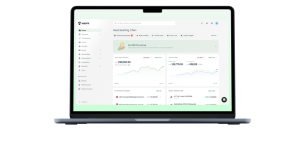
Quick answer: What is ERP
ERP stands for enterprise resource planning. It is software that connects core business functions such as finance, inventory, procurement, manufacturing, and operations within a single system.
Instead of storing information across multiple tools, an ERP creates a centralized source of data that teams can access and update in real time. This helps businesses improve coordination, reduce manual processes, and gain better visibility across day-to-day operations.
For growing businesses, ERP provides the operational foundation needed to manage increasing complexity without relying on disconnected systems or spreadsheets.
Why ERP matters more as your business grows
The majority of businesses do not start with an ERP system and instead utilize separate software for accounting‚ sales‚ inventory‚ and operations․
As the business grows and more customers‚ suppliers‚ products, and transactions are created‚ so more data must be managed․ As teams use different systems‚ it becomes more difficult to get a consistent view of business performance․
For example, finance may report one inventory value while operations work from a different set of numbers. Reconciling those differences takes time and can delay important decisions.
ERP addresses this problem by connecting business functions through a shared system. When teams work from the same data, reporting becomes more reliable, processes become more efficient, and leaders gain greater visibility into day-to-day operations.
How ERP works behind the scenes
An ERP system connects different business functions through a shared database. When information is updated in one area of the business, the change becomes available across every connected department in real time.
For example, imagine a customer places an order:
- The sales team records the order in the ERP system
- Inventory levels update automatically
- Production teams receive updated demand information
- Procurement teams can see whether additional materials need to be ordered
- Finance gains visibility into expected revenue and cash flow
Instead of moving data between multiple tools, every team works from the same information. This connected flow of data helps reduce manual updates, improve accuracy, and keep operations aligned as the business grows.
That’s what separates ERP from standalone business software. Rather than managing individual functions in isolation, ERP connects them through a single system.
The core ERP modules most businesses use
Most ERP platforms are built around modules that support specific business functions. While the exact features vary by provider, most systems include a similar set of capabilities designed to keep operations connected and data consistent across the business. ERP configurations also vary by industry.
For example, a manufacturing business may prioritize production planning and inventory management modules, while a services company may focus more on financial management, project tracking, and workforce planning.
1. Financial management
Financial management is often the foundation of an ERP system. It helps businesses track cash flow, manage accounts payable and accounts receivable, maintain the general ledger, and generate financial reports.
This is especially useful for growing organizations‚ as it provides more visibility into the financial performance and reduces manual work in reporting and reconciliation․
2. Supply chain and inventory management
ERP in supply chain management can help companies manage inventories‚ purchasing, and suppliers‚ track deliveries‚ and meet order requirements․
Linking procurement and inventory data enables businesses to become more responsive to fluctuations in demand‚ lowering the chances of stock shortages or surplus․
3. Manufacturing operations
In manufacturing enterprises‚ modules for production planning‚ production schedule‚ quality management, and material requirements planning are commonly part of ERP․
Production management ERP functionality offers the chance to improve resource utilization and monitor operational performance, and overall more efficient undertakings in work processes․
4. Human resources
HR modules centralize information about employees and support Human resource functions‚ such as payroll‚ onboarding‚ workforce planning‚ and benefits․
Organizations typically grow faster‚ with a single reporting system for workforce data can improve efficiency․
5. Procurement and purchasing
Procurement modules support a business's relationship with its suppliers and help you track purchase orders and spending․
Visibility into purchasing activity enables teams to make better decisions when it comes to procurement‚ and manage operational costs․
Why ERP and supply chain management work better together
Supply chain management depends on data in its purchasing‚ inventory‚ production‚ and demand-planning operations․ When these functions are not integrated‚ data problems may not be detected until production schedules, customer orders, or inventory levels are affected․
In the ERP‚ these processes are connected‚ so that when inventory levels change‚ purchase orders are generated‚ or demand forecasts updated‚ the departments all have the same information․
This is part of the value of ERP in supply chain management for companies that manufacture or distribute physical products. It helps improve inventory visibility, support demand planning, and strengthen coordination between procurement, production, and fulfillment.
For example, if demand for a product exceeds expectations, an ERP system can alert teams to inventory shortages, available production capacity, and replenishment requirements before stockouts occur.
How ERP helps manufacturing businesses operate more efficiently
Manufacturing businesses have to constantly deal with changes in demand‚ inventory‚ scheduling‚ and input material costs․ As manufacturing operations scale‚ the task of managing these moving parts efficiently becomes more complex without integrated systems and accurate data․
This is why ERP systems are often the systems of choice for the manufacturing industry․ Besides visibility‚ ERP brings together production‚ inventory‚ procurement‚ and financial planning activities in one package․
1. Production and capacity planning
Production teams need accurate forecasts to schedule labor, equipment, and materials properly.
ERP helps production teams match anticipated demand with available labor, equipment, and materials. This supports more effective production and capacity planning while reducing the risk of bottlenecks and underutilized resources.
2. Material requirements planning
Most manufacturers use a Material Requirements Planning (MRP) program to determine what materials are needed, how much should be ordered, and when inventory should be replenished.
Material requirements planning is included in many modern ERP systems to help manage inventory while reducing the risk of stockouts and excess inventory.
3. Quality and scrap management
Small inefficiencies can have a relatively large impact on manufacturing․
The use of ERP systems by manufacturers allows production output‚ material consumption‚ and quality data to be collected in one place‚ which can ease easier scrap rate calculations and visibility to waste reduction opportunities․
For example‚ if a production line begins producing more scrap than usual‚ ERP reports can assist teams in identifying the underlying cause of the problem before profits are affected․
The long-term business benefits of ERP
ERP implementations require time‚ money‚ and commitment‚ but they result in streamlined business processes and information flows across the enterprise‚ giving everyone access to timely‚ relevant information․
1. Better decision-making
Business decisions depend on the information used to make them. ERP collects information from various functions into a single system. This allows leaders to better understand performance, identify trends and gaps, and address issues before they become larger problems․
2. Reduced manual work
Common operational jobs include exporting data between systems‚ updating spreadsheets, and generating reports manually․
ERP enables the automation of many of these processes‚ freeing employees' time from their administrative work and allowing them to focus on revenue-generating activities‚ which is more of a priority as companies grow and require greater levels of approvals‚ reimbursements‚ and expense management.
3. Stronger forecasting
Forecasting accuracy improves when financial, inventory, purchasing, and operational data are connected in one system.
Access to real-time information helps businesses plan more effectively for changes in demand, inventory requirements, and resource allocation.
For example, if sales for a product begin increasing faster than expected, ERP can help teams identify the trend earlier and adjust inventory purchases, production schedules, or staffing plans before shortages occur.
4. Improved visibility across the business
It becomes harder to see across departments as companies grow․
By offering a single source of business information‚ ERP helps teams work off the same data‚ reducing discrepancies between departments․
5. Greater scalability
Business processes that worked for a small company may become hard to manage at scale․
ERP can consolidate and standardize business processes‚ so that as the business grows, the manual overhead in controls does not have to grow with it․
When should you invest in ERP
You should consider evaluating an ERP system when day-to-day operations become increasingly difficult to manage through spreadsheets, disconnected tools, or manual processes.
Not every business needs ERP immediately. Many companies can operate effectively with existing systems in the early stages. ERP typically becomes more relevant as transaction volumes, operational complexity, and reporting requirements increase.
1. Your team relies heavily on spreadsheets
Spreadsheets work fine for smaller data sets but become harder to maintain as the number of transactions‚ products‚ and reporting needs grows․
2. Departments operate in separate systems
When finance‚ operations‚ inventory‚ and procurement functions and teams are handled on different platforms‚ reporting can take longer and create discrepancies․
3. Inventory visibility is limited
If teams aren't able to readily track stock and identify inventory issues‚ an ERP can provide a more complete overview of the movement and availability of stock․
4. Reporting takes too long
If it takes a lot of manual work to produce a monthly report‚ then data is probably spread too thinly in systems․
5. Growth is creating operational strain
A business that is expanding into new products, locations, suppliers, or markets typically faces more complex operational requirements. ERP helps create consistent processes that can support growth more effectively.
As a general rule‚ if your team is spending more time processing data than acting on it‚ ERP may be worth considering․
Cloud ERP vs On-premises ERP
A company selecting an ERP system must also select a mode of deployment․ The best mode of deployment for any given company depends on the company's budget‚ availability of internal IT personnel‚ security requirements‚ and long-term business requirements․
[Table:1]
1. Cloud ERP
In cloud ERP‚ the software application is hosted by the software supplier and accessed via the internet․ Cloud ERP is more widely adopted by growing organizations because of the reduced infrastructure burden‚ and the ability of staff to log in remotely and from multiple locations․
Benefits may include faster deployment‚ avoiding initial costs‚ and automatic software updates․
2. On-premises ERP
On-premises ERP is deployed on infrastructure owned or managed by the business.
It might be a suitable alternative for organizations with specific customization requirements or stringent internal policies and compliance requirements․ The organization will be responsible for maintenance‚ upgrades, and managing the infrastructure․
3. Hybrid ERP
Some organizations use a combination of cloud and on-premises ERP environments.
A hybrid approach can help businesses maintain certain systems internally while taking advantage of cloud-based capabilities for other functions. This is most common in organizations with complex operational or regulatory requirements.
How ERP supports business intelligence
Better business decisions rely on timely and accurate information․ When companies grow‚ information becomes distributed across finance‚ inventory‚ operations‚ and other systems․ It becomes harder to see trends and act quickly․
ERP helps solve this challenge by bringing operational data into a single environment. This makes reporting more consistent and gives leaders a clearer view of business performance.
For example, a business can combine sales trends, purchasing activity, inventory data, and operating expenses to identify demand patterns, improve planning decisions, and gain a clearer view of profitability.
This is where data mining for business intelligence becomes valuable. By analyzing large volumes of operational data, businesses can uncover trends, spot potential risks, and identify opportunities for improvement. As reporting requirements become more complex, business intelligence data mining capabilities help transform raw data into actionable insights.
Common ERP mistakes to avoid
ERP implementation is as much a business project as a technology project. Even the right software can fail to deliver value if planning, adoption, and execution are overlooked.
1. Choosing software before defining requirements
Many businesses start by comparing vendors before identifying their operational needs.
A better approach is to map your business processes first and then evaluate ERP platforms based on those requirements. This helps ensure the system supports your goals rather than forcing teams to adapt to unsuitable workflows.
2. Underestimating implementation effort
ERP affects multiple functions across the business, from finance and procurement to inventory and operations.
Successful implementations require clear planning, realistic timelines, and dedicated internal resources. Treating ERP as a simple software installation often leads to delays and unexpected challenges.
3. Ignoring change management
A new ERP system changes how people work.
Without proper training and communication, employees may continue using old processes or create workarounds that reduce the value of the system. Long-term success depends on user adoption as much as technology.
4. Customizing everything
Customization can solve specific business needs, but excessive customization often increases costs, extends implementation timelines, and makes future upgrades more difficult.
Whenever possible, adopt standard ERP processes before deciding where customization is truly necessary.
How Aspire supports growing business operations
ERP helps businesses improve visibility across functions such as finance, inventory, procurement, and operations. As businesses grow, financial processes also need systems that support efficiency and control.
Aspire¹ helps businesses manage company spending, accounts payable workflows, multi currency transactions, and day to day financial operations through a centralized business finance platform. This can help reduce manual processes and improve visibility into business finances as operations become more complex.
Businesses looking to strengthen financial operations can also explore Aspire’s business accounts¹ and expense management solutions, along with resources on financial operations, spend management, and business growth.
Final thoughts on ERP
ERP is not just about replacing software. It’s about creating a more connected way to run your business.
As operations become more complex, disconnected systems can make it harder to maintain visibility and control. ERP helps bring critical business processes together, giving teams access to the information they need to operate more effectively.
If growth is starting to expose gaps in reporting, inventory management, or operational workflows, it may be worth evaluating whether ERP can support your next stage of growth.
ERP (Enterprise Resource Planning): FAQs
Q1. What is ERP in simple terms?
ERP stands for Enterprise Resource Planning. It is software that connects core business functions such as finance, inventory, procurement, operations, and manufacturing in a single system. Instead of managing information across multiple tools, businesses can access and update data from one centralized platform.
Q2. What is ERP in supply chain management?
ERP in supply chain management helps businesses manage purchasing, inventory, production, logistics, and supplier relationships through a connected system. By improving visibility across the supply chain, businesses can respond more quickly to demand changes and operational challenges.
Q3. How do ERP systems support manufacturing operations?
ERP systems manufacturing companies often use include tools for production planning, inventory management, scheduling, quality control, and material requirements planning. These capabilities help manufacturers improve operational efficiency and gain better visibility into production performance.
Q4. What does manufacturing ERP mean?
Manufacturing ERP refers to ERP software designed to support production-focused businesses. In addition to standard business functions, manufacturing ERP systems often include production management ERP capabilities such as shop floor planning, material tracking, capacity planning, and quality management.
Q5. What is the difference between ERP and accounting software?
Accounting software focuses primarily on financial activities such as bookkeeping, invoicing, and financial reporting. ERP includes financial management but also connects other business functions such as inventory, procurement, operations, manufacturing, and enterprise resource planning supply chain processes.
Q6. What is an MRP program, and how does it relate to ERP?
An MRP program, or Material Requirements Planning system, helps manufacturers determine what materials are needed, how much should be ordered, and when inventory should be replenished. Many modern ERP platforms include MRP functionality as part of their manufacturing and planning capabilities.
Q7. How does ERP support business intelligence?
ERP platforms centralize data from multiple business functions, making reporting and analysis more effective. Through data mining for business intelligence and business intelligence data mining capabilities, businesses can identify trends, monitor performance, and make more informed operational decisions.
Q8. How do I know if my business needs ERP?
You may want to evaluate ERP if your business relies heavily on spreadsheets, struggles with inventory visibility, experiences reporting delays, or manages data across disconnected systems. These challenges often indicate that operational complexity has outgrown existing processes.