


Best tax software for small businesses and LLCs in 2026: Which platform is right for you

Bintang Lestada

Summary
The best tax software for small businesses depends on your business structure, filing complexity, budget, and support requirements
TurboTax is a strong choice for guided filing and QuickBooks users, while H&R Block stands out for access to tax professionals
TaxAct offers strong value for more complex business returns, while TaxSlayer and FreeTaxUSA are budget-friendly options for self-employed professionals and smaller businesses
Features such as deduction tracking, accounting integrations, entity-specific support, and professional assistance often matter more than price alone
Choosing software before tax season can improve recordkeeping, simplify deduction tracking, and reduce filing stress
Combining tax software with organized bookkeeping and expense management processes can make tax preparation faster and more accurate
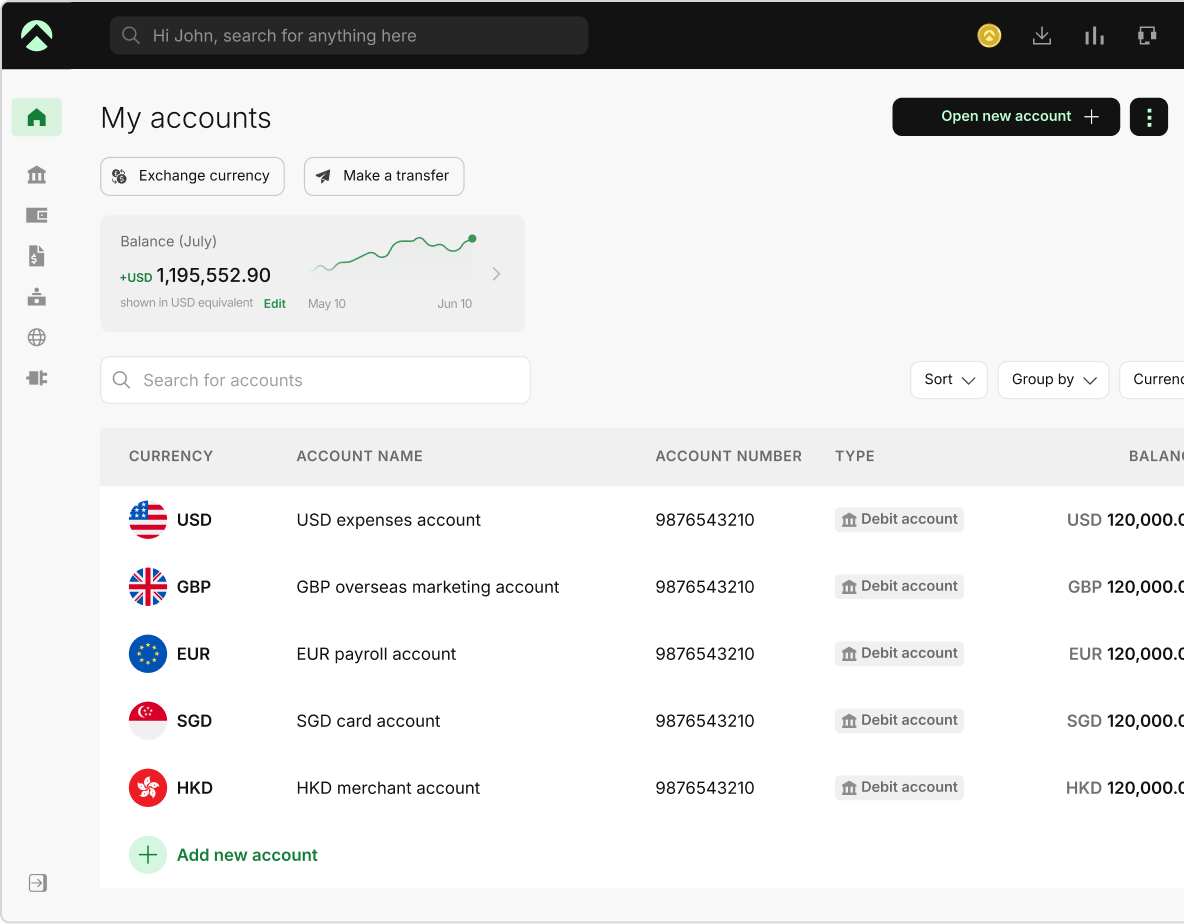
One Aspire account to manage your business finances in one place.
Get a business account¹, issue corporate cards², manage expenses, and automate financial workflows, all from one powerful platform built for modern businesses.
Running a business means making hundreds of financial decisions throughout the year. Tax filing is one of the most important. The right platform can help you identify deductions, stay compliant, and avoid spending days sorting through receipts when deadlines arrive.
According to the IRS, more than 154.9 million tax returns were filed electronically during the 2025 filing season, highlighting how digital tax preparation has become the standard approach for businesses and individuals alike.
If you’re evaluating the best tax software for small businesses in 2026, the challenge isn’t finding options. It’s choosing a platform that matches your business structure, filing complexity, budget, and growth plans. From LLCs and sole proprietors to startups and established businesses, the right choice can save time, reduce filing errors, and make tax season far less stressful.
Quick answer: Which is the best tax software for small businesses in 2026
There is no single best tax software for every business․ The best software for your business depends on what type of business entity you have‚ how you file‚ your budget‚ and your bookkeeping․
TurboTax is popular with self-employed individuals and single-member LLCs for its guided interviews and accounting software integrations․ TaxAct and TaxSlayer are typically used by cost-conscious self-employed taxpayers․ Tax software from H&R Block is widely used among business owners who want the option of working with a tax professional with tax software․
Before choosing a platform, consider:
- Your business structure
- How do you manage bookkeeping and financial records
- Whether you file taxes yourself or work with a professional
- The complexity of your deductions, reporting requirements, and tax forms
Why choosing the right tax software matters
Many business owners evaluate tax software based on the filing season alone. In reality, the biggest value comes from how the platform helps you manage financial records throughout the year.
The best tax software for small businesses does more than prepare returns. It can help you:
- Track deductible expenses as they occur
- Reduce manual data entry and reconciliation work
- Keep business records organized in one place
- Estimate potential tax liabilities before deadlines
- Prepare more accurate returns with less effort
For businesses managing contractor payments, recurring software subscriptions, travel expenses, or multiple income streams, the right platform can reduce administrative work and make tax preparation significantly more efficient.
How we evaluated the best tax software for small business owners
Choosing the best small business tax software depends on your business structure, filing complexity, budget, and the level of support you need. To make the comparison more useful, we evaluated each platform using the same set of criteria.
| Evaluation factor | Why it matters |
|---|---|
| Ease of use | Helps reduce filing errors and shortens the learning curve |
| Business entity support | Determines whether the software supports sole proprietorships, LLCs, partnerships, and corporations |
| Deduction and expense tracking | Helps identify eligible deductions and simplify recordkeeping |
| Pricing | Reflects the total cost, including federal and state filing fees |
| Professional support | Access to tax experts when additional guidance is needed |
| Audit support and accuracy features | Provides additional confidence through audit assistance, accuracy guarantees, or review options |
| State filing support | Important for businesses that have state tax filing obligations |
| Business return availability | Determines whether the platform supports business tax returns for different entity types |
| Integrations | Compatibility with accounting and bookkeeping platforms |
| Scalability | Ability to support changing business needs as operations grow |
These criteria are based on features that have been found to be most impactful on accuracy‚ tax compliance‚ and overall usefulness for small business owners who prepare their own taxes․
Best tax software for small businesses in 2026
The best tax software for your small business depends on your business structure, filing requirements, budget, and how much support you need during tax season. Some tax software options work best for sole proprietorships, while others are designed for partnerships, S corporations, and growing businesses.
Note: Features, pricing, filing options, entity support, and professional assistance services can change over time. The information below is based on details available from official provider websites at the time of writing. Always confirm current features, pricing, and filing requirements directly with the provider before making a decision.
Quick comparison of the best tax software for small businesses
For a quick comparison, the table below highlights the best tax software for small businesses based on use case and core strengths․
| Software | Best for | Main advantage |
|---|---|---|
| TurboTax Business | QuickBooks users | Strong integrations and guided filing |
| H&R Block Self-Employed | Businesses wanting expert support | Access to tax professionals |
| TaxAct | Partnerships and S Corps | Strong value for complex returns |
| TaxSlayer Self-Employed | Freelancers and contractors | Affordable self-employed filing |
| FreeTaxUSA | Simple business tax returns | Low-cost filing option |
The table above provides a quick overview. Below is a closer look at each platform, including pricing, strengths, and potential limitations.
1. TurboTax Business
TurboTax is still one of the most popular tax software packages because of its step-by-step guided experience and connection to the Intuit ecosystem. Businesses already using QuickBooks may benefit from a more streamlined workflow when preparing tax returns.
What stands out
- Step-by-step filing guidance
- Integration with QuickBooks data
- Support for sole proprietorships, single-member LLCs, partnerships, multi-member LLCs, and S corporations through different TurboTax products
- Deduction and expense guidance
- Optional audit defense and expert assistance services
Pricing:
TurboTax pricing varies based on filing needs and product selection. For self-employed individuals and sole proprietors filing Schedule C income, TurboTax Premium starts at approximately USD $139 for federal filing, with state filing available at an additional cost. Optional expert assistance and other add-on services may increase the total price.
Best for:
- Single-member LLCs
- Consultants
- Agencies
- Businesses already using QuickBooks
Potential drawback:
Pricing is typically higher than that of many competing solutions.
2. H&R Block Self-Employed
H&R Block combines self-employed tax filing software with optional access to tax professionals, making it a strong choice for business owners who want additional support before filing. The platform also offers Tax Pro Review services and the option to work with a tax professional online or through one of its physical office locations.
What stands out
- Tax Pro Review options
- Access to tax professionals and expert support
- Guidance for self-employed income and Schedule C filing
- Support for business deductions and expenses
- Audit support options available with eligible plans or products
Pricing:
H&R Block Self-Employed is a paid tax filing plan designed for freelancers, contractors, and sole proprietors. Pricing varies by filing season, state filing requirements, and optional services such as Tax Pro Review. Additional fees may apply for state returns and advanced support options. You can review current H&R Block Self-Employed pricing before selecting a filing option.
Best for:
- First-time business owners
- Freelancers
- Self-employed professionals
- Businesses with complex deductions
Potential drawback:
Advanced support services and professional review options can increase total filing costs.
3. TaxAct
TaxAct offers strong business filing capabilities at a lower price point than many premium competitors. It supports a wide range of business entities and is particularly useful for businesses filing partnership or S corporation returns. It also provides optional expert assistance for business filers.
What stands out
- Competitive pricing
- Support for sole proprietors, partnerships, S corporations, C corporations, and LLCs through multiple filing options
- Tools designed to help identify eligible deductions
- Online filing for complex business returns
- Optional expert assistance through TaxAct Xpert services
Pricing:
TaxAct’s business products are priced based on business structure. As of 2026, Sole Proprietor filing starts at approximately USD $109.99, Partnership returns at USD $159.99, and S Corporation returns at USD $169.99, with state filing available at an additional cost. Optional TaxAct Xpert assistance is also available for an added fee. Pricing may vary based on filing requirements and product selection.
Best for:
- Partnerships
- S corporations
- Experienced business owners
- Cost-conscious businesses
Potential drawback:
The user experience is functional but may feel less streamlined than some premium competitors.
4. TaxSlayer Self-Employed
TaxSlayer focuses on providing essential tax filing tools for freelancers, contractors, and self-employed individuals without the higher pricing associated with many premium competitors. Its Self-Employed plan includes additional guidance for 1099 income, Schedule C reporting, and self-employment taxes.
What stands out
- Affordable pricing compared with many premium tax platforms
- Designed for simple Schedule C returns and cost-conscious self-employed filers
- Self-employment tax calculation support
- Access to tax professionals with self-employed expertise
- Quarterly estimated tax payment reminders and self-employed resources
Pricing:
TaxSlayer Self-Employed starts at approximately USD $74.99 for federal filing, with state filing available at an additional cost. The plan includes self-employed tax guidance, Schedule C support, access to tax professionals with self-employed expertise, and quarterly estimated tax payment reminders. Pricing may vary based on promotions, filing requirements, and optional services.
Best for:
- Freelancers
- Independent contractors
- Solopreneurs
- Side-hustle business owners
Potential drawback:
Fewer accounting and bookkeeping integrations than some larger competitors.
5. FreeTaxUSA
FreeTaxUSA is one of the strongest value options for small business owners with straightforward tax situations. Unlike many competitors, it includes Schedule C, self-employment income reporting, and most major tax forms in its free federal filing offering, with state returns charged separately.
What stands out
- Free federal filing for most business tax situations
- Schedule C and self-employment income support
- Transparent pricing structure
- Optional Deluxe and Pro Support upgrades
- Support for common small business deductions and credits
Pricing:
FreeTaxUSA offers free federal filing, including support for self-employed individuals, freelancers, contractors, and small businesses. State returns cost USD $15.99 per state return, while optional Deluxe Support starts at USD $7.99 and Pro Support at USD $64.99. Pricing may vary for optional services and add-ons. You can review current FreeTaxUSA pricing before filing.
Best for:
- Side businesses
- New entrepreneurs
- Freelancers and independent contractors
- Businesses with relatively simple filing requirements
Potential drawback:
Limited business-focused integrations and advanced workflow features compared with premium tax platforms.
Which tax software works best for your business structure
Your legal structure often determines which tax software will be the best fit. While some platforms are designed for sole proprietors and single-member LLCs, others offer stronger support for partnerships, S corporations, and more complex business filings.
| Business structure | Recommended software |
|---|---|
| Sole proprietor | TurboTax, TaxSlayer |
| Single-member LLC | TurboTax, H&R Block |
| Partnership | TaxAct, TurboTax Business |
| S corporation | TaxAct, TurboTax Business |
| Growing startup | TurboTax, H&R Block |
Common tax scenarios can usually be handled with tax software for small businesses. However, if you operate as a C corporation, have investor reporting requirements, manage multi-state payroll, or offer equity compensation, you may find it easier to work with a CPA or other tax professional alongside your tax software.
Features every founder should prioritize when choosing tax software
The lowest-priced option is not always the best choice. Instead of focusing solely on cost, choose a platform that automates manual tasks, reduces errors, and simplifies tax filing as your business grows.
1. Deduction identification and expense categorization
Tax software should help you organize expenses and surface potential deductions throughout the year, not only during filing season. This can reduce missed deductions and improve record accuracy.
Businesses that already have a structured expense management process often find tax preparation easier because spending records are categorized and accessible throughout the year.
2. Bookkeeping and accounting integrations
Direct integrations with accounting software can help eliminate manual data entry and reduce reconciliation work, especially as transaction volumes increase.
3. Support for your business structure
Not all platforms support every type of filing, so it is important to choose one that supports your business structure, whether you operate as an LLC, sole proprietorship, partnership, or S corporation.
4. Access to tax professionals
Some platforms offer optional expert reviews or access to tax professionals. This can be useful when dealing with multi-state filings, business restructuring, or complex deductions.
5. Scalability as your business grows
Your tax software should continue supporting your needs as revenue, transactions, and reporting requirements become more complex. Switching platforms every year often creates unnecessary administrative work.
6. Multi-state filing support
If your business operates in more than one state, tax software should support multi-state filing requirements. This can help simplify compliance and reduce the risk of missing state-specific filing obligations.
7. Payroll and contractor form support
Businesses that pay employees or contractors may benefit from software that supports payroll tax reporting and common forms such as W-2s and 1099s. This can reduce manual work and improve reporting accuracy.
8. Data export and document storage
The ability to export tax data and securely store tax documents can make audits, future filings, and financial reviews easier. Accessible records also help reduce administrative work throughout the year.
Common mistakes businesses make when choosing 2026 tax software
For many businesses‚ acquiring tax software close to filing deadlines‚ extracting information from different systems‚ and adapting to new procedures can be far more laborious than necessary․
Common mistakes include:
1. Choosing software based only on price
The cheapest option is not always the most cost-effective. Limited functionality can create additional manual work and increase the likelihood of filing errors.
2. Selecting a platform that doesn’t match your business structure
Some solutions are designed primarily for sole proprietors, while others provide stronger support for partnerships, LLCs, S corporations, and corporations. Using the wrong platform can complicate tax preparation.
3. Ignoring the impact of disconnected financial systems
When transaction data, bookkeeping records, and tax information are stored across separate systems, reconciliation becomes more time-consuming. Businesses that use corporate cards for business spending often benefit from cleaner transaction records and easier financial reviews.
4. Waiting until tax season to evaluate software
Implementing a new platform during filing season leaves little time to learn workflows, import records, or identify issues before deadlines arrive.
5. Outgrowing your software too quickly
A platform that fits one type of business model may not work as well when transaction volume‚ reporting requirements, and complexity increase․
Choosing a solution that can handle your current needs and your future growth plans can not only reduce your administrative burden but also stabilize your future tax preparation․
How Aspire helps simplify tax preparation
Tax software works best when your financial records are accurate and organized throughout the year. For many businesses, one of the biggest challenges is gathering transaction data, expenses, and account records from multiple sources before filing season.
Using an Aspire business account¹ can help keep business transactions separate from personal spending, making reconciliation and recordkeeping easier. Maintaining organized financial records throughout the year can also simplify expense tracking and tax preparation.
Businesses looking for a centralized way to manage financial operations can explore Aspire¹. When financial data is easy to access and review, tax preparation often becomes faster, more accurate, and less time-consuming.
Final thoughts: Choosing the best tax software for your business
The best tax software for small businesses depends on your business structure, filing requirements, budget, and preferred level of support.
No single platform is the right fit for every business. Comparing features, pricing, entity support, and available assistance can help you choose a solution that aligns with your needs.
Combined with organized financial records and consistent bookkeeping, the right tax software can make tax preparation faster, more accurate, and easier to manage as your business grows.
Best tax software for small business: FAQs
Q1. What is the best tax software for small businesses in 2026?
The best tax software for a small business depends on your business structure and filing needs. TurboTax is popular for guided filing and integrations, while TaxAct offers strong value for partnerships and S corporations. H&R Block is a good option if you want access to tax professionals.
Q2. What is the best tax program for small business owners with an LLC?
For single-member LLCs, TurboTax and H&R Block are common choices. Multi-member LLCs often need tax software for small business filings that supports partnership returns and more advanced reporting.
Q3. Which is the best small business tax software in 2026 for freelancers?
TaxSlayer, TurboTax Self-Employed, and H&R Block Self-Employed are popular choices. They are often considered among the best small business tax software 2026 options for handling self-employment income and deductions.
Q4. What should I look for when comparing 2026 tax software?
When comparing the best tax software 2026 options, focus on deduction support, ease of use, entity compatibility, accounting integrations, pricing, and access to professional assistance.
Q5. Is online tax software accurate for small businesses?
Yes. Most leading providers of 2026 tax filing software use IRS-approved systems and regularly update their platforms to reflect tax law changes. Accuracy depends on the quality of the information entered.
Q6. What is the best software for small business tax deductions?
The best software for small business tax deductions helps identify eligible expenses and organize records. TurboTax, H&R Block, and TaxAct all provide deduction guidance for business owners.
Q7. Should I use tax software or hire a CPA?
Many businesses can successfully use tax software for small business filings. A CPA may be helpful if you have complex tax situations, multiple entities, or multi-state filing requirements.
Q8. What is the best tax software for startups and growing businesses?
For many startups, the best tax software for small business owners depends on filing complexity and business structure. TurboTax and H&R Block work well for straightforward filings, while TaxAct is often a stronger choice for more advanced business returns.
Sources
- https://www.irs.gov/e-file-providers/modernized-e-file-mef-status: March 26, 2026
- https://www.forbes.com/advisor/taxes/best-tax-software-small-business/Business.org: October 09, 2025
- https://www.business.org/finance/taxes/best-tax-software/: June, 2026
- https://www.kiplinger.com/taxes/tax-software/taxact-review-pricing-features-how-to-use: February 18, 2026
- https://www.kiplinger.com/taxes/tax-software/kiplinger-readers-choice-awards-2026-tax-software: May 04, 2026
- https://www.irs.gov/newsroom/filing-season-statistics-for-week-ending-dec-26-2025: May 14, 2026
- https://www.investopedia.com/the-best-tax-software-for-small-business-8780637: March 03, 2026
- https://ramp.com/blog/small-business-tax-software: April 02, 2026
- https://www.quicken.com/blog/15-best-tools-for-small-business-cash-flow-and-tax-management-in-2026/?srsltid=AfmBOoqR3p76PFs-h-3W5TTSjdRWysJqRQO0hC3Fg15rGz7rGcBgMMCb: May 04, 2026
- https://research.com/software/tax-software-for-small-teams: April 16, 2026
- https://turbotax.intuit.com/small-business-taxes/: June, 2026
- https://www.hrblock.com/online-tax-filing/self-employed-online-tax-filing/: June, 2026
- https://www.taxact.com/business-returns/: June, 2026
- https://www.taxslayer.com/products/taxslayer-self-employment-taxes/: June, 2026
- https://www.freetaxusa.com/: June, 2026
This blog is for general information only and does not constitute financial, legal, tax, or professional advice. Aspire’s services are subject to the terms outlined in our ’Terms of Service’ and ’Pricing’ pages. We make no guarantees as to the accuracy, completeness, or timeliness of the content, and past results do not indicate future performance. Always consult a qualified professional before acting on any information provided.
Bintang Lestada
Writer
Bintang is a seasoned writer specialising in fintech, agtech, politics, and pop culture. With a writing history at VICE ASIA, Letterboxd, Whiteboard Journal and other reputable organisations, Bintang leverages their broad range of experiences to resources that educate audiences, build trust, and support business growth.
Aspire Launchpad
Supercharge your finance operations with Aspire
Find out how Aspire can help you speed up your end-to-end finance processes from payments to expense management.

Latest articles

How general liability vs professional liability insurance works in the US
Small business guide to general liability insurance. Learn about costs and coverage, if you need it, and how to choose the right policy.

Best multi-currency business accounts in the US for 2026
Compare the best multi-currency business accounts in the US for 2026. Explore fees, FX costs, currencies, holding, receiving options, and key features.

How to start an LLC in Ohio: Step-by-step guide
Starting an LLC in Ohio costs $99 and clears in two business days if expedited. The filing steps, real year-one costs, and the municipal tax to plan for.