


What Are The 6 Ways to Receive Money on PayPal
PayPal offers several ways to receive payments, categorized as follows:
- Receiving payments via email or mobile number.
- Requesting payments (Request Money) via email.
- Using PayPal.Me personalized links.
- Email invoices or professional billing (for Business Accounts).
- Using PayPal Checkout (for Business Accounts).
- QR Code collections.
Receiving Payments via Email or Mobile Number
As long as others know your registered email address or mobile number, they can send money to you directly. The sender logs into PayPal, selects "Send," and enters your details. You will receive a notification, and the funds enter your PayPal balance. This is ideal for personal transfers or small transactions with no extra setup.
Sending a Money Request
The "Money Request" feature allows you to proactively ask for funds. Log in, select "Send & Request," then "Request," and enter the recipient's email or phone number. You can set the amount, currency, and add a note. This is suitable for splitting bills, service fees, or personal loans, and it supports group requests to multiple people.
Using PayPal.Me Personalized Links
PayPal.Me is a unique, personalized link (e.g., PayPal.Me/YourName). Share this link on social media or chat apps; when others click it, they can send money by simply entering an amount. It is a fast way to transfer funds without sharing sensitive details.
Email Invoices or Professional Billing
PayPal provides a professional invoicing tool. You can customize your company logo, itemized details, taxes, and shipping fees. Customers receive the invoice via email and can pay online using credit cards or their PayPal balance, even if they do not have a PayPal account.
Using PayPal Checkout
PayPal Checkout is an online solution integrated into websites or apps, ideal for e-commerce sellers. By embedding a payment button, customers can choose PayPal, credit cards, or Venmo without leaving your page. Smart Payment Buttons automatically display the best options to increase conversion rates.
Generating a QR Code
Generate a unique QR Code in the app to display on your phone or print out. Customers use the PayPal App to scan and transfer funds directly to your balance. This is perfect for face-to-face transactions or physical storefronts.
Advantages of Choosing PayPal for Collection
- Global Coverage for Cross-border Transfers: PayPal operates in over 200 countries/regions and supports 26 major currencies. It is deeply integrated into platforms like eBay and Shopify, helping you reach global buyers easily.
- Simple and Fast Operation: Registering an account is free and takes minutes. Funds usually arrive in your PayPal balance instantly (for most credit card or balance payments), improving cash flow speed.
- High Security: PayPal uses advanced encryption (TLS) and is PCI DSS compliant. The system features 24/7 fraud monitoring using AI to identify suspicious activity.
- Protection Programs: Seller Protection covers "Item Not Received" or "Unauthorized Transaction" disputes if you provide proof of shipping. Buyer Protection allows customers to apply for full refunds, which builds trust and loyalty.
What Are The Steps to Receive Money on PayPal
Personal Account (For non-commercial use)
- Register: Sign up on the PayPal website and confirm your identity.
- Link Bank: Go to "Wallet," select "Link a bank account," and enter your HK local bank details.
- Verification: PayPal will send two small deposits (HK$0.01-0.99). Confirm these amounts in your account after 2–3 business days.
- Start Receiving: Share your email, phone number, or PayPal.Me link to have others send money to you.
Business Account (For commercial transactions)
- Register: Provide business details (company name, address, etc.) and verify your email.
- Link Bank: Link your HK local bank account in the "Wallet" section.
- Verification: Complete the small deposit verification process.
- Advanced Tools: In addition to standard links, you can use professional invoices, PayPal Checkout, and QR Codes to collect payments and view business reports.
Understanding PayPal Fees: Personal vs Business
Personal Transactions (Friends & Family)
[Table:1]
Commercial Transactions
[Table:2]
Payment Limits and Timing
- Limits: Verified accounts in HK usually have no fixed total limit, but unverified accounts may face withdrawal restrictions (removed after bank/card verification).
- Collection Time: Funds usually reach your PayPal balance instantly.
- Withdrawal Time: Standard transfer to an HK bank takes 3–6 business days. Instant Transfer takes minutes to 30 minutes but requires an extra fee.
- Note: New sellers may have their first payment held for up to 21 days to ensure no disputes occur.
Why Does a Payment Show as "Pending"?
"Pending" means funds are in your account but not yet available. Reasons include:
- eCheck: The sender paid via bank account; it takes days to clear the funds.
- Risk Review: New accounts or inactive sellers may have funds held for up to 21 days.
- Manual Acceptance: Some transactions require the seller to manually accept the payment.
- Currency/Address Issues: Payment sent in an unsupported currency or to an unverified email requires manual claiming.
Choose Aspire for Faster and More Economical Global Transfers
Once you've collected your funds, where do they go? With an Aspire Multi-currency Business Account, you can manage your money more efficiently:
- Save on FX: Avoid repeated exchange conversions and high fees.
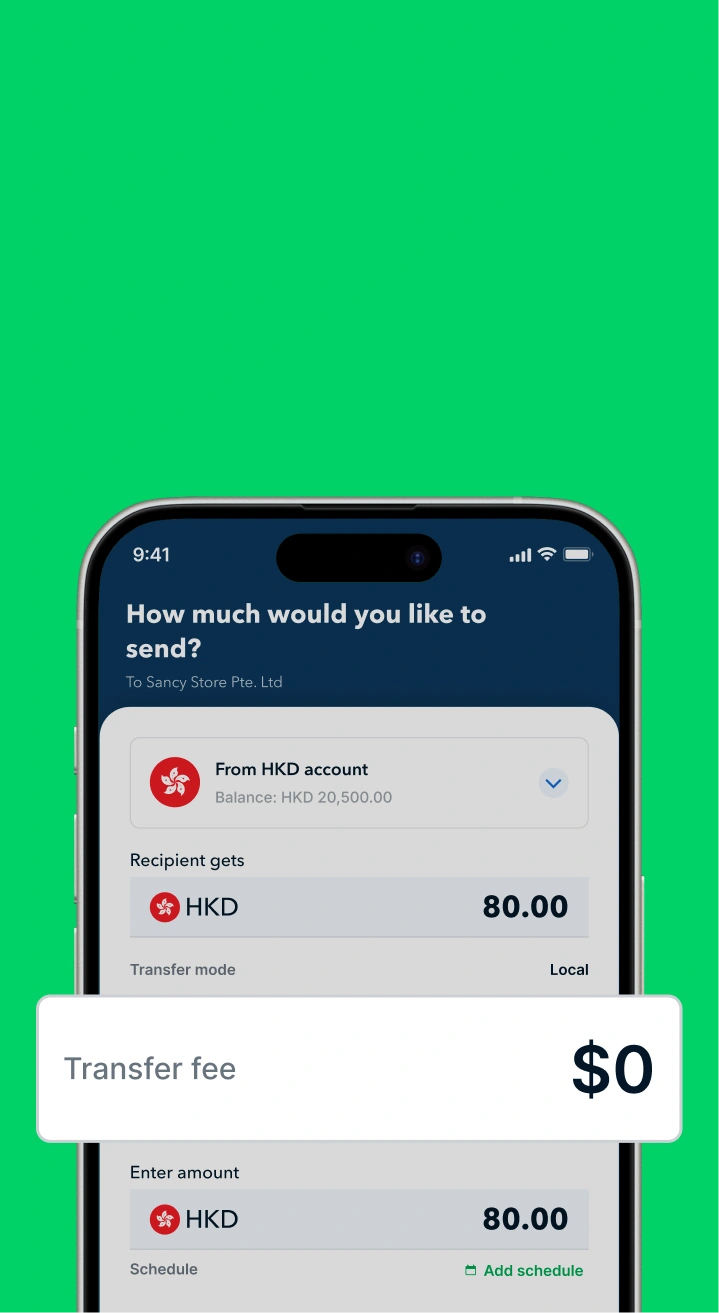
- Free Local Transfers: Supports FPS and CHATS for timely payroll and local payments.
- Global Reach: Send money internationally with SWIFT fees starting at USD 8, saving up to 3x on costs.
- Multi-currency Wallets: Hold and pay in 40+ major currencies to skip forced exchange losses.
- Cashback Rewards: Pay for ads or SaaS with the Aspire Corporate Card and earn 1% Cashback, turning costs into returns.
Open an account for free now to experience a smarter, more flexible financial solution and accelerate your business growth!

.jpeg)



.webp)