


What is OFX? Brand overview and history
OFX is an Australian-founded financial technology company focused on international money transfers and foreign exchange. It was established in Sydney and has grown into a global platform serving businesses that operate across multiple markets.
The company has built a strong presence supporting cross-border payments in over 170 countries. Its offering has expanded over time, with OFX 2.0 introducing a more complete business account experience beyond FX transfers.
Is OFX a bank?
OFX is not a bank. It operates as a non-bank financial service provider that specialises in foreign exchange and international payments. In Australia, OFX operates under regulatory oversight from ASIC and holds an AFSL.
While it does provide financial services, it does not offer traditional deposit protection like a bank. For those keeping an eye on risk management, this is an important point to consider.
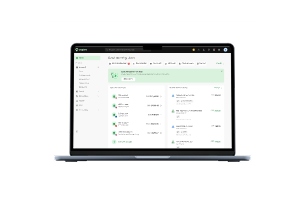
What is the OFX Global Business Account?
The OFX Global Business Account is a multi-currency account designed for businesses that send, receive, and manage international payments.
This OFX business account review highlights how it combines FX capabilities, local account details, and spend tools in one place. With it, you can hold funds in multiple currencies, pay suppliers globally, and manage expenses without juggling multiple platforms.
OFX Global Business Account key features
The OFX Global Business Account focuses on simplifying cross-border operations. The platform is built to reduce friction in global payments and improve operational efficiency.
[Table:1]
Multi-currency accounts
You can hold and manage over 30 currencies within a single account. This reduces repeated conversions and gives you more control over FX timing.
Local bank account details
OFX provides local receiving details in major currencies, including AUD, USD, EUR, GBP, and CAD. Collect payments like a local business without needing a physical presence in each region.
International payments
You can send payments to more than 170 countries using SWIFT and local rails where available. This supports supplier payments and global expansion.
OFX Corporate Cards
OFX Corporate Cards are available as virtual and physical Visa cards. Your team can spend directly from your account without the need for extra steps.
Spend management and expense controls
You can set spending limits, track expenses, and monitor activity centrally. This reduces manual reconciliation and improves visibility, which can support accurate GST tracking across your business transactions.
Accounts payable (AP) and bill automation
The platform includes accounts payable tools that help automate bill payments. You can schedule payments and manage approvals more efficiently.
Batch and payroll payments
Batch payments allow you to pay multiple recipients in one go. Payroll and recurring supplier payment setups will benefit from this setup.
FX risk management tools
OFX offers tools like forward contracts and limit orders. These help you manage currency risk and plan around market movements.
Accounting software integrations
You can connect OFX with accounting tools like Xero and QuickBooks. As a result, you’ll have an easier time keeping financial records aligned. You’ll also enjoy streamlined BAS reporting by keeping transaction data consistent and up to date.
OFX Business App
The OFX Business App allows you to manage payments and track activity from your phone. It gives you flexibility when you are not at your desk.
OFX Global Business Account pricing plans
OFX keeps pricing relatively simple, with costs tied to usage and team size.
[Table:2]
OFX Global Business Account fees full breakdown
OFX does not usually charge account opening or monthly maintenance fees for its base plan. However, transaction-related costs still apply depending on how you use the account.
Common fees include:
- FX margin added to exchange rates
- Transfer fees based on currency and destination
- SWIFT-related intermediary bank charges
- Card-related fees for OFX Corporate Cards
OFX exchange rates: how they work
OFX applies a margin on top of the mid-market exchange rate. This is where most of its revenue comes from.
The margin varies based on transfer size, currency pair, and market conditions. Larger transfers often receive more competitive pricing, especially for high-volume businesses.
How fast are OFX transfers?
Transfer speed depends on the route used. Local payments can arrive within 1 to 2 business days in most cases.
International transfers using SWIFT may take longer due to intermediary banks and processing times. In Australia, payments via NPP can be processed much faster, sometimes within minutes.
Is OFX safe? Regulatory status and security
OFX operates under multiple regulatory frameworks. In Australia, it is overseen by ASIC and holds an AFSL.
It uses standard security measures such as encryption and fraud monitoring. However, it does not offer the same deposit guarantees as a traditional bank, which may influence your decision.
Pros and cons
Understanding both sides can help you decide whether OFX is a fit for your business.
[Table:3]
Who can open an OFX Global Business Account?
OFX supports a range of business structures, provided they meet standard registration requirements.
Eligible applicants typically include:
- Companies with an ACN
- Sole traders with an ABN
- Partnerships and trusts
- International businesses with valid documentation
Documents required to open an OFX business account
You will need to provide key documents during onboarding to meet compliance standards.
Typical documents include:
- Business registration details, such as ABN or ACN
- Identification for directors and shareholders
- Proof of business address
- Supporting compliance documentation
How to open an OFX Global Business Account
You can open an OFX account online through a structured onboarding flow. The process starts with submitting your business details and uploading the required documents through the platform.
Once verification is complete, OFX reviews your application and activates your account. As this OFX business account review suggests, the process is relatively straightforward for most businesses and does not require in-person visits.
Ideal business types for OFX
OFX works best if your business regularly handles international payments or foreign currencies. It is particularly useful for companies managing suppliers, customers, or teams across multiple countries and regions.
Businesses such as exporters, e-commerce brands, and agencies paying overseas contractors often benefit the most. This OFX business account review shows that purely domestic businesses may see less value from its core features.
OFX vs alternatives
If you are comparing alternatives, Aspire Australia is the main one to consider. Aspire focuses on giving founders a more complete financial operations setup, including expense management and multi-currency support.
OFX leans more towards FX and international transfers. Aspire provides a broader toolkit for managing day-to-day business finances alongside global payments. It also includes features like built-in approvals, budgeting controls, and real-time visibility. These features and more help streamline internal financial workflows for growing teams.
OFX customer support
OFX offers customer support through phone and email channels. Availability depends on your region and account setup.
For larger transactions, support teams can assist with FX guidance and payment queries. This is a useful advantage, especially for high-value transfers.
FAQs
Here are quick answers to common questions people have about OFX business accounts.
What fees does OFX charge?
OFX charges fees mainly through FX margins, transfer costs, and possible intermediary bank fees, depending on the transaction.
How long do OFX transfers take?
OFX transfers typically take 1 to 2 business days for local payments, while international transfers may take longer.
Is OFX regulated in Australia?
OFX is regulated by ASIC and operates under an AFSL, allowing it to provide financial services legally.
Can OFX hold funds in multiple currencies?
Yes, the OFX Global Business Account allows you to hold, manage, and transact in over 30 currencies, helping reduce unnecessary conversions and giving you more control over foreign exchange timing.








.jpeg)
































.jpeg)




.jpeg)


.jpeg)