

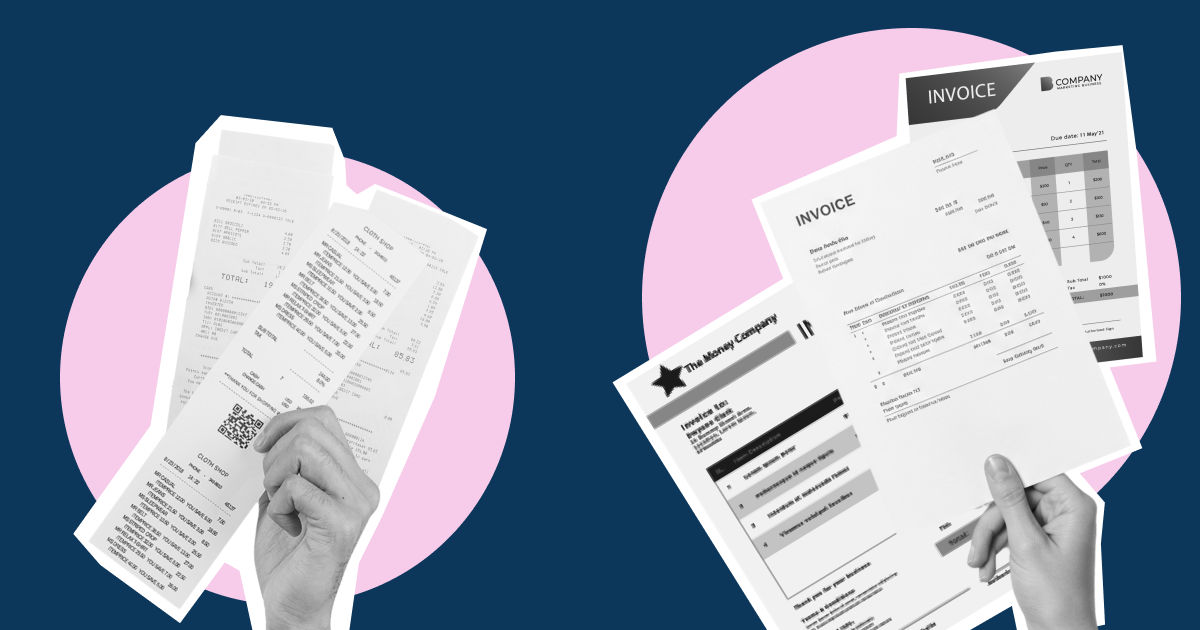
Invoice processing is a business function that is often taken for granted. When a company receives an invoice from a supplier, it moves through established workflows until the supplier is paid, after which the transaction might be forgotten. However, invoice processing is more than a routine administrative task. It is a critical component of a company's financial operations, directly impacting its cash flow, supplier relationships, and overall business efficiency. Efficient invoice processing can make the difference between prompt payments and costly delays, strong vendor partnerships and strained relationships, accurate financial reporting and avoidable accounting errors. This article provides a detailed explanation of the invoice processing cycle and how businesses can optimise it to unlock its true benefits.
Key takeaways
- Invoice processing is the workflow businesses use to manage invoices from receipt through approval, payment, and recording
- An effective invoice processing workflow ensures timely payments, which is crucial for strengthening relationships with vendors
- Competent invoice processing also improves cash flow visibility, which in turn supports better financial planning, while enabling accurate financial reporting and stronger compliance
- Many businesses still handle invoices manually, although the adoption of automated invoice processing has grown significantly
- Automated invoice processing systems improve efficiency by reducing errors, easing approval bottlenecks, speeding up processing times, and lowering long-term costs
What is invoice processing
Invoice processing is what happens after a business receives an invoice from a supplier. It is an accounts payable workflow that involves receiving the invoice, verifying its contents, approving it, paying it, and recording it for future reference.
When handled efficiently, invoice processing delivers significant business benefits, including timely payments to vendors, stronger supplier relationships, greater visibility into cash flow, and improved financial reporting.
Beyond operational efficiency, invoice processing also plays a critical role in regulatory compliance. In Singapore, as in many other countries, businesses are legally required to maintain accurate and complete financial records, including invoices, for at least 5 years. Failure to comply can result in additional tax assessments, the disallowance of tax deduction claims, and, in some cases, penalties.¹
As businesses expand and invoice volumes grow, it has become increasingly important to streamline invoice processing. Moving from manual to automated processes can lead to significant and immediate improvements such as fully automated invoice processing, faster approval cycles, simplified verification, greater accounts payable visibility, and reduced administrative workload.
Invoice processing vs invoice management
Invoice processing is often confused with invoice management, but the two serve different purposes. Invoice processing refers to the operational workflow of handling individual invoices, from receipt to payment and recording. Invoice management, on the other hand, is a broader function. While invoice processing is a key component of invoice management, the latter also involves developing policies, establishing approval workflows and controls, monitoring vendor performance, analysing spending patterns, ensuring regulatory compliance, supporting audit requirements, and identifying opportunities for improvement.
How invoice processing works
An invoice goes through the following stages:
Invoice receipt
The invoice processing cycle starts with receiving an invoice. There are various ways to do this – via email, vendor portal, or e-invoicing system. Some businesses still receive paper invoices in the post, although this practice is less common now.
Data capture
Each invoice is then reviewed and key details captured, such as vendor name, invoice number, payment details, and so on. Paper invoices are checked manually and the details recorded by hand. In an automated environment, the invoice processing software automatically extracts data from electronic invoices.
Three-way matching
The invoice details are then checked by comparing them with the purchase order, a formal request for goods or services sent by the buyer to the supplier, and the goods receipt note, an internal record prepared by the buyer confirming the receipt of goods.
General ledger coding
At this stage, the invoice is assigned the appropriate general ledger account code, ensuring the expense is categorised correctly for accounting and financial reporting purposes. For invoices with multiple line items, each item may be assigned a separate code.
In manual invoice processing, the accounts payable team typically assigns codes using spreadsheets or accounting software. Automated invoice processing systems streamline this step by using automatic data extraction and accounting integrations to automatically assign GL codes.
Approval
Once validated, the invoice is sent for approval to the appropriate authority or authorities. In manual systems, invoices may be routed via email and require physical signatures. Automated systems are more time-efficient as they can send reminders or reassign approvals to back-up authorities as deadlines approach. The invoice is approved after verifying that it has been budgeted for.
Payment
The invoice is then scheduled for payment as per the payment terms.
Recording and archiving
Once paid, the invoice is recorded in the accounting system. Thereafter, the invoice and related documents (purchase order, goods received note, payment confirmation, etc) are archived for future reference, compliance, and auditing purposes. Manual accounts payable departments use binders and filing cabinets to store physical records, which comes with the risk of loss, misplacement, and damage. In contrast, automated invoice processing systems provide secure and centralised digital storage in searchable libraries.
How to make a journal entry for invoice processing
Journal entry is a standard accounting practice in invoice processing.
The first journal entry is made after the invoice is received. Under the double-entry accounting method, the invoice is recorded as a debit in the relevant expense account and as a credit in accounts payable.
The next journal entry is made when the invoice is paid. It is recorded as a debit in accounts payable and a credit in the cash account.
Each entry must include the vendor's name, invoice amount, account codes, date, and a description. For example, for a company that buys raw material from a supplier on March 1, 2026, the first journal entry looks like this:
[Table:1]
After the invoice is paid on March 30, 2026, a second journal entry is made:
[Table:2]
Common invoice processing challenges
Common challenges businesses face during invoice processing:
- Missing invoices: Paper invoices tend to get lost or misplaced while email invoices can easily be buried in inboxes
- Duplicate invoices: These may be caused by manual data entry errors, invoice resubmission by vendors, system glitches, or fraud
- Data entry errors: Inadvertent errors such as typos and incorrect account codes are common in manual invoice processing and can lead to payment issues and disputes with suppliers
- Approval glitches: Common examples include invoices being overlooked or failing to follow the correct approval hierarchy. These issues are common in manual approval routing and can lead to processing delays and missed payment deadlines
- Lack of visibility: Fragmented, manual, or poorly integrated invoice processing systems can make it difficult to track invoice and payment status in real time
Benefits of automated invoice processing
The challenges of manual invoice processing can largely be removed by adopting invoicing software, leading to the following benefits:
Shorter processing times
Businesses with highly automated accounts payable pipelines took around 3 days to complete an invoice compared to an average of 17 days, according to a 2024 study.² With no need to enter data manually or handle paper invoices, automated systems significantly reduce processing times.
Data accuracy
Human errors such as incorrect amounts, duplicate entries, and missing information are significantly less prevalent in automated invoice processing. Technologies like optical character recognition (OCR) and AI automatically extract data from a wide range of invoice formats with high accuracy while e-invoicing enables digital invoices to flow directly into a company's invoice management system. Additionally, built-in validation checks and matching rules help identify discrepancies early, allowing accounts payable departments to resolve issues quickly and maintain data accuracy at all stages of the invoice processing workflow.
Real-time visibility and control
Invoice automation offers a centralised view of invoice statuses, pending approvals, and upcoming payments, allowing businesses to track invoices in real time from a single dashboard. Unlike siloed manual processes, automated systems deliver greater visibility into and control over expenses, in turn supporting improved financial planning and cash flow management.
Stronger vendor relationships
By ensuring timely and accurate payments and streamlining communication, automated systems help businesses build and maintain strong relationships with suppliers and vendors. As trust builds, suppliers are more likely to prioritise your business and offer better service. Over time, these growing ties can help you negotiate better pricing and more flexible payment terms.
Better compliance
Automated invoice processing strengthens compliance by storing invoices and supporting documents in a secure, centralised repository that integrates seamlessly with accounting systems. This makes it easier to retrieve records for tax filings, audits, and regulatory reporting.
Cost efficiency
Invoice automation lowers costs by reducing reliance on paper-based processes, physical storage, and labour-intensive invoice handling. Furthermore, it helps avert late fees and penalties by ensuring timely payments. According to the previously mentioned study, high-performing organisations using automated accounts payable systems achieved invoice processing costs that were 78% lower than for other organisations.³
Invoice processing best practices
Beyond adopting invoice processing software, businesses can take additional steps to improve the efficiency of their workflows:
- Standardise invoice formats to simplify data capture. Share invoice formatting guidelines with vendors upfront and encourage them to follow the requirements
- Direct all incoming invoices to a single portal or dedicated inbox to reduce the risk of losing invoices, misplacing or overlooking them and delaying invoice payments
- Establish clear invoice approval workflows with defined hierarchies and responsibilities to get rid of delay-causing bottlenecks. Designate back-up approvers to ensure invoices keep moving during absences, emergencies, or periods of high workload. Automated invoice processing systems make it easy to customise approval workflows based on factors such as invoice value, department, vendor risk profile, and purchase type
- Automate payments by scheduling them in line with invoice due dates to prevent delays and late fees. Most invoice automation tools also support bulk payments, making it easier to manage recurring payments. You can also take advantage of early payment discounts by scheduling payments within the discount window
- Integrate invoice processing systems with accounting software to create a seamless flow of financial data across the organisation
Optimise invoice management with Aspire
Aspire's invoice management tool helps businesses streamline the entire invoicing cycle – from creation and delivery to tracking, reconciliation, and payment. It allows users to design professional, tax-compliant invoice formats, track invoices in real time through a centralised dashboard, automate vendor payments, and receive payment reminders. All completed payments are automatically reconciled with no need for manual follow-ups. Seamless accounting integrations further ensure invoice records are up to date and in sync across the organisation.
Additionally, Aspire’s multi-currency business account allows businesses to make international payments to suppliers in over 30 currencies, reducing foreign exchange costs and lowering the overall cost of cross-border invoice payments.
Conclusion
Many businesses are still hesitant to adopt automated invoice processing due to concerns over cost, reliability, and data security, among other factors. However, relying on manual processes – especially when handling high invoice volumes – is increasingly counterproductive. Inefficient invoice processing increases the risk of errors and delays and slows down operations. Over time, this can weaken overall business performance, reduce competitiveness, and undermine reliability in the eyes of suppliers. Switching to invoice automation and adopting invoice processing best practices can improve efficiency and financial control while supporting business growth.
FAQs
What is meant by invoice processing?
Invoice processing is the series of steps a business takes after it receives an invoice from a supplier, from review and approval to payment and recording.
What is three-way invoicing?
Three-way invoicing, also called three-way matching, is the process of validating an invoice before it is paid. It involves verifying the accuracy of the invoice details by cross-checking with the purchase order and goods receipt note.
What are the steps in invoice processing?
Invoice processing typically starts with receiving the invoice, after which it is verified, approved, paid, and finally recorded for future reference.
What is an example of invoice processing?
A manufacturer receives an invoice from a supplier for raw materials. He checks the invoice to ensure the details are correct, then sends the invoice to the designated manager/department for approval. Once approved, the invoice enters the accounting system, where payment is scheduled based on the due date and other payment terms. After payment is processed, the system updates the invoice status as paid and records the transaction in accordance with financial reporting requirements.
What are the basic details on an invoice?
An invoice consists of the following basic details – invoice number, date of issue, details of the buyer and seller, description of goods, invoice amount, payment due date, and payment terms.




.webp)