


Rating
Overall rating: 4.2/5
Methodology
Our evaluation of Statrys and its business account is based on a clear, transparent rating framework that is designed to provide an objective overview of its overall quality and performance.
Arithmetic mean approach
To derive the final score, we calculate the arithmetic mean, which involves adding up the individual category scores and dividing the result by the total number of categories.
Equal weighting
There are five categories – Features, Pricing Transparency & FX, Global Payments, Ease of Onboarding, and Support & Ecosystem – and each is assigned equal weightage in the final calculation, ensuring a balanced score.
Data sources
We use official documentation, publicly available pricing and feature details, third-party reviews, and verified user feedback to arrive at our rating.
Interpretation caveat
While this method provides a fair and objective benchmark, it does not reflect individual business priorities.
Intended use
The final rating should be taken as a general performance indicator, useful for making comparisons and informing decisions. It should be considered alongside your business’ specific needs and priorities.
[Table:1]
Statrys key features
With the explicit aim of providing a better banking experience for SMEs in Asia, Hong Kong-based fintech firm Statrys entered the Singapore market in 2025. After obtaining a 'Major Payment Institution' licence from the Monetary Authority of Singapore, it launched its multi-currency business account and office in the country. Its product portfolio now covers international payments, company registration, account management, and accounting integrations. With offices in Hong Kong, Bangkok, Paris, and Manchester apart from Singapore, Statrys aims to help SMEs capitalise on global opportunities.
These are its highlights:
Multi-currency account
The Statrys business account can hold and transact in 11 currencies – SGD, USD, HKD, CNY, EUR, GBP, CAD, JPY, AUD, NZD, and CHF. Account holders also enjoy the flexibility to create payments in 18 currencies across 120 countries.
Local and international transfers
The account can be used to send money locally in 18 currencies through collaborations with local banks. Similarly, international payments can be created and sent in six currencies – SGD, USD, CNY, EUR, HKD, and GBPO – via the SWIFT network to 120 countries. Transfers within Singapore are routed through the FAST and MEPS systems.
Quick and easy online account opening
Account opening is completely online with an application time under 10 minutes. Approval typically takes 24-48 hours, and the account should be up and running in three days.
Competitive FX rates
Statrys offers competitive foreign exchange rates based on real-time, mid-market rates. For large FX transactions, customers can avail of the services of a dedicated FX specialist to obtain a lower FX commission rate.
Account management
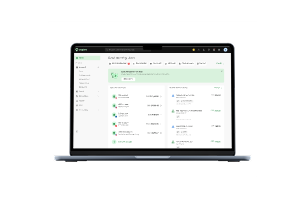
The Statrys business account comes with a useful account management tool designed to set up fund transfers for later approval. Those with access to the tool can assume any of four roles – transaction approver, transaction maker, reader, and accountant. The approver has full access and use of the account, the maker prepares payments to be approved later, and the reader and accountant have read-only access to the account. The dedicated account manager tool enhances payment security by putting the right controls in place and by streamlining workflows.
Integrations
Statrys offers seamless integration with Xero, allowing account holders to sync transaction data on the two platforms, making accounting easier and accurate.
Additionally, e-commerce platforms benefit from Stripe, PayPal, and Shopify integrations that help them manage their multi-currency payments seamlessly.
Statrys mobile app
Apart from online banking, Statrys also offers mobile banking. Account holders can use the Statrys app to check their account balance, monitor transaction history, make payments, and track them.
Statrys fees and exchange rates
Here's everything you need to know about Statrys pricing:
Account fees
There is no monthly maintenance fee or minimum deposit requirement.
Companies that aren't registered in Hong Kong or Singapore, have complex structures, or are not strongly rooted in Asia may incur an account opening fee.
Special note must be taken of an account inactivity fee, which kicks in if there are less than five outgoing transfers in a month. The fee is approximately SGD $15.
There is also a volume fee if monthly outgoing transactions exceed a threshold.
Transfer fees
Charges for SGD transfers within Singapore are SGD $1.5 (FAST) or SGD $15 (MEPS). Incoming domestic payments are free.
Charges for outgoing payments to select countries in their local currency using Statrys' local payout network are in the range of SGD $4, SGD $5.50, and SGD $8.50. For example, an AUD transfer to Australia costs SGD $4, a THB transfer to Thailand costs SGD $5.50, and sending VND to Vietnam costs SGD $8.50.
For international payments, there is an SGD $5 fee on incoming transactions and SGD $20 fee on outgoing transactions. In the latter case, the amount the recipient receives includes deductions for intermediary and beneficiary bank fees. To avoid such deductions, the sender can opt to pay a higher transfer fee of SGD $40.³
An intra-Statrys transfer (say, from a Statrys Singapore account to a Statrys Hong Kong account) costs SGD $4.
E-commerce sellers with Stripe and PayPal integrations may be subject to different transaction rates. For example, incoming payments in SGD via Stripe are free while incoming USD transfers cost USD $5 or 1% of the transaction amount.
Exchange rates
Foreign exchange rates are currency-dependent. Exchange rates for the 11 currencies mentioned earlier start from 0.1%. For less popular currencies (INR, IDR, PHP, KRW, THB, TRY, VND), conversion rates start from 0.15%.
Additional fees
Business account holders may be subject to occasional, non-standard fees for activities such as audit information request, transaction amendment, account statement request, account closure certificate, etc.⁴
How to open a Statrys business account in Singapore
Interested in opening a Statrys business account in Singapore? Here's how to go about it:
Eligibility
Companies registered in Singapore, Hong Kong, and the British Virgin Islands constitute eligible businesses. Most business models are accepted, including sole proprietors, partnerships, and limited liability companies.
However, Statrys does not accept applications from business entities in its prohibited industries list, which includes cryptocurrency, gambling and gaming, illicit drugs and narcotics, stolen goods, shell companies, and so on.⁵ It also does not accept applications from companies with a US citizen as a director and/or shareholder.
Documents required
Required documents to be submitted during the application process include copies of the business registration certificate and passports of the directors and/or shareholders. Applicants may be asked to provide further support documents for verification.
Statrys business account opening – Step-by-step guide
- Visit the Get Started page on the Statrys website
- Select 'Open a Business Account'
- Create a user profile and log in
- Review the application requirements, including the document checklist
- Fill out your company and personal details
- Confirm after reviewing
- Complete the ID verification, which includes scanning a QR code, uploading documents, and taking a photograph to complete the process
- Wait for approval, which in most cases takes one to two working days. Applicants can track their application status online
- For the majority of approved accounts, they are ready for operation within three days.
Who is Statrys Singapore best suited for?
The Statrys business account is tailor-made for SMEs with frequent global transactions, such as those that make and receive payments to and from overseas contractors and clients.
Due to the fintech's strong presence in Asia, it is a good choice for import and export businesses that have strong trade links with Hong Kong and China and transact in multiple currencies.
Additionally, the Stripe, PayPal, and Shopify integrations are beneficial to e-commerce platforms.
Statrys is not a good fit for:
Statrys may not be a good fit for larger corporations that require extensive multi-currency support. It may also not be appropriate for small businesses requiring a simple business account with minimal features. Furthermore, the account inactivity fee might deter companies with few outgoing payments.
Statrys business account pros and cons
The advantages of a Statrys business account are:
- Multi-currency support, allowing it to hold and transact in 11 currencies
- Domestic and international payments in 18 currencies across 120 countries
- No monthly charges or minimum deposit required
- Predictable and transparent fees
- No maximum transaction limit
- Competitive FX rates and dedicated FX specialist providing personalised service
- Completely online application process with fast approval
- Seamless integrations with Xero, Stripe, PayPal, and Shopify
- Account management tool
- Company registration services
- Fund security with funds held by a custodian bank (DBS Singapore)
- Reliable support and strong customer experience, as gauged from customer feedback.
Meanwhile, the disadvantages include:
- Limited scope with eligibility restricted to businesses registered in Singapore, Hong Kong, and the British Virgin islands
- Limited multi-currency support
- Local transfers are not free (unlike some competitors with free local transfer facilities)
- Account inactivity fee and volume fee
- Account opening fee for select businesses.
Ratings across platforms
- Google Play: Rated 5 out of 5, with reviews praising the app design and its ease of use.⁶
- Trustpilot: 4.5 out of 5, with special mention of excellent customer service and tech support and fast response time.⁷
- G2: 3.4 out of 5 with some complaints about strict KYC compliance and unresponsive support.⁸
Statrys vs Aspire: A comparison
As fintech competitors with a focus on SMEs, Statrys and Aspire have many things in common and some dissimilarities as well. We've listed them out for a quick comparison:
[Table:2]
Other alternatives to Statrys
When it comes to picking a business account hosted by a fintech company in Singapore, here are some other popular choices:
- Airwallex: Offers a multi-currency account that supports 20+ currencies and facilitates international SWIFT transfers in 60+ currencies across 150 countries at competitive foreign exchange rates. It also offers multiple payment options through its extensive network of payment gateways. Airwallex financial products extend to company cards, expense management tools, bulk and automated payments, and APIs and integrations.⁹
- Wise: Stand-out products include Wise Business, which supports 40+ currencies, and local account details in nine currencies that allow your international suppliers to pay you in their local currency at affordable rates. Wise permits international payments to 160 countries and provides corporate cards in multiple currencies, free invoicing tools, APIs and integrations. While its FX rates are competitive, large-volume payments might incur high transaction fees.¹⁰
Conclusion
Fintechs are among the fastest growing financial service providers today. In Singapore, they are credited with powering the growth of small business, filling in the gaps left by traditional banks. As an SME-focused fintech, Statrys Singapore offers an adequate business account at an affordable price. However, its limited foreign currency support and prohibitive pricing in some areas makes it lose points to its competitors. Aspire is one such rival fintech with an edge over Statrys. Aspire offers a robust business account packed with highly useful elements, including unlimited virtual corporate cards designed to ease cash flow, global payments in 30+ currencies across 130 countries, more extensive accounting and payment gateway integrations, and an integrated financial operating system with in-built accounting, expense management, and smart invoicing tools. To try Aspire, click here.
FAQs
Is Statrys safe?
Based on customer feedback from various review platforms, Statrys is largely considered safe. It is regulated by the Monetary Authority of Singapore, making it adopt industry-standard security practices and compliance standards. It provides fund security through a custodian bank, DBS Singapore. Furthermore, the Statrys brand holds the distinction of ranking among the top 10 fintech companies in Hong Kong in 2024.
Is Statrys a bank?
Statrys is not a bank but a fintech company providing financial solutions. It is a registered 'Major Payment Institution' in Singapore and 'Money Service Operator' in Hong Kong.
What are the benefits of using Statrys?
Opening a business account with Statrys allows companies to receive and send money within Singapore or across international borders. The account also gives them access to the fintech's other offerings, such as its account management tool and accounting integrations.
How does Statrys compare to traditional banks?
In comparison to traditional banks, Statrys is more affordable, offers greater flexibility with its quick online account opening and other processes, and is also more small business-focused.
What kind of businesses use Statrys?
Statrys supports all types of businesses incorporated in Singapore, Hong Kong, and the British Virgin Islands. However, its products are mostly targeted at SMEs that perform regular multi-currency transactions and have deep trade links within Asia.
How do I open an account with Statrys?
Applicants can go to the 'Get Started' page on the Statrys website, click on 'Open a Business Account', follow the prompts, and submit the required documents to complete the process, which is entirely online.
What services does Statrys provide?
Apart from online banking for companies, Statrys Singapore provides international payments, company registration, account management, and FX services with personalised professional advice.




.webp)