


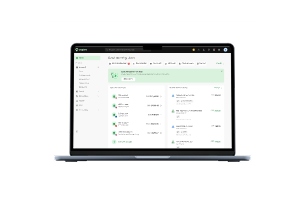
What is accounts receivable
Accounts receivable (AR) is money your business is owed after you’ve delivered a product or service but before you’re paid. In accounting language, it’s a current asset on your balance sheet.
For a founder, it’s the bridge between making the sale and having the cash in your pocket. Good AR management keeps that bridge short and predictable. Poor AR management can create a gap that burdens your cash flow and can restrict growth opportunities depending on your cash reserves and payment cycles in your business.
Accounts receivable vs. accounts payable because they both matter to cash flow
Main difference: AR automation involves creating and sending invoices, scheduling reminders, collecting customer payments, and reconciling incoming cash. AP automation is about capturing supplier invoices, routing approvals, and controlling outbound payments. Both affect cash flow, but they solve different problems.
[Table:1]
Why this matters: A founder who automates AR but ignores AP may not have fully addressed the complete cash flow challenge. AR automation can speed up what's owed to you. AP strategy (automation or not) controls what goes out. Together, they create more complete visibility and control over cash movement across your entire business. Learn more about optimizing the other side of the equation in our guide to accounts payable automation in Australia.
Understanding your AR turnover ratio: The KPI that signals credit-readiness
There’s one metric that’s more important than most founders realize: your accounts receivable turnover ratio. It’s your indicator of AR health, and it influences how lenders and suppliers see your financial credibility.
What it is: AR Turnover Ratio = Net Credit Sales / Average Accounts Receivable
Meaning: The higher this ratio, the faster you are collecting your invoices. The smaller the ratio, the longer your cash is resting in your AR. Read our advice on accounts payable automation in Australia.
Why it matters to founders: Lenders will judge your collection discipline based on your AR turnover ratio. A healthy turnover ratio indicates that you are managing credit terms, following up consistently, and having steady cash flow. A healthy AR turnover ratio is one of the signs that determine whether you qualify for better borrowing terms or venture funding. Your AR performance is an integral part of working capital management that can have a direct impact on your ability to scale without external funding.
How to improve it:
- Issue invoices immediately upon delivery (automation handles this)
- Set clear payment terms and enforce them (AR automation routes reminders)
- Follow up proactively on overdue invoices (the tracking dashboard shows you what's overdue)
- Offer payment incentives for early settlement (improve terms, not collection speed)
The best part: when you automate AR properly and combine it with consistent follow-up practices, your turnover ratio may improve because you have fewer overdue invoices. That improvement can become a signal to lenders and suppliers that your business has stronger collection discipline, though the actual improvement depends on how well your team implements and adopts the automation.
Is it time to automate: Assessment framework for Australian founders
Not every founder needs AR automation right now. But certain signals suggest it may be time to consider implementing it.
You need automation if:
- Your DSO exceeds your payment terms. If terms are Net 30 but you collect at 45+ days, you're losing cash flow predictability. Automation helps close that gap
- Late payments regularly affect cash flow. You're managing 30+ invoices/month and consistently seeing payment delays. Automation won't eliminate late payments, but it identifies and responds to them faster
- Your team spends 8+ hours/week on manual work. Keying invoices, chasing payments, fixing coding errors. That's capacity you could reclaim—especially valuable as you grow
- You run multiple entities or cost centers. Manual routing to different AR queues creates errors. Software automates this if configured correctly for your structure
- Invoice creation is error-prone. GST inconsistencies and BAS problems signal your process is fragmented for your volume. Automating GST coding at invoice creation reduces errors
- You're approaching lenders or investors. Clean AR data and a strong turnover ratio signal financial discipline. Automating earlier builds that credibility profile
You may be able to wait if:
- You're issuing fewer than 10 invoices per month, and most are paid on time; the time to set up automation may outweigh the time saved
- Your collections process is already running smoothly, and your turnover ratio is strong
- You don't have near-term plans to significantly increase invoice volume
- Your customers typically pay on time, and you rarely have overdue invoices
- Your AR team actively enjoys this work; automating it may reduce engagement without delivering meaningful value
- Your invoicing process is already running smoothly, and your AR turnover ratio is strong; you’ve already optimized this area
Understanding your AR benchmarks
Days Sales Outstanding (DSO), the average number of days to collect payment, is a useful reference point. Most Australian SMEs aim for 30–45 days, though this varies significantly by industry and payment terms. If you offer Net 60 terms, a 60+ day DSO may be normal. If your terms are Net 30 but you consistently see 60+ days, that suggests a collection issue. The key is comparing yourself to your baseline and industry peers, not to universal benchmarks.
Why AR automation is important now: three founder outcomes
Cash flow visibility. When invoices scatter across emails and inboxes, you can't forecast cash flow or explain gaps to your team. AR automation consolidates everything into one view so you see what's owed, when it's due, and when cash arrives. This isn't about speed; it's about control.
Credit readiness. Clean aged-receivables data makes it easier to explain working capital to lenders. However, lenders assess many factors, business model, industry, financial health, credit history. AR automation is one positive signal, not a guarantee of better terms. A strong collection process combined with other positive indicators can help your overall credit profile.
Founder control. Manual AR work consumes your team's time on low-value chasing and fixing instead of analysis, forecasting, and growth work. Automation frees capacity. More importantly, you own your cash flow outcome.
The cost of late payments. Late-paying customers extend your cash cycle, forcing costly short-term borrowing. AR automation can improve collection discipline and may reduce overdraft needs, though it can't force customers to pay on time. When collections improve, you may lower borrowing costs, but that depends on multiple factors lenders evaluate, not automation alone.
The hidden cost of late payments: why AR automation unlocks credit
When your DSO (days sales outstanding) consistently exceeds your payment terms, say 60+ days on Net 30 terms, lenders see a business that can't collect efficiently. They may deny credit or charge higher rates.
The math: A AUD $30,000 overdraft at 8–12% costs AUD $2,400–3,600 annually. Late payments force you to borrow to fill cash gaps, and that cost compounds quickly.
With AR automation: Improved collection discipline may bring your cash cycle closer to your stated terms and reduce overdraft borrowing. However, automation can't force customers to pay on time. Even with reminders and systematic follow-up, some customers will pay late.
Important: A clean AR process is one positive signal to lenders, but not a guarantee of better terms. They evaluate your overall financial health, industry, business model, and credit history. AR automation is a helpful context, not a determining factor.
Accounts receivable automation solutions: three approaches
AR automation doesn't mean just buying software. It means combining people, process, and technology. Most founders skip the first two and wonder why the software doesn't deliver.
[Table:2]
How to review accounts receivable automation software for Australian founders
Before you review tools: Speak to your accountant or bookkeeper about your specific compliance needs, approval workflows, and accounting system requirements.They can help you create a checklist of what the software must support for your business. This prevents selecting a tool that doesn't fit your actual process.
When you're ready to evaluate accounts receivable automation software, don't start with the feature list. Start with integration; how cleanly does it connect to your accounting system?
Five questions to ask any software you're considering:
- Does it sync customer, invoice, payment, credit note, and overdue status both ways with Xero/MYOB/ERP? One-way sync means manual reconciliation creeps back in. Two-way sync keeps your accounting system current automatically.
- Can it automate invoice delivery and reminders based on due date, customer segment, or aging? Different types of customers need different follow-up cadences. If you can't customize reminders by customer type or days overdue, you'll end up with generic reminders that don't suit your business.
- Can customers pay through the methods your business actually uses? Whether it's bank transfer, credit card, direct debit, or payment links, the software needs to support how your customers prefer to pay. If payment options are limited, customers will email asking how to pay instead of using the system.
- Can incoming payments be automatically matched to invoices? This is where reconciliation time gets saved. If you're still manually matching payments to invoices, you've only automated half the process. Look for software that processes exact matches, partial payments, and overpayments automatically.
- Can it handle multiple entities, currencies, credit notes, partial payments, and disputes as you grow? Many founders start with one entity and one currency. As you scale, you may add entities, work internationally, or deal with partial payments and disputes. Software that can't handle these scenarios becomes a blocker later.
Popular accounts receivable automation tools for Australian businesses:
[Table:3]
Accounts receivable automation and ERP in Australia; GST, compliance, and local readiness
Australian founders implementing accounts receivable automation have compliance requirements that global software often misses. Your AR automation should be a part of an accounting stack that is aware of GST, BAS reporting, and ideally Peppol e-invoicing.
Key Australian compliance considerations:
Australian invoicing is heading for a more automated, digital-first future. Understanding this roadmap helps you select tools that won’t be obsolete in 18 months.
Peppol e-invoicing adoption timeline: E-invoicing via the Peppol network has been required for federal government agencies since July 2022, and adoption milestones are set through 2026, with agencies working to process 30% of invoices this way by July 2026 and to handle sending and receiving automatically by December 2026, Department of Finance. Between businesses it's still voluntary, but adoption is growing. Your AR software should consider Peppol readiness through an accredited access point, especially if you plan to supply government agencies. Xero, MYOB, and most modern platforms already support Peppol. If you start planning now, you'll have time to evaluate and implement before peak adoption timelines.
GST processing when creating customer invoices: Each customer invoice you create needs to have the correct GST information as required by the ATO for BAS reporting. AR automation should add GST codes at the time of invoice creation and not as a manual step post creation.
Multiple ABN entities: As founders scale, they often spin up different entities (main business, service division, holding company, etc.). Your AR automation must be able to direct invoices to the right entity’s AR queue and post to the right general ledger. Software that doesn’t address these issues requires manual workarounds.
Roadmap to implementation: three steps to founder success
Before you start: Talk to your accountant/bookkeeper about your business's GST coding rules. Every business has different coding structures, approval hierarchies, and compliance needs. Your specialist can help you define approval rules and workflows that fit your tax compliance needs before you select software.
AR automation doesn’t happen overnight, and trying to automate everything at once creates more work than it saves. Successful implementation generally takes three phases, building from invoice creation through payment collection to strategic reporting.
[Table:4]
Phase 1: Invoice and reminder automation
Set up standardized invoice templates with tax invoice data (ABN, GST, issue date), clear payment terms, automatic reminders by due date, and an aged receivables view. One team member, part-time. Benefit: Fewer missed invoices, visibility of what's outstanding, less manual chasing.
Phase 2: Payment and reconciliation automation
Add payment links on invoices, automated payment matching, partial payment handling, credit note workflows, and escalation rules for overdue invoices. Finance team, moderate setup effort. Benefit: Faster payment processing, reduced reconciliation time, clear tracking of disputes and overdue items.
Phase 3: ERP/CRM integration
Sync customer data, invoices, and payments two-way with Xero/MYOB. Add multi-entity routing, DSO/aging dashboards, cash flow forecasting, and collections workflows linked to your ERP. Finance lead + IT support, ongoing maintenance. Benefit: Real-time cash visibility, predictive insights, strong lender metrics, integrated collections strategy.
Cost: Phase 1 is low or free; Phase 2 adds moderate cost; Phase 3 adds higher cost. Total depends on tool, volume, and features, contact vendors for quotes.
Key points: No ROI guarantee results depend on adoption and follow-up. The timeline varies by your systems and complexity. Start with Phase 1; it's where most bottlenecks sit.
AR automation and distributed teams, enabling hybrid and remote finance work
As Australian businesses move to hybrid or fully telecommuting models, AR automation has become more critical than ever for finance teams. It solves problems that happen when your finance team isn’t sitting in the same room.
With distributed teams, AR automation ensures all members, in-office and remote, access the same real-time information about invoices and payment status. No single person becomes a bottleneck. Any team member can answer payment questions or follow up on overdue balances without checking with a specialist.
When AR automation fails, friction points to avoid
AR automation projects sometimes stall or deliver less value than expected. Knowing why helps you avoid the trap.
Process wasn't defined first. You implement software without deciding how reminders escalate or how to handle disputes. The software exposes every gap in your current process. Plan for 4–8 weeks of "slower before faster" while you sort edge cases.
Team adoption is passive. If your team views automation as imposed rather than helpful, they'll find workarounds and revert to email. Involve them early in tool selection and workflow design.
Exceptions become the bottleneck. Automation handles 80–90% of payments smoothly. Plan for the 10–20% needing human judgment: unidentified payments, partial matches, customer disputes, credit notes. Set exception thresholds before launch.
Integration is incomplete. The tool sends reminders but payment status doesn't flow back. You're exporting data and re-keying. That's moving manual work, not eliminating it. Test integration thoroughly.
Cost scales unexpectedly. Software affordable at 30 invoices/month becomes expensive at 150/month. Choose tools with predictable scaling or switch to flat-rate models early.
The fix: Define your AR process before implementing software. Clear reminders, escalation rules, dispute handling, and team workflows come first. Then software enforces what you've decided.
Red flags and mistakes when choosing AR automation software
If you’re looking at a tool, watch out for these red flags. None of them are deal breakers, but they’re worth digging into:
- Unrealistic timelines. If a vendor promises 48-hour go-live, something's being skipped. Implementation typically takes 4–8 weeks to build integrations, define workflows, and test exception handling. Ask what's being deferred.
- No Australian compliance built-in. Global tools often miss tax invoice requirements (ABN, GST amount, issue date) and multi-ABN handling. If the vendor can't explain GST features clearly, that's a gap.
- Limited integrations. If it only connects to one or two accounting systems, you risk lock-in. Look for Xero, MYOB, and at least one other option.
- Pricing that doesn't scale. Calculate costs at 2x your current volume. Per-invoice pricing (AUD $2–5) becomes expensive fast. Fixed monthly pricing is more predictable.
- Weak support or generic onboarding. If you hit integration problems or need workflow customization, minimal support leaves you stranded.
- No exception handling strategy. Ask how the software handles unidentified payments, partial payments, or credit disputes. If the vendor only discusses speed and cost, they haven't thought through real-world collections.
And before you implement, avoid this:
- Don't pick software before defining your process. Choose the best tool for your workflow, not the other way around. If it doesn't integrate with Xero or handle GST, it won't help.
- Don't automate a broken process. If your current AR is chaotic (no credit policies, random invoicing), automation will amplify problems. Fix the process first, then add software.
- Don't ignore growth. Plan for 2x your current invoice volume. Software that works at 20/month breaks at 100/month.
- Don't forget the exceptions. Automation handles 80–90% smoothly. Plan for the 10–20% that need human judgment, that's where your team's time actually goes.
Is AR automation right for your business
Count the "yes" answers:
Note: The numbers in these questions (30+ invoices, 8+ hours/week, 6x turnover) are suggestions, not strict rules. The real question is whether your manual AR work is consuming resources you’d rather spend elsewhere and whether your collection performance is limiting your cash flow or credit capacity. Your particular situation may vary from these benchmarks.
- Do you send out 30+ invoices a month?
- Are your invoices regularly paid more than 7–10 days after your stated terms?
- Does your AR team spend more than 8 hours per week on manual invoice entry, follow-up, or coding?
- Do you have more than one ABN or entity?
- Have you been overpaid or had a coding error in the past 6 months?
- Are you going to borrow money or seek funding in the next 12 months?
What your score says about you
- 0–2 points: Low urgency. Automation is optional. Consider it when volume grows.
- 3–5 points: Look at selective automation. AR automation could help. Start with Phase 1 and assess impact.
- 6+ points: The process probably calls for a formal review. Prioritize implementation. Multiple pain points align with AR benefits.
Note: This score is a snapshot of where you are now. As your business grows or pain points change, so could your answer. Revisit it quarterly if automation continues to be a consideration.
The real win: financial discipline that enables growth
AR automation isn’t about processing invoices faster. It’s the operational consistency that comes with having well-defined processes supported by the right tools. This reduces the need for overdrafts and uncertainty. These outcomes come from process discipline supported by technology, not from the software alone.
Aspire's invoice management tool lets you generate invoices, send payment requests, track payment status in real time, and integrate with Xero or MYOB, so once your AR process is clear, the tools work seamlessly alongside your cash flow management.
Why founders benefit from Aspire’s invoice management tool
Aspire's invoice management tool brings together the invoicing and payment collection capabilities that complete your AR automation:
- Create and send invoices with multiple currencies and due dates. Set clear payment terms (Net 30, Net 60, custom) at invoice creation. Aspire manages the admin setup, so you can focus on your customers, not the paperwork.
- Automatic payment reminders. Schedule reminders by due date and customize them. And with your AR automation, you won’t have to lift a finger to follow up. See what’s paid and unpaid in real time.
- Track invoice status from creation to payment. Your team can see, at a glance, which invoices need to be followed up on and which customers paid on time.
- Multiple payment methods. Customers can select their preferred payment method, making the payment process frictionless. Payments are automatically reconciled and matched to invoices.
- Cash flow transparency. Aspire tracks invoiced amounts, due dates, and payment status, feeding directly into your cash flow forecasting. You can see expected cash inflows and outstanding amounts clearly.
When invoicing and payment tracking are integrated with your accounting system, AR automation works as intended: consistent invoicing, automatic reminders, clean reconciliation, and cash flow clarity, all supporting the financial discipline that enables growth.
Frequently asked questions (FAQs)
How do I calculate my AR turnover ratio?
Divide net credit sales for a period by average accounts receivable. Example: AUD $100,000 in credit sales ÷ AUD $25,000 average AR = 4. That means you collect outstanding invoices four times per year (every 90 days). Higher is better.
What is the difference between AR and AP automation?
AR automation automates collections (money you are owed). AP automation automates payments (money you owe to suppliers). Both improve cash flow. AR automation speeds up what's coming in; AP automation controls what's going out. Ideally, you do both.
Will AR automation improve my credit score?
Not directly. But a clean AR process that shows a high turnover ratio demonstrates to lenders that you are financially disciplined, which can help you get better borrowing terms and capacity. It’s an indirect but real impact.
How long until you see ROI from AR automation?
Your ROI is relative to where you start in effort and cost.
- If you are spending 15+ hours/week on AR work, you could be back to breakeven on your software costs in 2-3 months.
- If you are spending 5–10 hours/week, you might be looking at 4–8 months.
- If you're spending 2–3 hours/week, ROI could extend to 6–12 months, and automation may not be justified at all.
The key is calculating your actual manual hours and hourly labor cost, then comparing it to software cost. The calculation is specific to your business, not universal.
Is AR automation mandatory for GST reporting in Australia?
No, however, the GST coding in the approval workflow can be automated and centralized for better consistency than doing it manually after data entry. If you code GST after entering invoices, you increase the chance of mistakes. Incorporating GST coding rules into your approval process, automated or not, will generally lead to more accurate tax compliance.
What happens to AR automation during busy seasons?
Good automation actually helps during busy seasons. Your team handles approvals (a 5-minute task) instead of data entry (a 20-minute task). The time savings scale with invoice volume. More invoices = more time saved.
Do I need to integrate AR automation with my ERP system?
Two-way sync means data is flowing from AR into your accounting system and payment status is flowing back. Without integration, you’re exporting and reconciling manually, which brings back the manual work you’re trying to get rid of. If you’re issuing fewer than 10 invoices a month, manual export may be acceptable. Integration becomes critical when your accounting needs are more complex or you have a higher volume of transactions.
What is the most common reason AR automation projects fail?
Founders often get too deep into automating without first clarifying their underlying process. If you don't have clear approval rules, credit policies, or invoicing discipline in place before putting software in place, automation exposes every gap in your current process. Initially, such changes can make AR feel more complicated, not less. The solution is to establish process discipline first, then layer software on top to enforce it. This approach typically adds 2–3 weeks to your implementation timeline but prevents downstream frustration
How do I prepare my team for AR automation?
Start now. Tell them what’s changing and why (faster approvals, cleaner data, less manual work). Train them on the new workflow in Phase 1 before going into Phase 2. Give them access to dashboards so they can see the value. When your team feels ownership, change is easier.


.jpeg)







































.jpeg)





.jpeg)


.jpeg)