


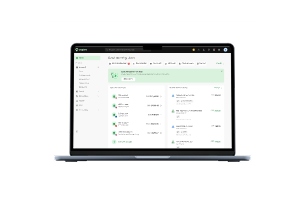
QuickBooks Australia at a glance
[Table:1]
QuickBooks was offering 70% off for the first 6 months when this review was updated in September 2026. That’s an introductory offer, not the ongoing subscription price, so the standard rates below are the better figures for comparing long-term cost. Check QuickBooks Australia's current plans and pricing before subscribing, as promotional pricing can change.
How much does QuickBooks cost in Australia
QuickBooks Australia has 4 main QuickBooks Online plans. The standard monthly price starts at AUD $33 for Simple Start, then increases as more users and operational features are added.
[Table:2]
Check QuickBooks Australia’s current plans and pricing before subscribing because introductory offers can change.
Simple Start covers the core accounting workflow, while Essentials becomes more relevant once several people work in the books or the business deals with foreign currencies and supplier bills. Plus is the more meaningful step up for businesses that need project profitability or inventory, while Advanced is aimed at larger finance teams that need tighter permissions and reporting controls.
The subscription may not be the full cost. QuickBooks Payroll powered by Employment Hero is available as an add-on, and some businesses may also pay for more advanced migration, third-party apps or other integrations.
QuickBooks Australia features: how good are they
QuickBooks covers the core accounting workflows most Australian small businesses are likely to need, but the depth of those features changes by plan. The useful question in a review is not just whether a feature exists, but how well it fits the way a business actually operates.
Invoicing, expenses and bank feeds
QuickBooks supports invoicing, quotes, expense tracking, receipt capture and automated bank feeds across its core plans. Bank transactions can be imported into QuickBooks for categorisation and reconciliation, while receipt capture helps match supporting documents to recorded expenses.
These are the features most small businesses will use day to day, and they reduce a lot of routine bookkeeping work. The limitation is that the experience still depends on the bank feeds and integrations your business relies on. In one 2025 AusFinance discussion, an Australian small-business owner reported having to manually import transactions after their QuickBooks bank feed stopped updating. That is an individual case rather than evidence of a broader problem, but it shows why testing your actual bank connections before migrating matters.
GST and BAS
QuickBooks can track GST on transactions, prepare BAS and electronically lodge BAS directly from QuickBooks Online. Its BAS workflow also lets businesses review GST-related transactions and reports before lodgement. See the QuickBooks GST and BAS guide.
For an Australian small business, that is a meaningful strength because GST and BAS sit inside the accounting workflow rather than needing to be handled separately. It does not remove the need for correct coding, reconciliation or tax review, so the software supports compliance work rather than guaranteeing it.
Multi-currency
Multi-currency becomes available from Essentials and allows businesses to record transactions in foreign currencies while maintaining their AUD accounting records.
That is useful for businesses invoicing overseas customers or paying international suppliers because those transactions stay inside the accounting system instead of being managed as a separate process. The trade-off is that even occasional foreign-currency activity can push a business beyond the entry-level Simple Start plan. See QuickBooks Australia multi-currency.
Projects and inventory
Plus adds project management, inventory tracking and budgeting.
For agencies, consultancies and contractors, project profitability helps connect revenue with the cost of delivering individual engagements rather than relying only on the company-wide P&L. For retailers and product businesses, QuickBooks can keep inventory, purchase orders and sales activity closer to the accounting record. See QuickBooks Australia inventory.
The limitation is depth. QuickBooks can suit relatively straightforward project and inventory workflows, but businesses with more complex manufacturing, warehousing or supply-chain requirements may still need specialist software.
Reporting and finance controls
QuickBooks includes core financial reporting across its plans, while Advanced adds controls such as custom role permissions, automated workflows, custom reporting fields, Excel data sync, and backup and restore.
These features become more useful once several employees need different levels of access or management reporting becomes more complex. For a small owner-managed business, though, many of the stronger workflow and reporting controls sit on a plan it may not otherwise need.
Intuit Assist and AI
As of September 2026, QuickBooks Australia includes Intuit Assist and a growing set of AI-powered tools across its plans. These include AI-assisted bank feeds, the GST AI Agent, anomaly detection and additional agents for finance, customers and projects depending on the subscription tier. See QuickBooks’ AI agents overview.
The useful part is not simply that QuickBooks has AI. These tools are being applied to accounting tasks such as categorising transactions, spotting anomalies, checking GST information and surfacing financial insights. Some capabilities are still in beta or have plan-specific restrictions, so they are better treated as assistive tools than as a reason to choose QuickBooks on their own.
Mobile app and integrations
QuickBooks Online also has mobile access for tasks such as invoicing, expense recording, receipt capture and selected accounting work. It connects with a broad range of third-party business and finance tools.
For Aspire users, QuickBooks Online Essentials or higher with multi-currency enabled can connect eligible Aspire debit accounts to the Aspire QuickBooks integration. That lets selected Aspire transaction data flow into the QuickBooks bank feed rather than being transferred manually.
Using QuickBooks for Daily Operations
QuickBooks Online is cloud-based and can be accessed through a browser or mobile app. Intuit also offers a free 45-minute onboarding session, while Essentials, Plus and Advanced include basic migration support from another accounting platform.
The breadth of the product is both a strength and a trade-off. QuickBooks can keep invoicing, expenses, GST, projects, inventory and reporting within the same accounting system as the business becomes more complex, but that also means there is more to configure and learn than with a simpler bookkeeping tool.
Day-to-day usability also depends on the wider finance workflow. Bank feeds, third-party integrations and how comfortable your accountant or bookkeeper is with QuickBooks can have more practical impact than the interface alone.
Customer support
QuickBooks Australia provides phone and chat support, alongside onboarding and online help resources.
Those channels are useful to have, but support quality can vary by the type of problem being solved. If your business depends heavily on payroll, bank feeds, migration or a particular integration, recent feedback about that workflow is more useful than judging QuickBooks only by the support channels it lists.
QuickBooks Australia reviews: what do users say
Australian discussions about QuickBooks show mixed experiences, with much of the feedback focusing on workflow fit rather than whether the software has enough accounting features.
One recurring theme is accountant familiarity. In Australian small-business discussions, some users favour Xero because their accountant or bookkeeper already works in it every day. That does not make QuickBooks less capable, but it can make switching less attractive if the people maintaining the books need to change their established workflow.
Some Australian users report preferring QuickBooks for more complex accounting setups. In one AustralianAccounting discussion, a user running a larger multi-location business said QuickBooks suited their requirements better than Xero. That is an individual experience rather than representative evidence, but it shows why the better product can depend on the complexity of the finance setup rather than business size alone.
There are also complaints around individual integrations and bank feeds. A small Australian business owner in a 2025 AusFinance discussion reported having to manually import transactions after their QuickBooks bank feed stopped updating. That should not be read as evidence that QuickBooks bank feeds generally fail, but it is a reminder to test the connections your business relies on before migrating.
The broader pattern is:
- Positive: broad accounting functionality, multi-currency, project and inventory tools, and controls for more complex finance teams
- Mixed: usability depends heavily on the workflows and integrations being used
- Common Australian consideration: Xero is often more familiar to local accountants and bookkeepers
- Potential friction: bank feeds, migration and integrations can matter more in practice than headline feature counts
The review evidence therefore does not point to a simple “QuickBooks is easy” or “QuickBooks is difficult” conclusion. Its breadth is a strength, particularly for businesses that need multi-currency, projects or inventory, while accountant familiarity and individual bank or integration issues can create friction.
For a founder, the better question is whether the bank feeds, accountant workflow, payroll setup, integrations and plan features your business actually needs work cleanly together.
QuickBooks Australia: pros and cons
By this point, the trade-offs are fairly clear.
[Table:3]
The trade-off is fairly clear. QuickBooks gives businesses room to add more complex accounting and operational workflows without changing platforms, but many of those capabilities only become available as you move into higher-priced plans.
Top QuickBooks Alternatives in Australia
Xero is the most obvious alternative for many Australian businesses. Like QuickBooks, it supports Australian accounting workflows and extends into areas such as payroll, projects and multi-currency depending on the plan.
Its practical advantage is familiarity among many Australian accountants and bookkeepers, which can reduce switching and training friction.
QuickBooks may be the better fit where its combination of multi-currency, project accounting, inventory and higher-tier finance controls matches the business more closely. The more useful comparison is therefore the plan that supports your actual workflow, not simply which provider advertises the lower entry price.
MYOB is another established alternative, particularly for businesses and accountants already working within its accounting and payroll ecosystem.
Aspire and QuickBooks Integration
Businesses using QuickBooks Online Essentials or higher with multi-currency enabled can connect eligible Aspire debit accounts through the Aspire QuickBooks integration.
Admin, Finance and Accountant users can choose which eligible Aspire accounts to connect and when transaction syncing should begin. This can reduce manual transfer of bank-feed transaction data between Aspire and QuickBooks.
Aspire does not replace QuickBooks as the accounting system or determine the correct accounting treatment of transactions.
QuickBooks Australia: Final Verdict
QuickBooks Australia is worth considering if your accounting needs are likely to extend beyond basic invoicing and expense tracking.
Its Australian GST and BAS functionality is built into the accounting workflow, while multi-currency, projects, inventory and higher-tier finance controls give businesses room to add more complexity without immediately changing platforms. Its newer AI tools also add automation around accounting and financial review, although some capabilities are still evolving.
The main trade-offs are plan gating and ecosystem fit. Multi-currency requires Essentials, projects and inventory require Plus, payroll costs extra, and Xero may fit more easily where the accountant or bookkeeper already works extensively in that ecosystem.
For a solo or very simple business, QuickBooks may provide more functionality than is necessary. For a growing business that expects supplier bills, foreign currencies, projects, inventory or multiple finance users to enter the workflow, its broader feature set becomes more compelling.
Before subscribing, compare the lowest QuickBooks plan that actually supports your workflow with the alternative your accountant and team would realistically use. That gives a better indication of value than either the introductory discount or a generic review score.
FAQs
How much does QuickBooks cost in Australia?
The standard QuickBooks Australia prices at the time of review are AUD $33/month for Simple Start, $60 for Essentials, $84 for Plus, and $125 for Advanced. QuickBooks may offer introductory discounts, so check its current Australian pricing before subscribing.
Is QuickBooks good for Australian small businesses?
QuickBooks can suit Australian small businesses that need GST tracking, BAS preparation/e-lodgement, invoices, expenses, bank feeds, and financial reporting. Whether it represents good value depends on which tier contains the additional users and workflows the business needs.
Does QuickBooks Australia lodge BAS?
QuickBooks Online can prepare and electronically lodge BAS directly with the ATO after the relevant GST and BAS setup is completed. QuickBooks also lets users review GST-related transactions and reports before lodgement. See its BAS preparation guide.
Which QuickBooks plan has project management?
Project management starts on Plus. It includes project profitability, making it most relevant to agencies, consultancies, contractors, and other project-based businesses.
Does QuickBooks Australia include inventory?
Inventory tracking, purchase orders, and sales orders are available from Plus. Businesses with more complex manufacturing or warehousing requirements may still need dedicated inventory or ERP software.
Is QuickBooks better than Xero in Australia?
Neither is better for every Australian business. QuickBooks may fit businesses whose multi-currency, project, inventory, or finance-team requirements line up with its plan structure. Xero's familiarity among Australian accountants and bookkeepers can make it easier to fit into an existing accounting workflow. Compare the actual plans, accountant preferences, and integrations your business will use.
Can Aspire connect to QuickBooks?
Yes. Aspire can connect eligible debit accounts to QuickBooks bank feeds when the business uses QuickBooks Online Essentials or higher with multicurrency enabled. See Aspire's QuickBooks integration instructions.







.jpeg)




































.jpeg)





.jpeg)


.jpeg)