


Why choose Xero accounting software for growing businesses?
Most new businesses in Australia start as small operations and would like to stick to finance management tools that don’t break the bank, right in the initial days. Xero has a reasonable pricing structure, making it an excellent accounting software for SMEs in Australia.
The best thing about this tool is that its pricing is based on the number of features in specific plans, and not the user count. Supporting integration with 1000+ third-party business apps, Xero is a strategic accounting tool that will aid your business as it reaches higher growth phases.
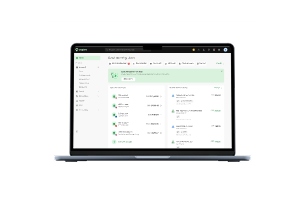
While curating this Xero review, we figured that you won’t need extensive accounting knowledge to use this software. It comes with a user-friendly interface and streamlined data visualisations to provide founders with a holistic overview of their finances.
[Table:1]
Xero software review: Pricing for businesses in Australia
Xero is among the affordable accounting software solutions, offering feature-rich plans and founder-friendly pricing models. This software isn’t priced based on the number of users, but on the features. All the plans have support for unlimited users, making it the biggest USP for Xero. Here’s the pricing breakdown for you to count on:
[Table:2]
Common features across all plans:
- Free 30-day trial.
- Invoicing and quotation.
- Accepting online invoice payments
- Reconciliation of bank transactions
- Tracking GST and lodging BAS
- Smart document capture
- Real-time report viewing
- CRM integration
- Multi-currency support
- Payroll
- Automation of superannuation
- Basic performance visualisation using graphs.
- Online bill payments.
- Onboarding support for up to 90 days.
Is Xero good value for money?
Yes, Xero is value for money for the right business at the right tier.
Where it delivers value
- Unlimited users with every plan, when competitors like QuickBooks and MYOB charge per seat.
- Offers core bookkeeping with features such as invoicing, reporting, GST/BAS and others, which stays the same across all tiers.
- Ignite and Grow tiers are competitively priced for small teams and sole traders, once you are past the discount period.
Where the value weakens
- Prices have risen every year with a 4-13% increase in July 2026. You might have to reassess your plan if you want to save money in the long run.
- Real-world costs increase when you add expense, reporting and inventory apps.
Xero is a good value-for-money tool if you opt for a plan that matches with your current payroll headcount and transaction volume, and not the one that just sounds ‘future-proof’.
Xero review: Customer service
Among the positives of Xero accounting software, its customer service also holds significant importance. The support team here is responsive to queries and complaints, ensuring uninterrupted usability for founders:
- Live chat: Reach out to the customer service online through live chat for simple issues. The system works well for growing businesses to overcome initial hurdles while setting up an account on Xero.
- AI support: Xero has its AI customer service assistant, JAX, which helps users with automating accounting tasks, providing personalised data, creating invoices, and modifying quotations.
- Online resources: Xero offers online support resources including webinars, blogs, podcasts, videos, training courses, and business guides. These resources are available 24/7 at Xero Central for anyone seeking self-help getting started with the software.
Capterra review: Users highlight Xero as an excellent cloud-based accounting platform, followed by its quick and responsive customer support.
Xero review: Ease of use and interface
Xero will help you set up your company profile by asking some questions. The interface will then be tailored depending on the answers, and the foundation will be built for your transactions and records.
The cloud platform also makes suggestions on what your first steps should be after setting up the account. For instance, it recommends that you connect the account to all your financial institutions to quickly import the transactions.
Xero also allows you to toggle a feature on/off or modify the associated operations from the ‘Settings’ tab. You will find quick options around invoicing, customer payments, currencies, user permissions, and other such features.
As for the interface, here are a few things that make Xero a simplified app to use:
- Uniform and professional look
- Consistency in design across the software
- Simple interface supports faster usability
- Descriptive navigation toolbar
- Quick access widgets
G2 review: Users find the platform user-friendly once they get the hang of it, making it easy to implement into daily business routines.
Features of Xero tailored for Australian founders
Xero has a cloud-native software architecture which ensures accessibility from all devices, and also has features specific to Australia’s unique business or tax environment. Here are some of them:
- Bank feeds and reconciliation tools:
Xero integrates with top financial institutions in Australia, including the big players like Bendigo Bank and CommBank, for importing real-time transactions. JAX, Xero’s AI financial assistant, helps reconcile your bank transactions automatically with 97% accuracy. It is still recommended that users manually review first-time or unusual transactions. Xero also learns from user corrections to create custom rules for recurring items such as supplier payments, utility bills, and others.
- Security and compliance elements:
Xero offers role-based access, bank-grade encryption, and multi-factor authentication. It holds ISO/IEC 27001:2022 certification and complies with PCI DSS v4.0 (SAQ A) for payment data. It also undergoes independent SOC 2 audits and offers network protections including firewalls, segregation controls, and intrusion detection backed by a robust infrastructure.
- Transaction monitoring:
Xero’s History & Notes section displays an activity log to help you monitor the key document details. For instance, you can determine if a particular invoice was copied from any quote, who created it, who approved it, and when those actions took place. You will also find automated payment reminder information on this page.
- Time tracking:
Xero offers built-in time tracking features through its ‘Projects’ tool, but it is only available in the Ultimate and Ultra plans. If you are on the lower plan, you must opt for it as an add-on integration. Not just that, but Xero can also integrate with 50+ time tracking tools such as LiveCosts, ServiceM8 and Deputy.
- Invoicing, quotation and payment processing:
Xero supports features such as generating recurring invoices, online payments, invoice status tracking, eInvoicing and payment reminders. You can automate recurring invoice generation for subscription-based services and also send auto-reminders at set intervals. Xero adheres to e-invoicing compliance, ensuring it satisfies the ATO tax invoice clauses.
- Payroll and workforce management:
Xero handles wage calculations, leave accruals, tax withholdings, timesheet submissions, and superannuation at 12%, all while being fully STP-compliant. Employees can access their self-service portals to view their payslips, update details, request leave, and minimise admin load for founders.
- Advanced reporting and analytics:
Xero has a range of pre-built report templates covering balance sheets, GST summaries, profit/loss and more. It also has customizable reporting dashboards for highlighting KPIs like expense ratios or gross margins. With predictive cash flow modelling features, Xero uses historical data for forecasting future scenarios.
- Inventory tracking and project management:
Xero helps with monitoring your inventory or stock levels, and alerts you when it’s low. It also does batch tracking for perishable goods, which is a critical feature for food businesses. As part of project management, this cloud platform helps with cost allocation and profitability analysis.
- Expense tracking:
Xero assists you with tracking your expenses or bills. You can either enter the bill details manually and configure the system to send them to a unique inbox, or upload them directly. Xero reads the bills accurately, extracts important details such as amounts and vendor information, and adds them to forms.
- Smart document capture:
Xero has an AI assistant, JAX, which powers the smart document capture feature. It helps you read source documents such as bills or receipts, pulling the relevant data into Xero. This cuts down the manual entry efforts across all three plans or tiers.
- Mobile access:
Xero also provides three separate mobile apps, available for both iOS and Android devices. The apps include Xero Projects, Xero.me, and Xero (main app). The main app comes with a brief dashboard highlighting all your important numbers. It will showcase the sales and purchase overviews, providing access to invoices, POs, expenses and bills.
Let Aspire’s Xero integration facilitate real-time bookkeeping for you
This Xero software review highlights the accounting capabilities of the tool, but its real power depends on how efficiently your data flows into it. A real-time overview of your finances doesn’t depend on remembering to upload your bank statement.
Your books must stay current at all times, backed by automated syncing. And that’s where Aspire’s Xero integration can be helpful.
Every expense, bill, and transaction from your Aspire account will automatically sync to your Xero account. The bank feeds will update hourly, giving you instant access to your financial insights.
No more uploading statements manually or chasing the receipts; all transactions flow into Xero with digital receipts, descriptions, and line items specified. Your reconciliation will be done in minutes, not hours.
With custom accounting guidelines and category mapping, Aspire fills out the necessary details for you. Every invoice syncs automatically the moment it's settled.
Want to be at the top of your financial insights with less manual effort? Let us connect your Aspire account to Xero. Reach out to us, and let’s get started.
FAQs
1. What do founders use Xero for?
Xero is a popular accounting software solution that offers invoicing, bookkeeping and business analytics features. It is built to help small businesses actively manage and track their finances as they grow. This Xero review for Australia highlights all the important features of the tool, helpful for small businesses to thrive with seamless financial management.
2. What is the difference between QuickBooks and Xero?
QuickBooks is the most popular accounting software in the United States, whereas Xero holds a dominant market share in specific countries, with Australia being among the top ones. Both platforms support wide-scale integrations and offer robust features. However, Xero is more affordable and delivers value for the money spent. It supports unlimited users, which makes it a strong option for new or growing businesses.
3. How much time will it take to set up Xero for my business?
It will take around 1 to 4 hours to set up your Xero account, depending on the volume of data you are syncing. You will be prompted to connect your bank accounts, configure the tax codes, and import historical data with tutorials and guides.
4. What customer support options does Xero provide to businesses in Australia?
Xero offers a 24/7 help centre with articles and guides to help you find quick solutions to common issues. You also get a live chat feature, where you can connect with Australia-based support agents during their business hours. Following that, you also have email support and a network of advisors to help you with personalised account setup.
5. Can Xero help with business growth?
Yes, Xero has advanced reporting tools and a predictive cash flow analysis feature, which allows businesses to identify cost overruns, forecast scenarios, and make data-driven business decisions. This way, businesses can boost profitability and expansion.


















.jpeg)
































.jpeg)





.jpeg)


.jpeg)